.svg@webp)
DJI Neo 2 Overview – Can It Do Photogrammetry?
 Lukas
Zmejevskis
Lukas
Zmejevskis
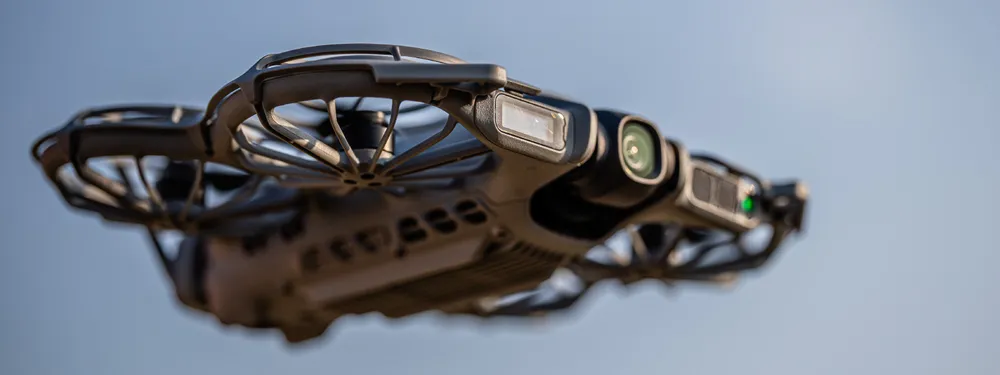
DJI recently released the Neo 2, the successor to the small and lightweight Neo drone. Neo drones are compact and easy to fly, designed primarily for casual flying, social media content, and autonomous tracking shots. With the Neo 2, we are getting a few improvements to flight performance and camera capabilities.
In this article I will go through the key specifications of the DJI Neo 2, share some flight impressions, take a look at the camera quality, and finally explore the most important question for readers of this blog: can the DJI Neo 2 realistically be used for photogrammetry workflows?
 DJI Neo 2 Key Specifications
Below are the key specifications of the DJI Neo 2 with my comments on what might be necessary to clarify.
Takeoff Weight: approximately 150 g. This places the drone in the very lightweight category, which often simplifies regulations in many countries. Add about 10 grams for the remote controller module, which I used.
Camera Sensor: 1/2-inch CMOS sensor with 12 megapixel resolution.
Lens: fixed focal length lens with an approximately 120° field of view and f/2.2 aperture. 35 mm format equivalent is about 16 millimeters. This is an ultrawide lens, providing a much wider field of view than regular GPS drones like the Mini or Mavic series. This is more of an FPV drone or action camera type of wide field of view.
Image Resolution: still images up to 12 MP. No RAW photo support, only JPEGs.
Video Resolution: up to 4K 60p video.
Gimbal Stabilization: 2-axis mechanical gimbal combined with electronic stabilization.
Internal Storage: approximately 49 GB of built-in storage. No SD card slot.
Maximum Flight Time: roughly 18–19 minutes under ideal conditions. Closer to approximately 14 minutes in the real world.
Maximum Transmission Distance: up to 10 km when used with a compatible DJI remote controller.
Maximum Speed: approximately 40–45 km/h depending on flight mode. Only in zero wind conditions.
Obstacle Sensing: omnidirectional monocular vision system paired with a downward infrared sensing system and forward-facing LiDAR. The most impressive spec of this little drone by far. More on that below.
Positioning Systems: GNSS positioning using GPS, Galileo, and BeiDou satellite systems.
Control Methods: compatible with DJI remote controllers, mobile app control, gesture control, and motion controller systems. I tested the drone with the DJI RC2, which required the additional antenna module, an inexpensive add-on.
 Flight Impressions
I am used to DJI drones by now and know what to expect. Still, this little thing gave me a few surprises. Flight performance is fine for such a small drone. Wind resistance is weak, but overall speed is quite usable for many use cases. Responsiveness with the DJI RC2 is great, with no real difference compared to other DJI drones and no noticeable drawbacks in general.
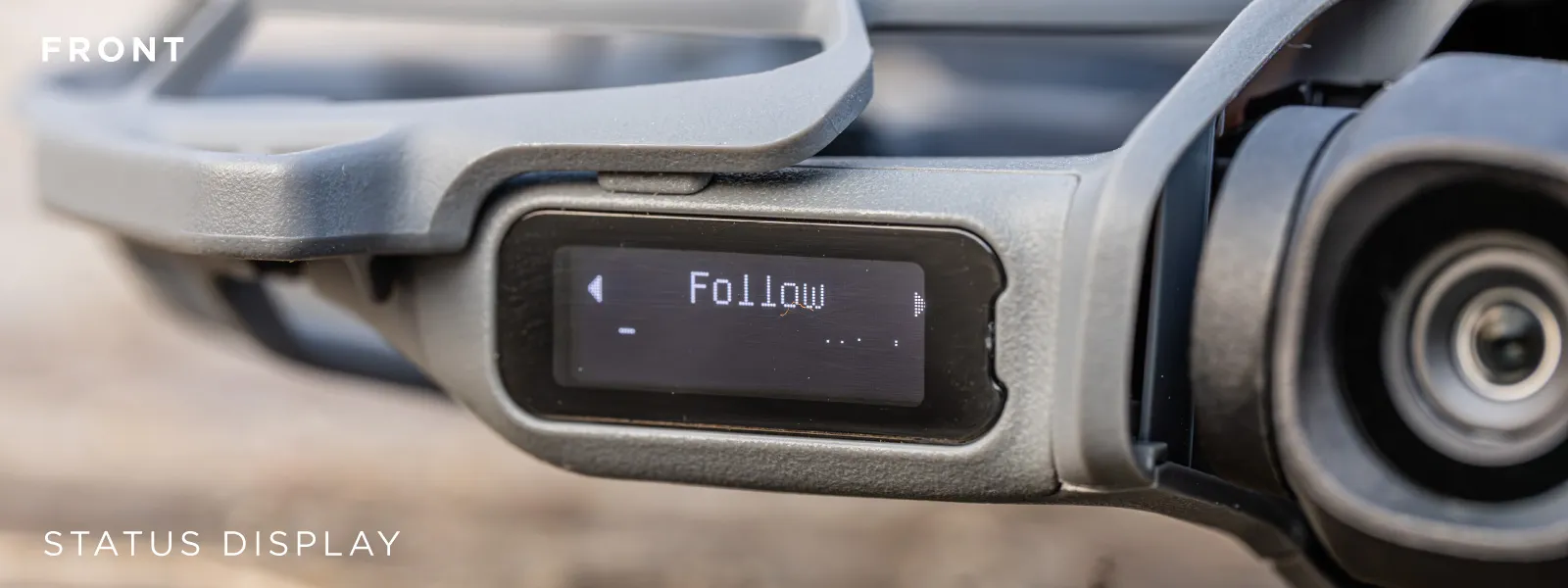 I tried the drone with both the RC2 and standalone mode, where one does not use a remote controller and instead controls it with hand gestures. Despite being initially skeptical about not using a remote, I must say that gestures work well enough for this to count as a legitimate way of operating the drone. The overall experience can be nuanced, but it is definitely usable in many “content for fun” creation use cases.
 By far the most impressive thing about this drone is its obstacle avoidance. It uses only two lenses for visual avoidance, a tiny infrared sensor on the bottom, and a small LiDAR sensor on the front. This front-facing LiDAR has become a staple in the latest DJI drones, and it works. Frontal obstacle detection is confident and precise enough, while the two-camera omnidirectional avoidance system is surprisingly competent as well.
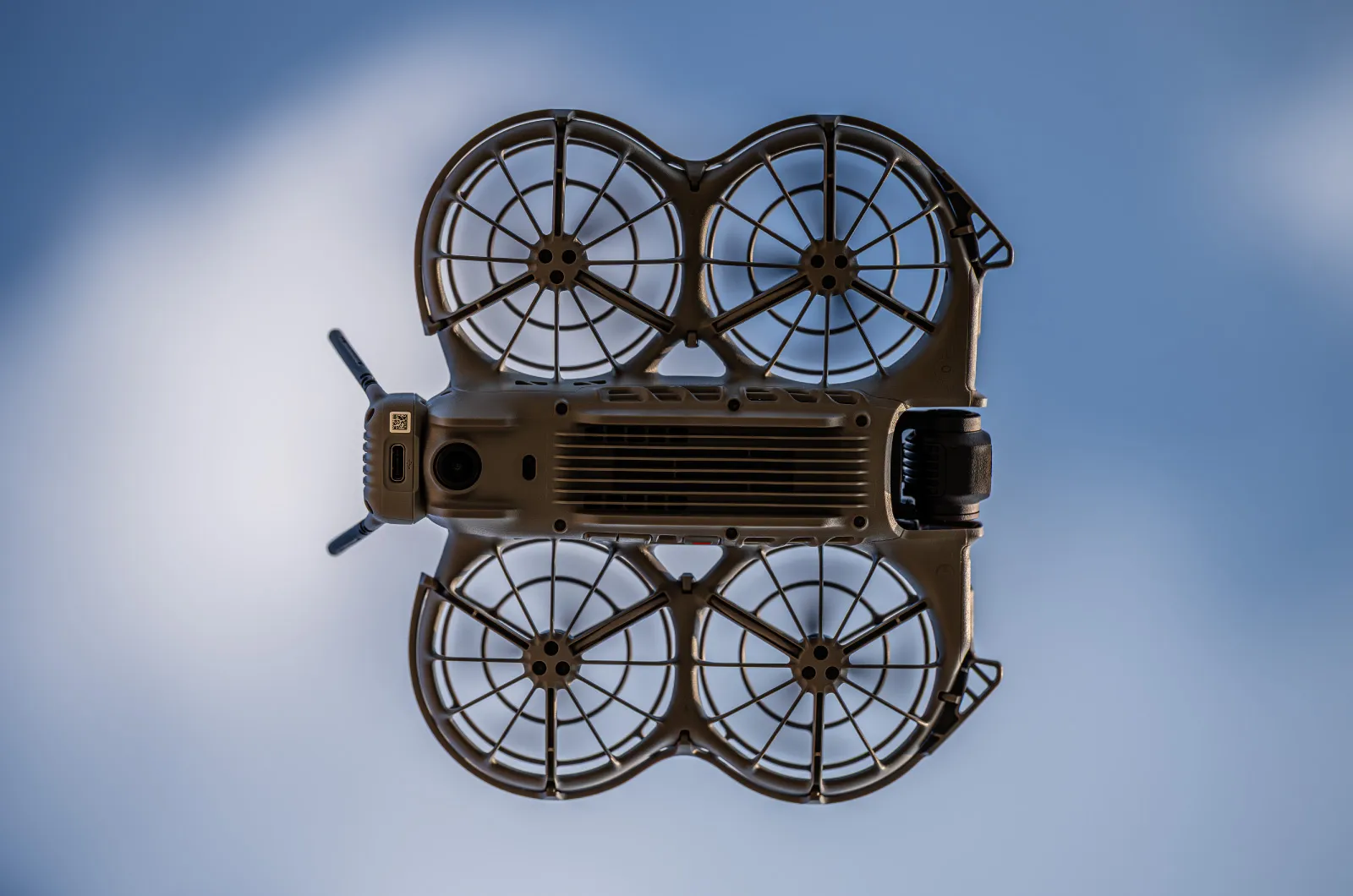
 I would not say I feel any less safe flying this little drone than any of the latest generation LiDAR-equipped drones I reviewed before. This puts the Neo 2 in the same conversation as DJI Mini 5 Pro, Air 3S, and Mavic 4 Pro in terms of obstacle avoidance. And even if you do bump into something, the enclosed props and the sheer lightness of the Neo provide an additional safety layer not found on other drones. Overall, top marks in the safety department.
 There are a couple of things to complain about. These would be the high-pitched noise it creates, the shaky and unstable flight during descent, the two-axis gimbal, and the relatively short flight duration.
Camera Quality
We have seen this sensor size before, and we have seen it paired with a similar lens. DJI Avata mark 1 and the DJI Air 2 are the most comparable examples. It provides perfectly adequate 12 megapixel image quality. It is not close to what we get from the Mini 5 Pro or other much more expensive drones, but in good lighting conditions you can take some fine photos with it.

 The same goes for video. It does 4K at 60 frames per second, which is what we need, and that is great. Video dynamic range is surprisingly good. The sensor may be the same, but the entire video pipeline tends to improve with each generation. There is nothing major to complain about here. If I had to classify the camera quality of this drone, I would say that it is good enough for casual content creation but not for professional use beyond social media.
DJI Neo 2 for Photogrammetry
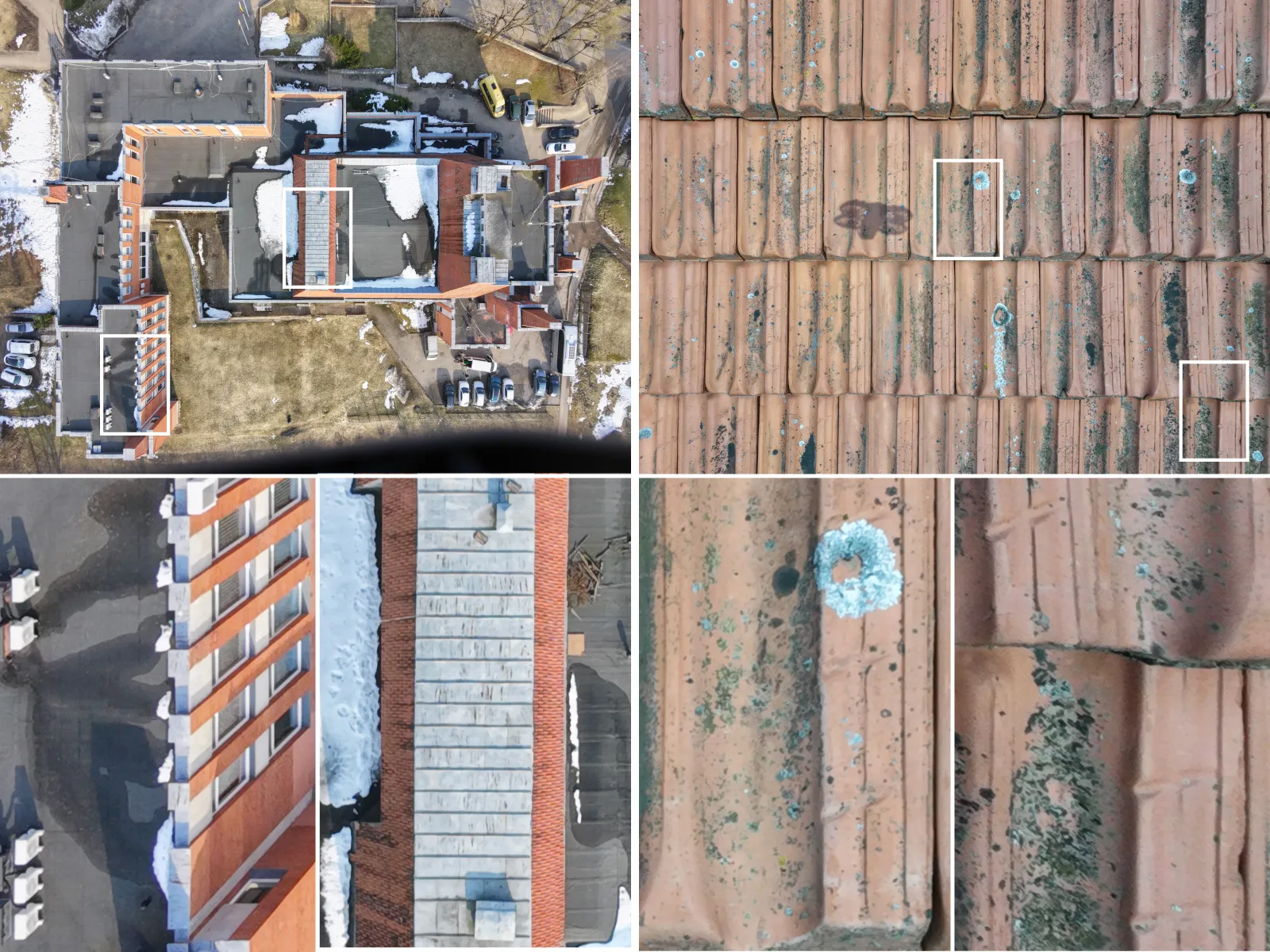
Can we use the DJI Neo 2 for photogrammetry? The short answer is definitely yes. The long answer is definitely yes, but you will have to do everything manually. You can see the example I made between the following paragraphs.
It would not be logical to recommend this drone for photogrammetry work, but if it is the drone you have and you have a one or two time use case of scanning your roof or a small property, why not. I am sure that this will become handy for someone in such a specific scenario.
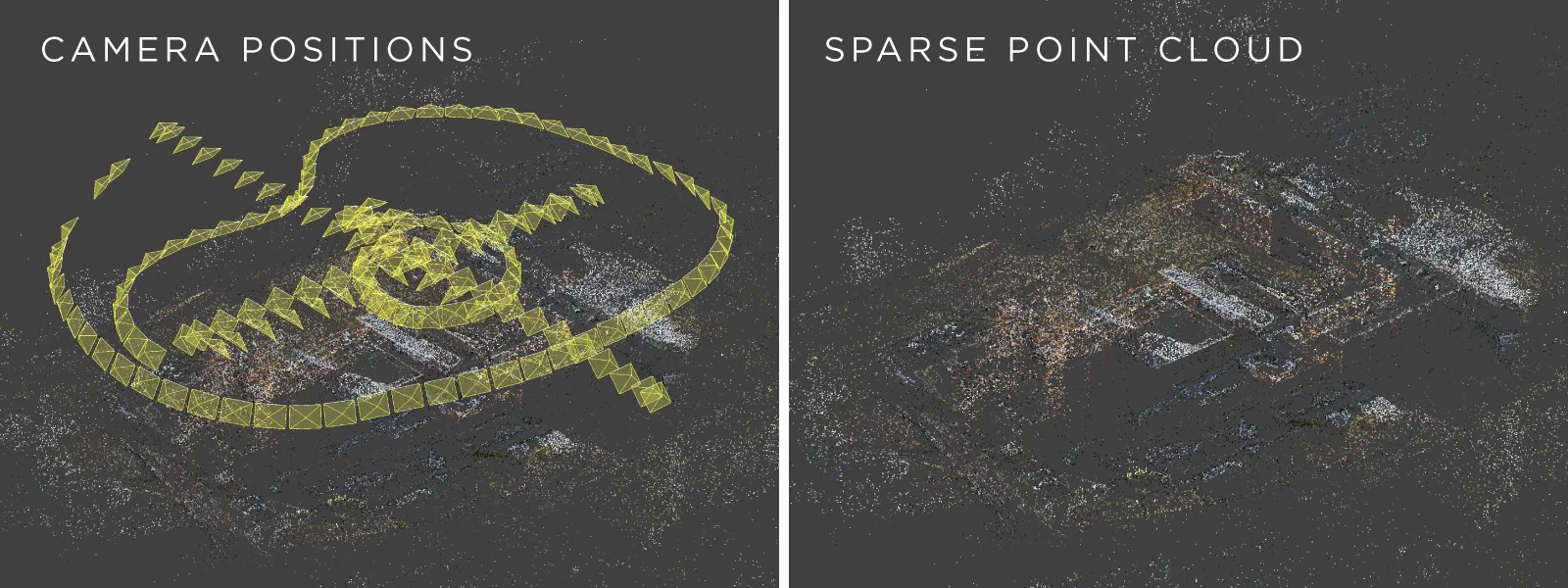 DJI Neo clears the “good enough” for photogrammetry bar because it can take decent quality photos, it can do it at a decent rate (Timed Shot mode caps out at the usual 2 seconds), and it has a good GPS module that writes GPS data into each photo. This means we do have scale for measurements. And finally, there are no real specific deal breakers.
 That being said, it does not support waypoints, so we cannot use Pixpro Waypoints with it for automated flights. There is no RAW photo support, so we cannot squeeze every last ounce of quality from its camera, and there is no microSD card slot, so we are limited by the 49 GB internal storage.
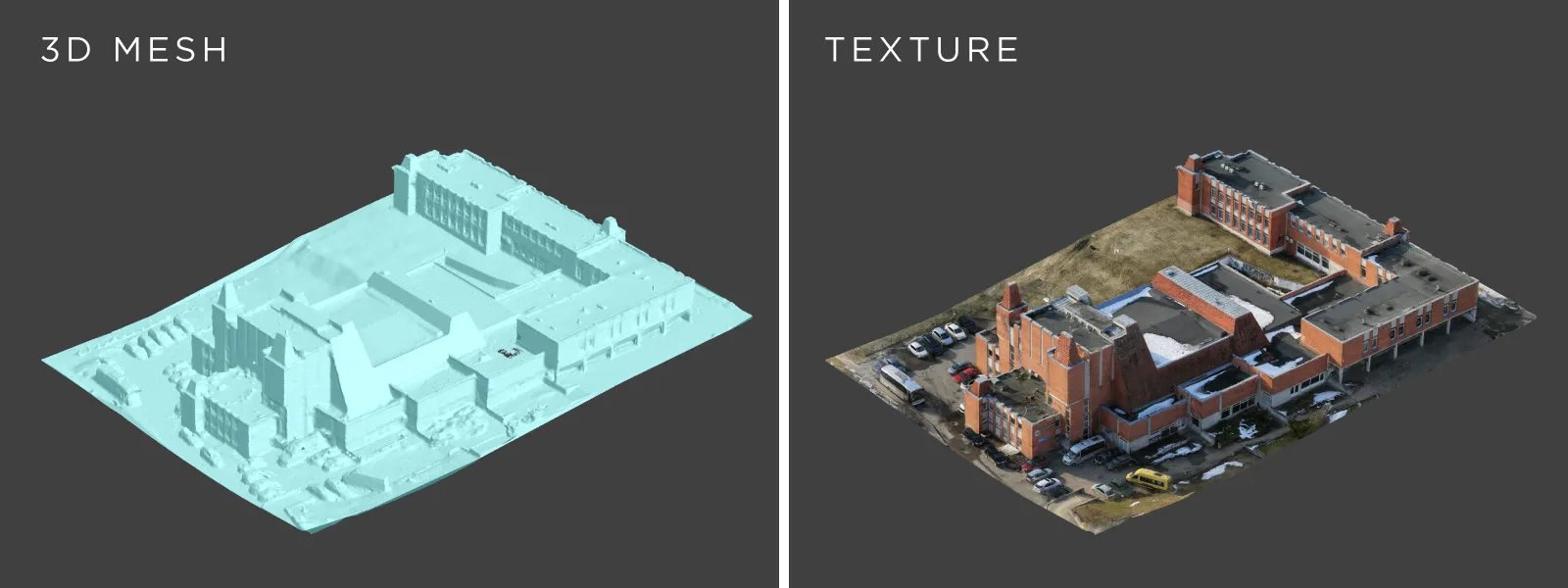 With all of these drawbacks in mind, you can still find all of the information needed on how to do manual scans in this blog. A good place to start would be this article: Manual Photogrammetry. If you learn the basic skill of photogrammetry, which is simply taking a large number of overlapping high quality photos and feeding them into Pixpro photogrammetry software, you can get a good 3D model. I made the example using the DJI Neo 2 by flying fully manually in Cine mode and shooting in Timed Shot mode with a 3 second interval. No preplanning, no particularly fancy moves, just flying around the target building and taking a bunch of photos.
Conclusion
DJI Neo 2 is clearly not designed with photogrammetry in mind. It is a small, lightweight drone intended primarily for casual flying and content creation. However, that does not mean it cannot be used for 3D scanning.
It is a good flying camera - the GPS data is usable, and it can capture images at a reasonable interval. For regular or professional photogrammetry work there are far better tools available. Drones like the Mini, Air, or Mavic series with longer flight times and support for automated flight planning using Pixpro Waypoints.
But if the DJI Neo 2 is the drone you already have, it can absolutely be used to create small aerial photogrammetry scans. With careful manual flying and good capture technique, it is possible to produce good 3D reconstructions, measure them and export the results.
Photographer - Drone Pilot - Photogrammetrist. Years of experience in gathering data for photogrammetry projects, client support and consultations, software testing, and working with development and marketing teams. Feel free to contact me via Pixpro Discord or email (l.zmejevskis@pix-pro.com) if you have any questions about our blog.
Related Blog Posts
Our Related Posts
All of our tools and technologies are designed, modified and updated keeping your needs in mind
Pixpro to Gaussian Splatting: How to Export Your Project to Postshot
Gaussian splatting is no longer a curiosity. People are using it for walkthroughs, marketing visuals, virtual environments, and increasingly as a pretty companion to a scan they already flew.
 Pixpro Team

The Top 10 Pixpro Blog Articles So Far
We have been publishing on this blog every week for years now, on everything from stockpile volumes and coordinate systems to scanning a cake. So it seemed like a good time to look at the numbers and see which posts people actually read, rather than which ones we enjoyed writing.
Pixpro Team
Portrait Orientation in Photogrammetry: When It Actually Helps
Is there anything to gain by scanning in portrait instead of the usual landscape? Sometimes, a little. But orientation is one of the least important decisions you make on a scan, and it is worth understanding why before you give it any more thought than that.
Pixpro Team
Ready to get started with your project?
You can choose from our three different plans or ask for a custom solution where you can process as many photos as you like!
Free 14-day trial. Cancel any time.