.svg@webp)
Understanding File Formats: Extensions, Encodings, and Photogrammetry Data
 Lukas
Zmejevskis
Lukas
Zmejevskis
A file is a ubiquitous term meaning a digital object that carries information. It can contain any type of information: a photo, a video, a document, or even an entire program or game. Almost everything we interact with on a computer ultimately exists as a file. Understanding file extensions and encoding is an underrated skill that becomes useful sooner or later. If you work with a computer regularly, it will inevitably matter at some point. When exporting data, opening unfamiliar files, or troubleshooting software issues, knowing what you are dealing with can save a lot of time.
In this blog post I will go through the basics and fundamentals of file formats: what file extensions really represent, what encoding and compression mean, and what kinds of data can actually exist behind those familiar letters at the end of a file name.
Encoding and Compression Explained
Before looking at file extensions, it helps to understand what is actually inside a file. At the most fundamental level, every file is just data stored as numbers. Computers store sequences of numbers and interpret them according to a set of rules defined by programming languages and file specifications.
Encoding is the method used to translate information into that structure. It defines how the raw data is represented so that software can later read it correctly. You can think of encoding as a language or rule set that tells a program how to interpret the stored numbers.
A useful analogy is our written language. The same sentence can be written in English, Lithuanian, or Japanese. The meaning might be identical, but the encoding of the information is different. A computer file works in a similar way. The underlying data exists, but it needs a defined encoding so that software knows how to read it.
 Compression is closely related to encoding. Compression is a technique used to reduce file size by storing the same information more efficiently. Some compression methods remove redundant data without losing information, while others reduce file size by discarding details that are considered less important. These are the two main compression types.
Lossless compression keeps all original information intact. Formats such as PNG or FLAC use this approach. The file becomes smaller but can be restored perfectly to its original state.
Lossy compression removes some information permanently in order to achieve much smaller file sizes. For example, JPEG images and most video formats use lossy compression. The resulting file is significantly smaller, but some original data is lost.
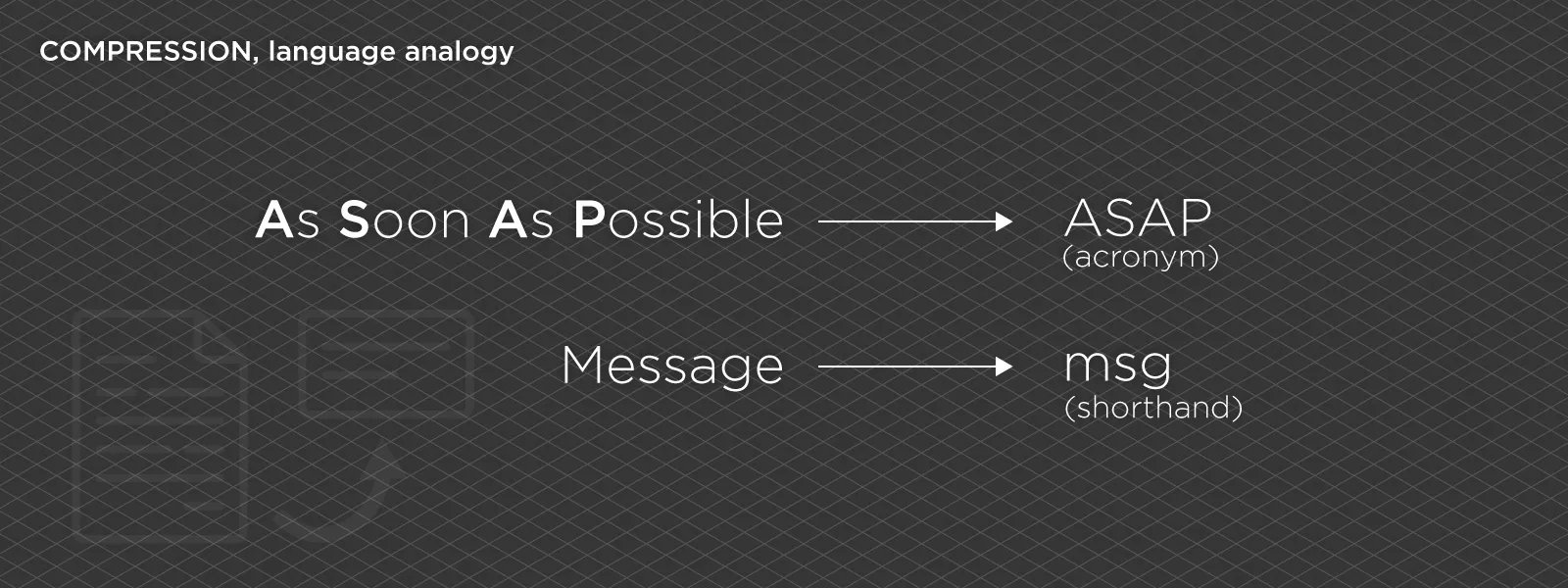 Compression becomes especially important in fields such as photography, video production, and photogrammetry, where large datasets are common. A single project may contain hundreds or thousands of images, and efficient storage becomes necessary. Storage requirements, file quality, and the accessibility of their use are always a balancing act.
File Extensions – Just Three Letters?
Most people interact with file extensions daily, often without thinking about what they actually represent. A file extension is the short sequence of letters that appears at the end of a file name after a period.
Examples include .jpg, .pdf, .mp4, or .obj.
The extension acts as a label that helps the operating system decide which software should open the file. When you double-click a file, your computer looks at the extension and launches the associated application. However, the extension itself does not define the data inside the file. It is only a hint. The actual format and encoding of the data is determined by the internal structure of the file.
This means that extensions can sometimes be misleading. Renaming a file does not change its contents. If you rename a .jpg file to .png, the data inside remains a JPEG image. The computer may become confused about how to open it, but the underlying information does not change.
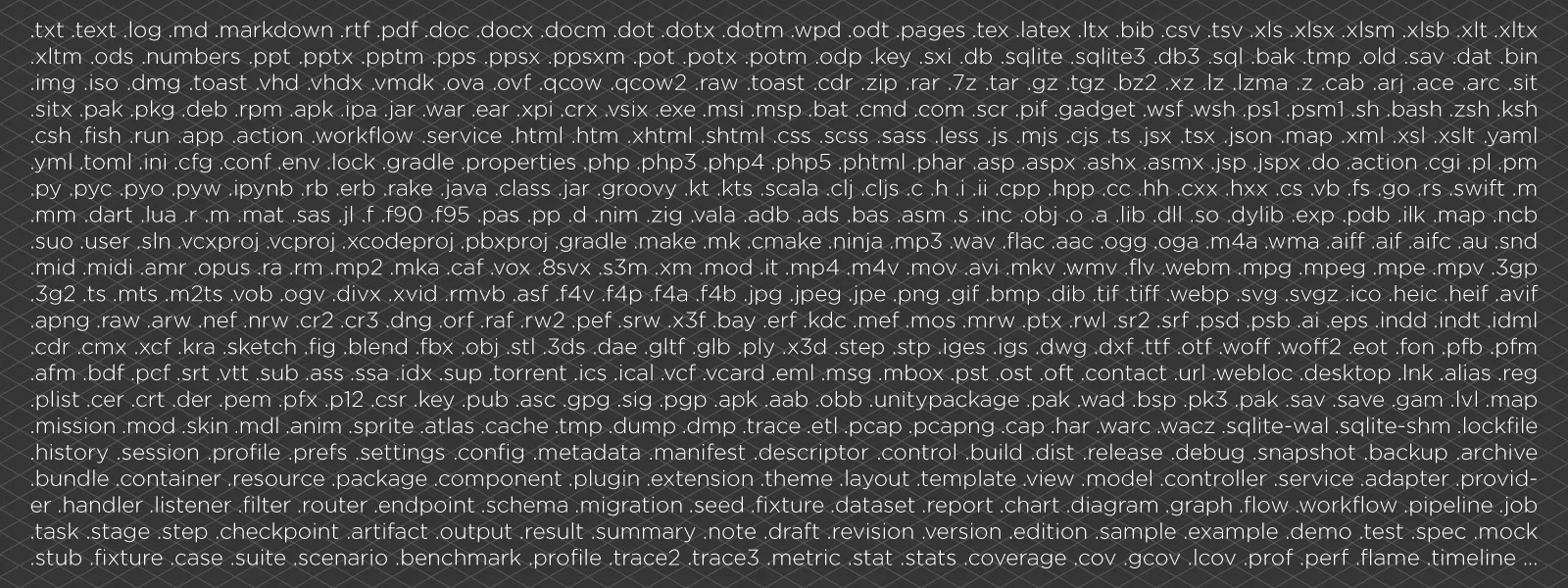 Another interesting detail is that extensions are not strictly required. Early operating systems did not always rely on them, and many systems today can still determine file type by analyzing the data itself.
In practice, however, file extensions remain extremely useful because they provide a quick and simple way for humans and software to recognize file types. And if you do encounter a file without an extension, be extremely careful. There is rarely a good reason for a file not to have an extension in most normal workflows.
Most Popular File Formats
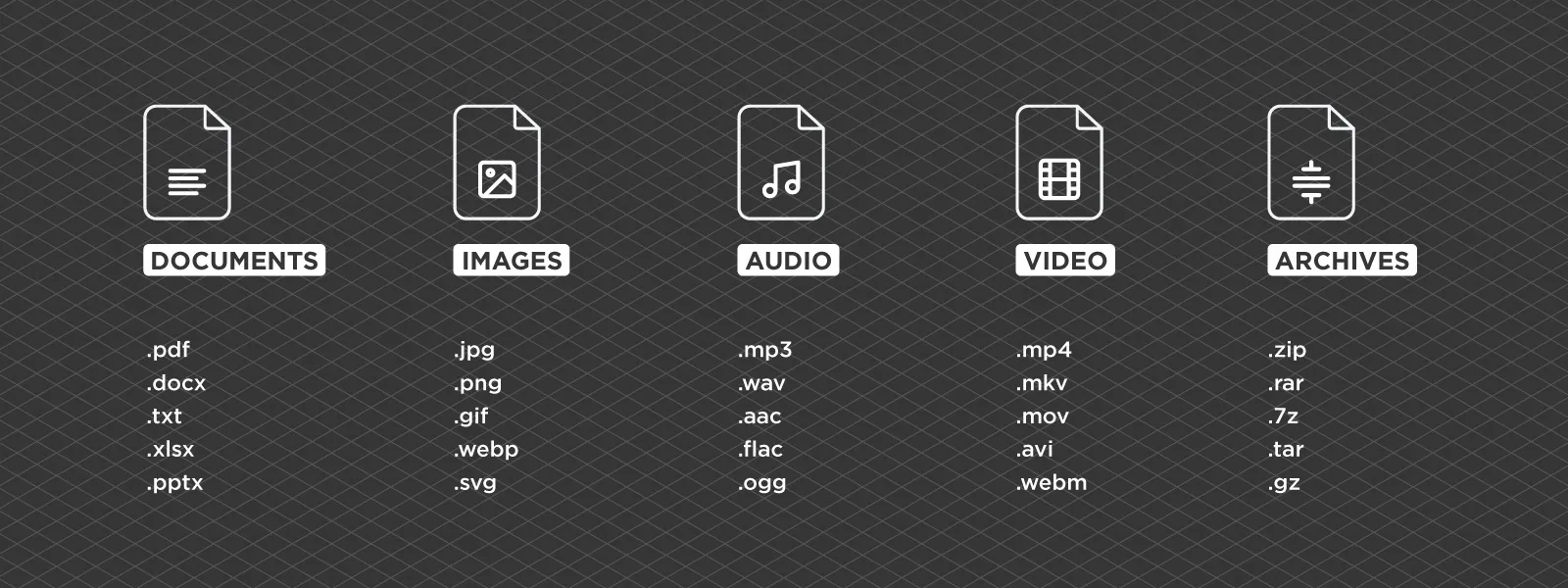
Modern computing relies on thousands of different file formats, but a relatively small group appears in everyday workflows. Below is a selection of some of the most common extensions you may encounter.
.txt – Plain text file containing unformatted text
.pdf – Portable Document Format used for documents and printing
.docx – Microsoft Word document format
.xlsx – Microsoft Excel spreadsheet format
.pptx – Microsoft PowerPoint presentation format
.jpg / .jpeg – The most common compressed image format used by cameras and smartphones
.png – Lossless image format commonly used for graphics and screenshots
.gif – Image format supporting simple animations
.tif / .tiff – High quality image format often used in photography and scientific imaging
.bmp – Uncompressed image format used mainly for compatibility
.raw – Generic term for camera sensor data formats
.arw – Sony RAW image format
.nef – Nikon RAW image format
.cr2 / .cr3 – Canon RAW image formats
.mp3 – Popular compressed audio format
.wav – Uncompressed audio format used in professional environments
.flac – Lossless compressed audio format
.mp4 – Video container format widely used for streaming and storage
.mov – Apple video container format
.mkv – Flexible video container format supporting many codecs
.zip – Compressed archive containing multiple files
.rar – Another archive format used for compression
.7z – High compression archive format
.exe – Windows executable program file
.iso – Disk image containing the contents of an entire storage medium
.html – Web page structure format used on the internet
.css – Style sheet format defining how web pages look
.js – JavaScript program file used in web applications
.json – Lightweight data exchange format widely used by software
.xml – Structured markup language used for storing structured data
Each file has something called a specification. It is exactly what it sounds like: a description of how data should be stored and structured inside the file so that software meant to open it can read it correctly. It is a core concept behind file formats and extensions, giving us a good degree of order despite there being thousands of different file types.
 File Formats in Photogrammetry
Photogrammetry workflows introduce additional formats for spatial data. These formats store information about geometry, coordinates, and spatial relationships. Image files are always the starting point. Photogrammetry software typically works with JPEG or TIFF images captured by cameras or drones.
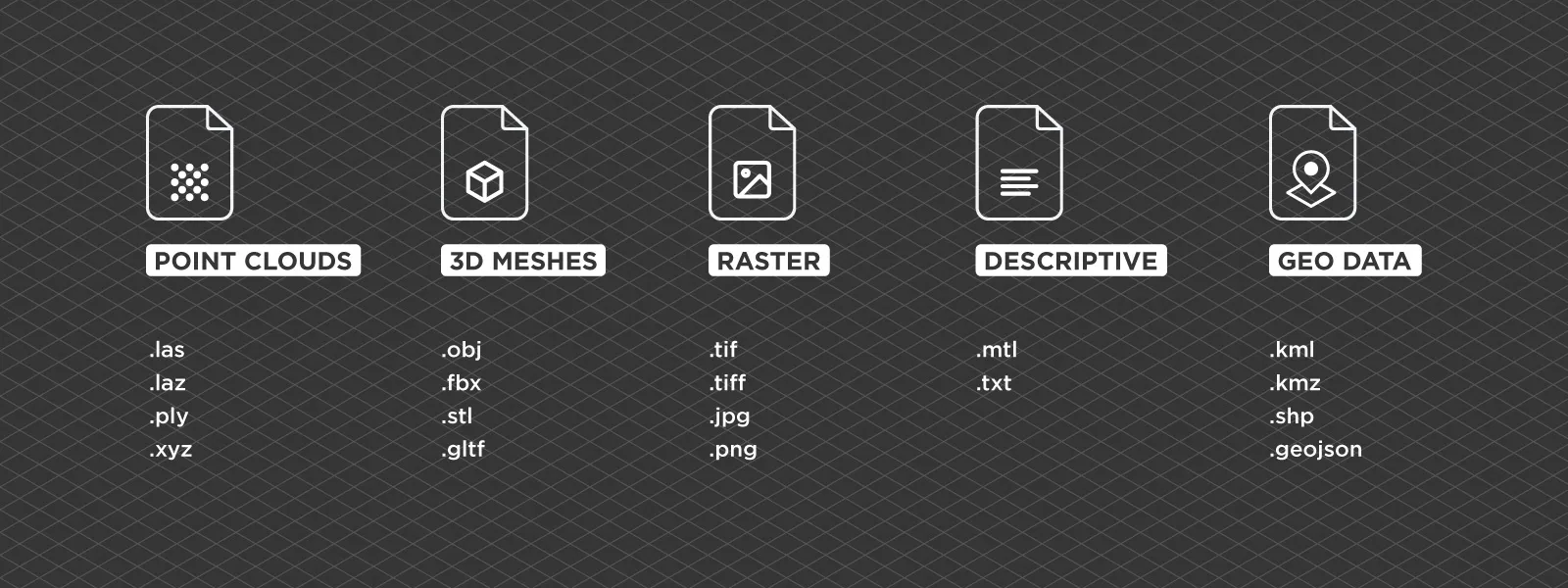
During reconstruction, the software generates point clouds. Common formats for storing point clouds include .las, .laz, .ply, and .xyz. These files contain millions of points positioned in three-dimensional space. Pixpro and many other software packages use proprietary storage formats during processing or for internal project storage. Such files are not readable by other programs in the conventional manner, which is the reason why we have export formats.
Meshes represent surfaces derived from point clouds. Popular mesh formats include .obj, .fbx, .stl, and .gltf. These formats store geometry and sometimes reference texture images. 3D models as a whole can come as sets of files. For example, if we export an .obj 3D mesh from Pixpro, the entire model will usually consist of several files: the mesh itself, a texture file (a raster image atlas), and a .mtl file describing the material properties of the 3D model for accurate display.
Raster outputs are also common. Orthophotos and elevation maps are typically stored as GeoTIFF (.tif) files, which include geographic coordinate information embedded within the image. Otherwise it is just an image, but in the case of a digital elevation map, pixel values represent the height of each pixel, hence the name “height map”.
Geographic data formats may also appear in photogrammetry workflows. These include .kml, .kmz, .shp (shapefiles), and .geojson, which store geographic boundaries, vectors, and spatial references. Pixpro photogrammetry software also has its own file format, .pxg. It is useful when transferring data between different Pixpro projects and provides a smooth data reading and writing experience.
 Conclusion
File formats are one of those things that most people use daily without thinking about how they actually work. Behind every file extension is a structured way of encoding information so that software can interpret it correctly. Understanding the basics of encoding, compression, and file extensions can make working with digital data easier. Whether you are dealing with images, videos, documents, or spatial datasets, knowing what type of file you are handling can prevent mistakes and save time.
Photogrammetry introduces spatial data formats such as point clouds, meshes, elevation maps, and 3D vectors. Conceptually nothing is different about them, but it is useful to be familiar with the most common ones when working in the 3D scanning space.
Photographer - Drone Pilot - Photogrammetrist. Years of experience in gathering data for photogrammetry projects, client support and consultations, software testing, and working with development and marketing teams. Feel free to contact me via Pixpro Discord or email (l.zmejevskis@pix-pro.com) if you have any questions about our blog.
Related Blog Posts
Our Related Posts
All of our tools and technologies are designed, modified and updated keeping your needs in mind
Pixpro to Gaussian Splatting: How to Export Your Project to Postshot
Gaussian splatting is no longer a curiosity. People are using it for walkthroughs, marketing visuals, virtual environments, and increasingly as a pretty companion to a scan they already flew.
 Pixpro Team

The Top 10 Pixpro Blog Articles So Far
We have been publishing on this blog every week for years now, on everything from stockpile volumes and coordinate systems to scanning a cake. So it seemed like a good time to look at the numbers and see which posts people actually read, rather than which ones we enjoyed writing.
Pixpro Team

Portrait Orientation in Photogrammetry: When It Actually Helps
Is there anything to gain by scanning in portrait instead of the usual landscape? Sometimes, a little. But orientation is one of the least important decisions you make on a scan, and it is worth understanding why before you give it any more thought than that.
Pixpro Team
Ready to get started with your project?
You can choose from our three different plans or ask for a custom solution where you can process as many photos as you like!
Free 14-day trial. Cancel any time.