.svg@webp)
Mid-Range Smartphone Photogrammetry: Poco X8 Pro Max vs iPhone 16 Pro Max
 Lukas
Zmejevskis
Lukas
Zmejevskis
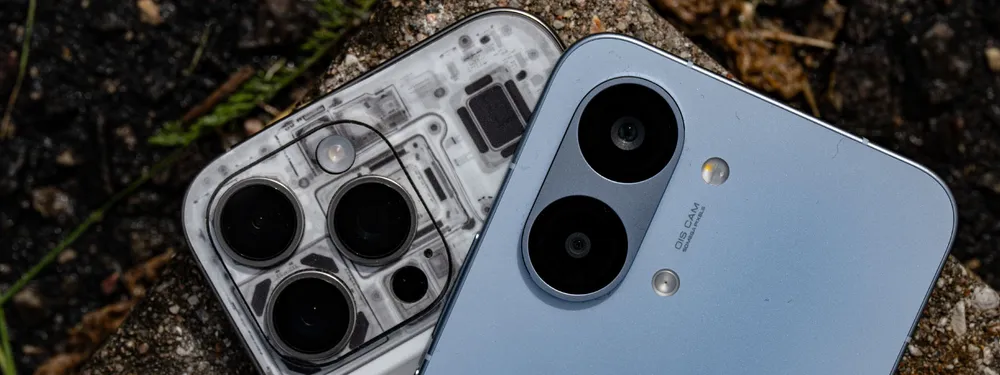
During my Sony A7 V review I argued that professional cameras are "solved" now. There is little left to revolutionize, and not much that still gets in the way of a competent shooter. I think we have reached the same point with mid-range smartphones. Flagships have been taking excellent photos for the past five years, and even mid-range Android phones now have respectable main camera specs on paper. In this article I compare a mid-range Android to a last gen iPhone flagship across three things: image quality, shooting experience, and actual photogrammetry results.
The Hardware: Poco X8 Pro Max and iPhone 16 Pro Max
My mid-range representative is the Xiaomi Poco X8 Pro Max, which GSMArena (my go-to portal for all things smartphones) currently lists as the best mid-range phone on the market. The flagship reference is the Apple iPhone 16 Pro Max, which is the iPhone, and you should expect an excellent camera from it by default.
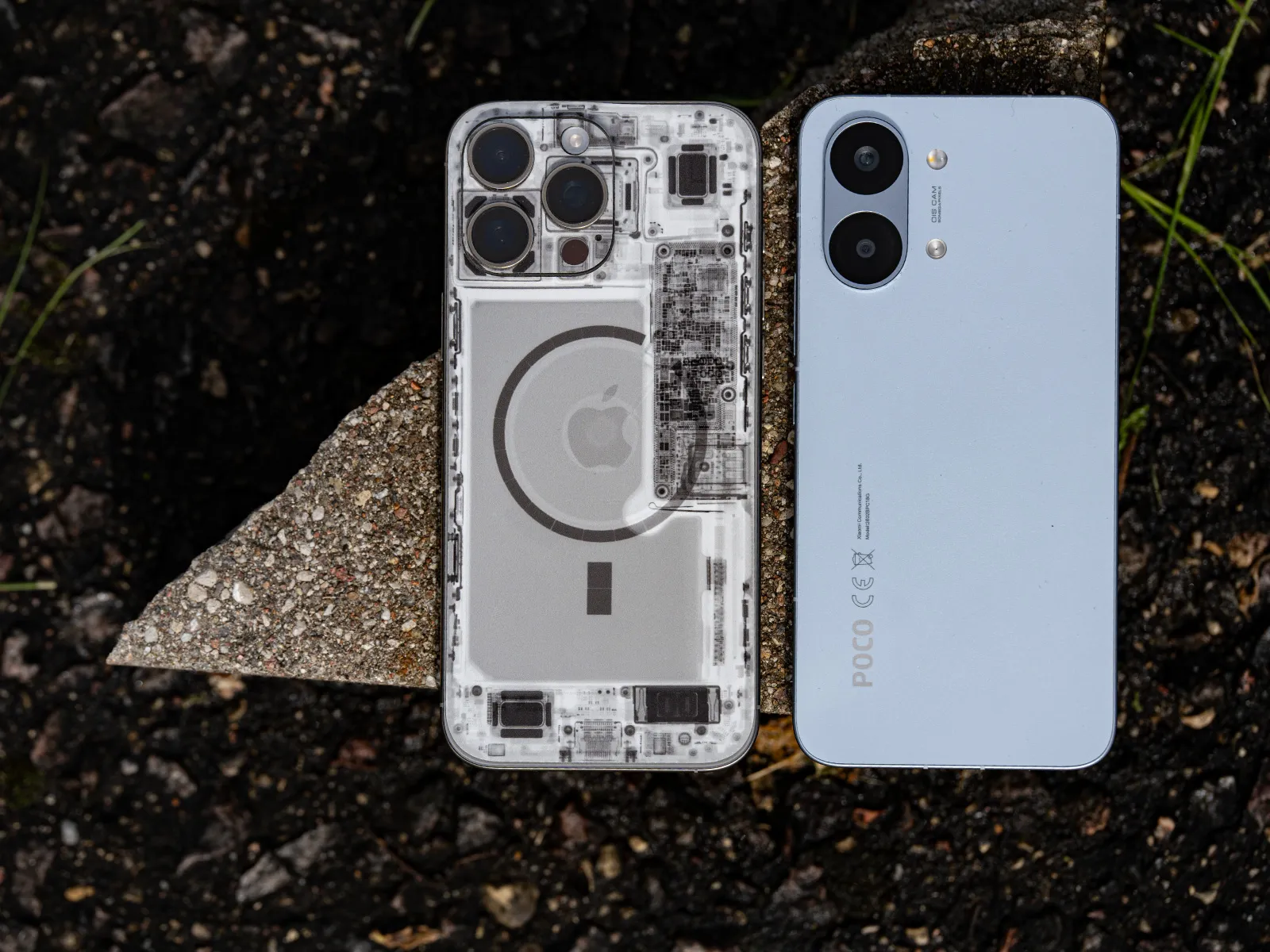 Xiaomi clearly copied parts of Apple's design language for this generation. The Poco is a flat slab with rounded edges and a strikingly similar naming convention, but it is more plasticky and lighter in the hand. Sizes are similar, the screen is similarly excellent. The current iPhone costs about three times what the Poco does, which is very hard to justify on hardware alone. The iPhone is still a better phone overall, just not three times better. Diminishing returns and brand tax.
The use case here is narrow. I am testing the main 1x camera on each phone, the shooting experience around it, the resulting image quality, and the question that matters for this blog: how good can mid-range smartphone photogrammetry actually be?
Camera Shooting Experience
Here is the most shocking or most unimpressive part of the comparison, depending on what you expected. The cheaper Xiaomi provides the better overall experience for this specific use case. The reason is simple: the Poco native camera app has a full pro mode with manual settings exposed. The native iPhone app does not. And if you go third party, you might not find a complete solution either. I was not able to quickly find an iPhone app that lets me use the full 48-megapixel resolution in RAW while also exposing full manual controls. So much for the Apple experience in this use case.
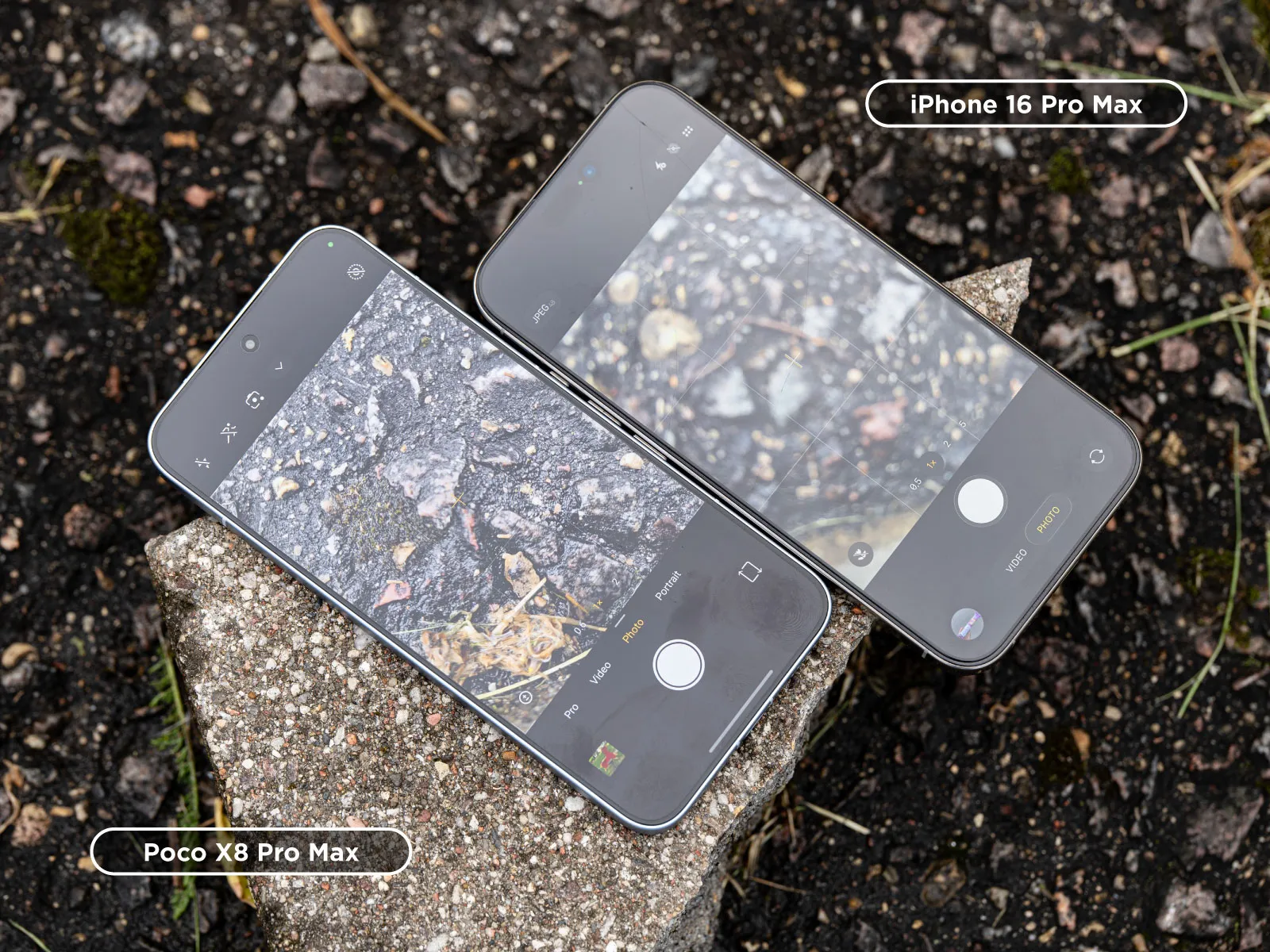 Everything else is fine on both phones. Both are quick and smooth to operate, autofocus is fast, shutter reaction is immediate, haptics are good. Nothing to complain about even when taking dozens of photos for a photogrammetric scan. Both imaging pipelines produce solid results in JPEG and in RAW. You can find subjective differences you might prefer, but nothing that shows up in a technical evaluation.
Image Quality Side by Side
On paper, the two main cameras compare like this:
| Spec | Xiaomi Poco X8 Pro Max | Apple iPhone 16 Pro Max |
|---|---|---|
| Resolution | 50 MP | 48 MP |
| Sensor size | 1/1.95" | 1/1.28" |
| Pixel pitch | 0.8 µm | 1.22 µm |
| Aperture | f/1.5 | f/1.8 |
| Focal length equivalent | 26 mm | 24 mm |
| Autofocus | PDAF | Dual-pixel PDAF |
| Stabilization | OIS | Sensor-shift OIS |
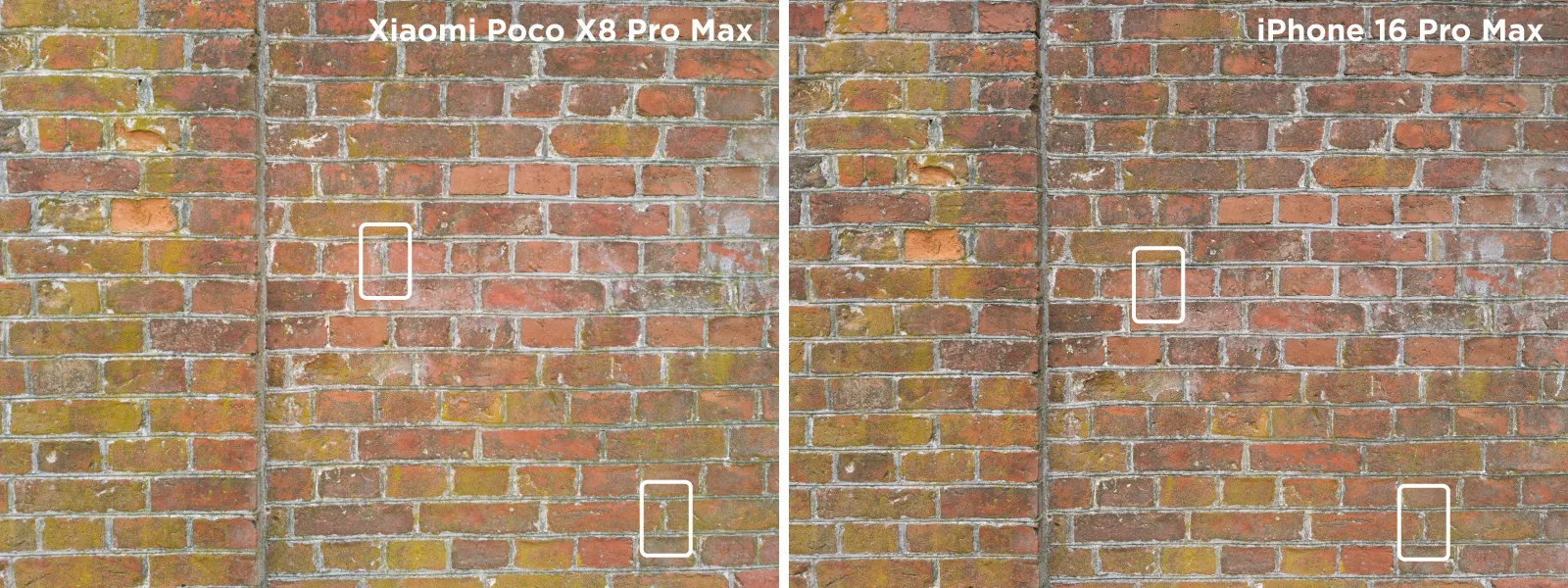
Technical image quality is the best kind of image quality. I compared RAW files from each main camera, identical scene, identical processing in Adobe Lightroom Classic.
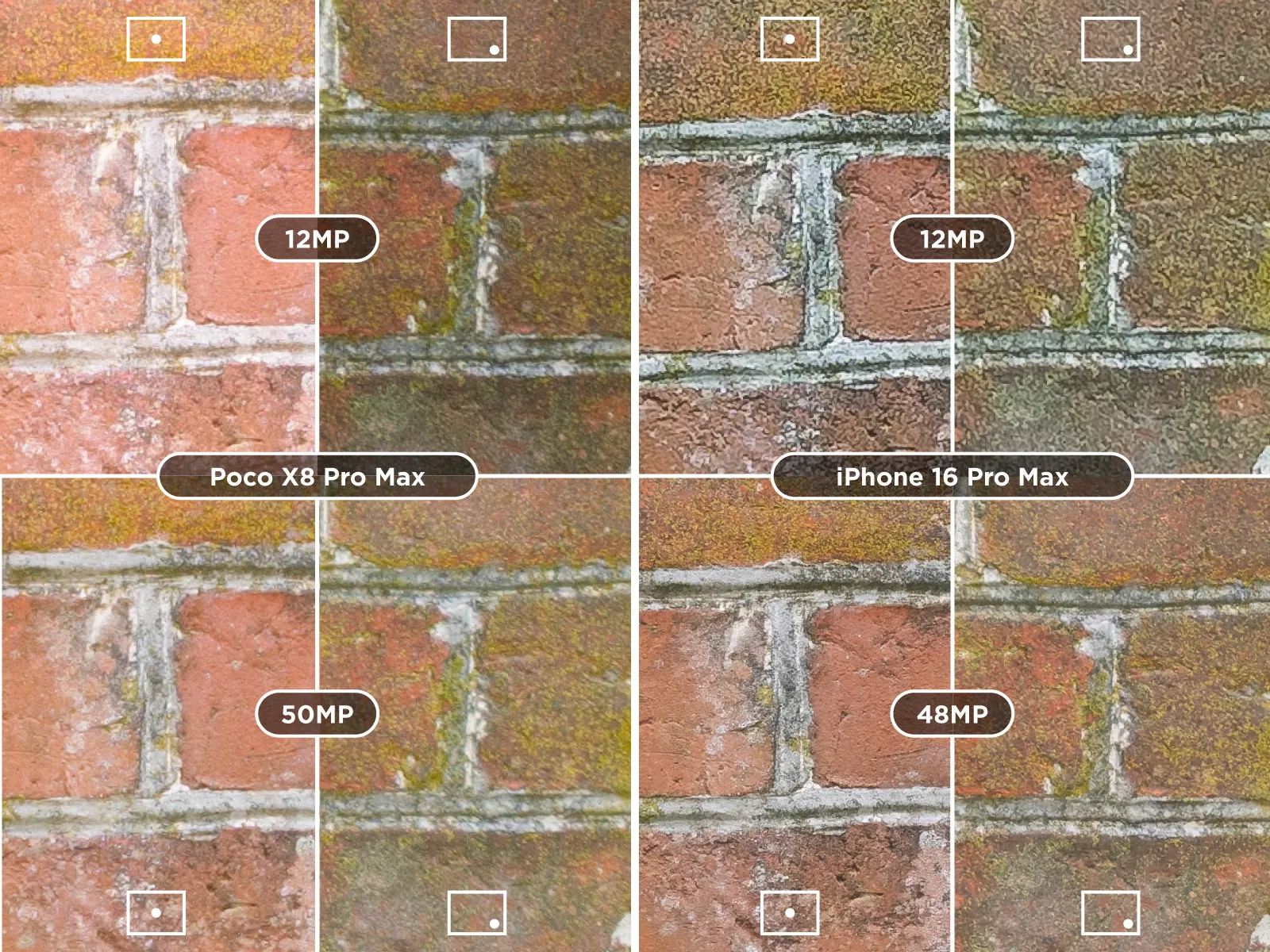
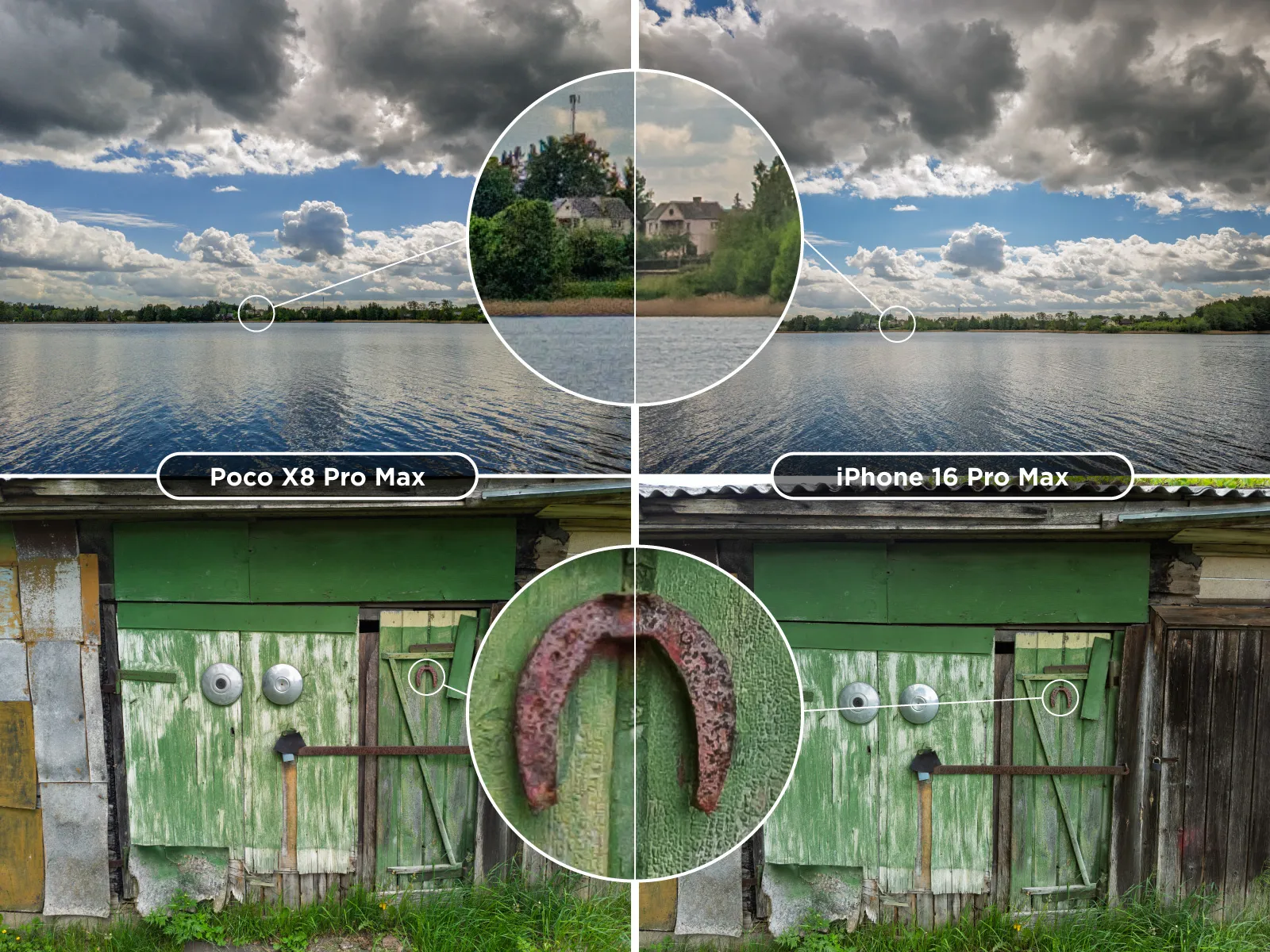 At the pixel level the photos do show small differences. The iPhone has a touch more detail, or perhaps a touch more in-camera sharpening, less chromatic aberration, and better consistency across the frame at the full 48 / 50 megapixel resolutions. Once both files go through Lightroom, the gap closes very quickly. In practice, both main cameras are good. The ultrawides on both phones are clearly inferior, the Poco's more so, and the iPhone's 5x telephoto adds nothing useful for photogrammetry. None of this is surprising. For more on what sensor design actually does in the background, see Camera Sensor Technology Explained.
Smartphone Photogrammetry in Practice
Photogrammetry stands on three fundamentals: image quality, overlap, and coverage. Image quality is there on a modern mid-range smartphone. The other two come down to technique. There are no special requirements baked into photogrammetry software that exclude phone cameras.
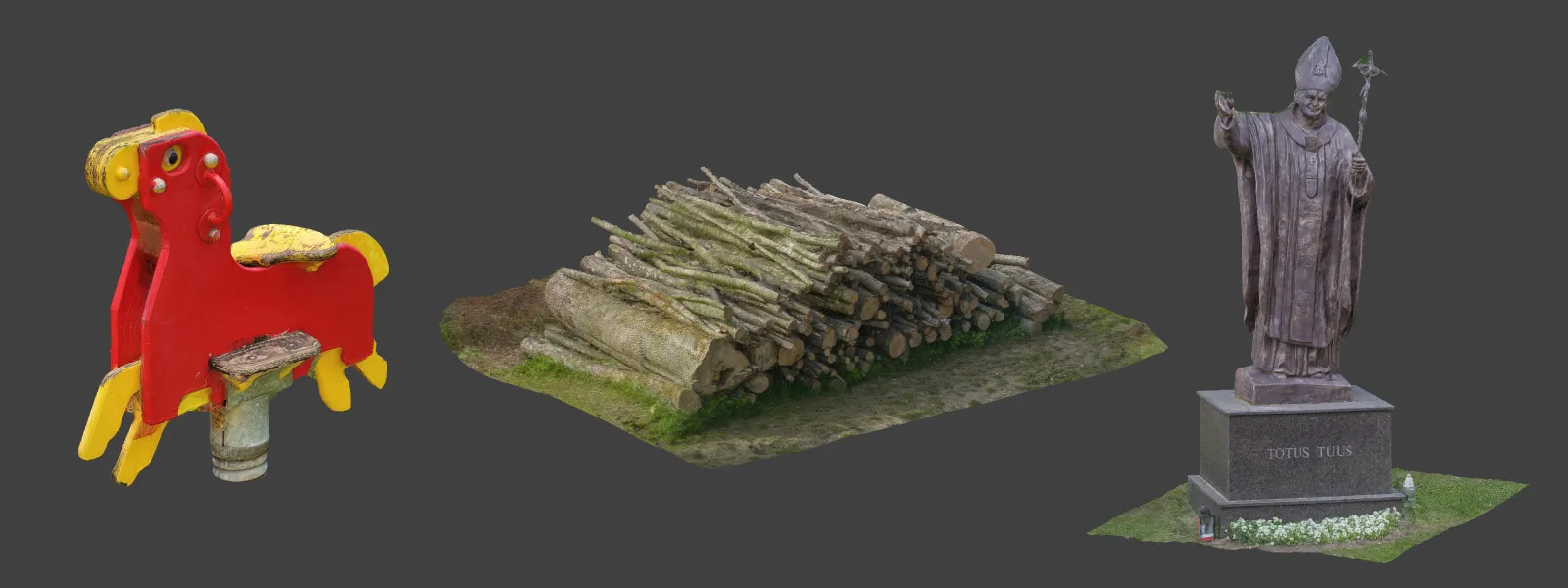
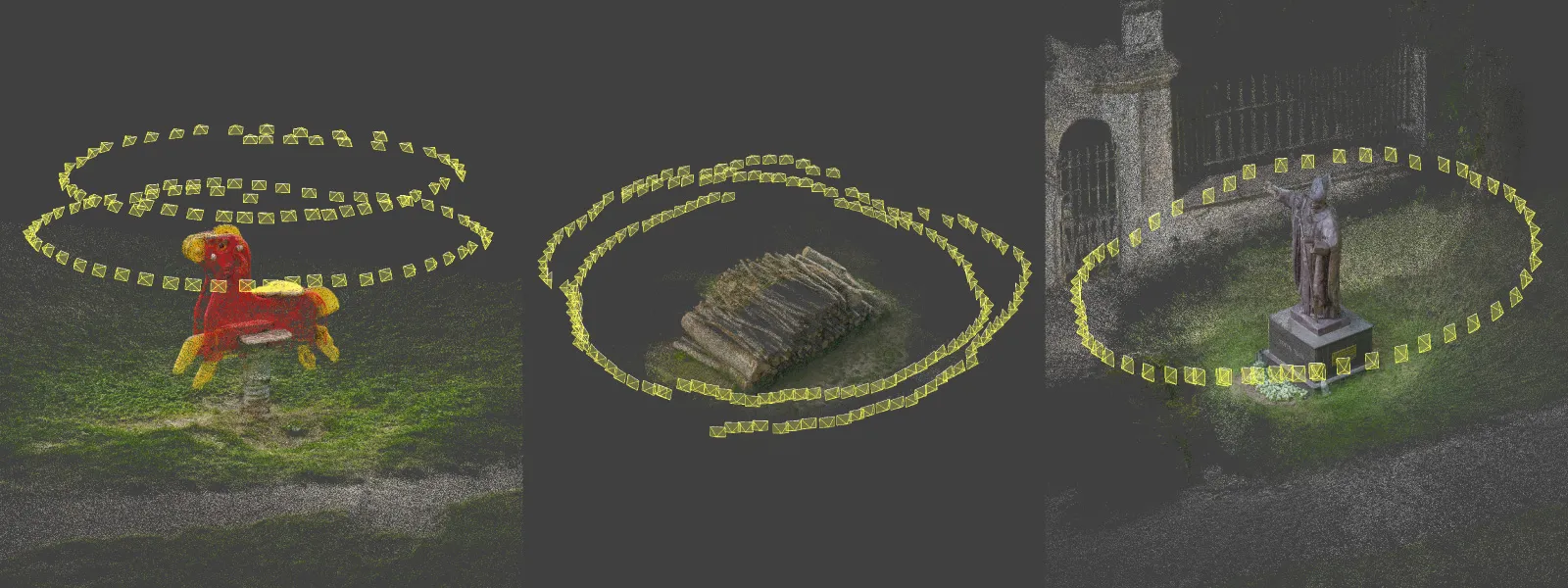 I made a few handheld outdoor scans with the Poco X8 Pro Max, including a pile of logs and a few smaller subjects. They reconstructed cleanly in Pixpro photogrammetry software using default settings. One footnote worth flagging: the Poco did not write GPS data into the EXIF of my RAW photos during these tests. Not a dealbreaker, just a behavior that deserves a dedicated follow-up test, possibly an article on smartphone photogrammetry referencing in whole.
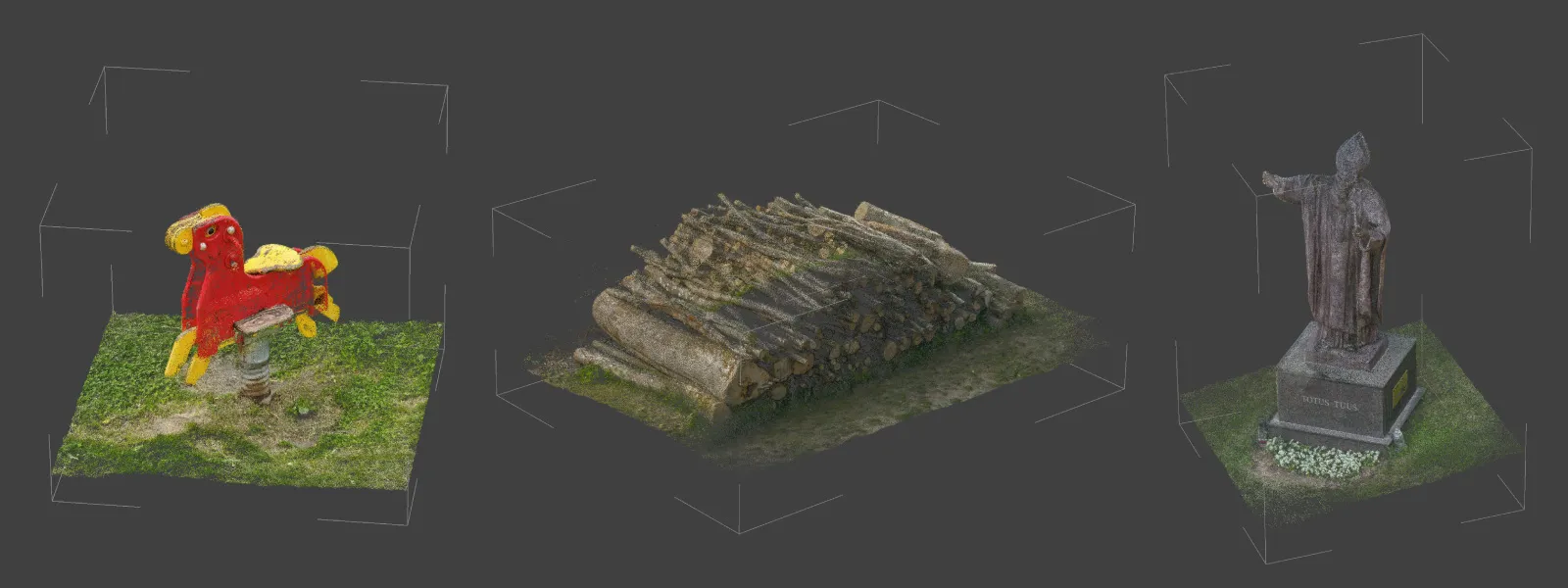 One small but welcome surprise: the Poco native camera app has a toggle for in-camera lens distortion compensation. Disabling it produces raw geometry in the output and allows the photogrammetry software to deal with it, which is always the better choice. The iPhone performs just as well or marginally better on the photogrammetry side, but the two phones are clearly in the same class for this use case.
 12 Megapixel or 48 Megapixel for Smartphone Photogrammetry?
Both phones offer their full sensor output at 48 or 50 megapixels alongside a binned 12 megapixel mode. The right choice depends on the scan. For larger projects with hundreds of photos, 12 megapixel RAW is the smarter default. The files are lighter, processing is faster, and the optical imperfections at the edges of a 50 megapixel frame are quietly hidden at the lower resolution. For a quick single orbit of a small subject where you actually want every available pixel, the high-resolution mode is the better call.
 Worth remembering that these are quad-Bayer sensors. The 48 or 50 megapixel number is not four times the real detail of the 12 megapixel output. There is more detail in the higher mode, but the marketing math is inflated by the sensor design. Use the higher resolution when you actually need it, not by default.
 Tips for Photogrammetry with a Smartphone
A few things worth knowing before you point any phone at a subject and start scanning.
Use only the main 1x camera. Ultrawides distort, telephotos lack the sensor area, and switching between focal lengths mid-scan confuses the alignment. Stick to one lens.
Shoot RAW if your camera app supports it. RAW preserves the dynamic range that the pipeline relies on for clean feature matching, and it gives you headroom to correct exposure across the dataset before processing.
Maintain at least 80 percent overlap between photos and walk a steady arc or grid around the subject. The phone is light enough that you can shoot at a fast shutter speed and stay sharp.
Conclusion
Mid-range smartphone cameras are good enough for photogrammetry today, full stop. The main 1x cameras on phones like the Poco X8 Pro Max sit close enough to the iPhone 16 Pro Max that the difference is mostly invisible once the photos go through a normal RAW processing pipeline and into reconstruction. If you have a recent mid-range Android in your pocket, you already have a workable photogrammetry tool for casual scanning, documentation, and learning. For serious survey or commercial work, a drone or a proper camera is still the right call. For everything else, the phone is enough.
Frequently Asked Questions
Can I use a mid-range smartphone for photogrammetry?
Yes. Modern mid-range phones, including the Poco X8 Pro Max, have main cameras with enough resolution, dynamic range, and consistency to produce clean 3D reconstructions when paired with proper capture technique.
Should I shoot RAW or JPEG on a smartphone for photogrammetry?
RAW whenever possible. Yes, the workflow is slower, but you get the most out of the sensor: maximum dynamic range, no opinionated in-app processing baked into your photos, and full control over white balance, sharpening, and noise reduction in post. All of that means more consistent feature matching and cleaner reconstructions. JPEG is still workable in good lighting if RAW is not available.
Which lens should I use on my phone?
The main 1x camera, always. Ultrawide and telephoto lenses introduce distortion, color shifts, and resolution differences that confuse photogrammetry software when mixed into the same dataset.
Do I need a special photogrammetry app on my phone?
No. The native camera app is fine on most phones, especially if it has a manual pro mode like the Poco. The actual photogrammetry processing happens later, on a computer, with software like Pixpro.
How many photos do I need for a smartphone photogrammetry scan?
Enough to maintain about 80 percent overlap across the full subject. For a small outdoor object that is usually 30 to 60 photos in a single orbit. For larger or more complex subjects, you will want multiple orbits at different heights and angles, and you may end up in the hundreds quickly.
Photographer - Drone Pilot - Photogrammetrist. Years of experience in gathering data for photogrammetry projects, client support and consultations, software testing, and working with development and marketing teams. Feel free to contact me via Pixpro Discord or email (l.zmejevskis@pix-pro.com) if you have any questions about our blog.
Related Blog Posts
Our Related Posts
All of our tools and technologies are designed, modified and updated keeping your needs in mind
The Cake is 3D – Food Photogrammetry Guide
Scanning foodstuffs can be fun and sometimes even useful. 3D asset creation for VFX, VR, and gaming industries is the most obvious use case, while showing off your homemade cake to your friends and family in 3D is more of a niche proposal.
 Pixpro Team

Travel Photogrammetry - More Fun than 2D Photos
Sometimes a 2D photo does not do justice to a moment or a place, and you wish you had something more… dimensional. Something that captures shape, texture, and the little details that flat images tend to flatten even more.
Pixpro Team
How Many Photos Are Enough for Photogrammetry?
The photo amount is an essential metric in photogrammetry. Pixpro Photogrammetry Software, for example, bases its subscription tiers mainly on this metric. More data to crunch means more resource consumption and generally more demanding projects.
Pixpro Team
Ready to get started with your project?
You can choose from our three different plans or ask for a custom solution where you can process as many photos as you like!
Free 14-day trial. Cancel any time.