.svg)
Pixpro vs RealityScan (RealityCapture) 2026: Which Photogrammetry Software Fits Your Work?
 Lukas
Zmejevskis
When I put together the 2026 photogrammetry software price guide, the biggest finding was that RealityCapture, now RealityScan, is free for most people reading this blog. That is bad news for everyone selling photogrammetry software, Pixpro included, and it deserves a proper comparison rather than a footnote.
The disclosure first: I am a long term Pixpro partner, so I have an interest here. Every fact about RealityScan below links to Epic Games' own pages, checked in November 2026, and I say plainly where RealityScan is the better choice. If you spot something that has changed, tell me and I will correct it.
The Short Version
- RealityScan is the desktop photogrammetry application from Epic Games that was called RealityCapture until June 2025.
- It is free for individuals, students, schools and companies under USD 1 million in annual revenue. Above that it costs USD 1,250 per seat per year.
- It processes on your own Windows computer and needs a compatible NVIDIA or recent AMD graphics card to build models.
- Pixpro is a subscription from EUR 5 a month on annual billing, with cloud processing, measurement tools and Pixpro Waypoints flight planning in every plan.
- RealityScan is the stronger choice for highly detailed 3D models and visualization. Pixpro is built for mapping, inspection and measurement.
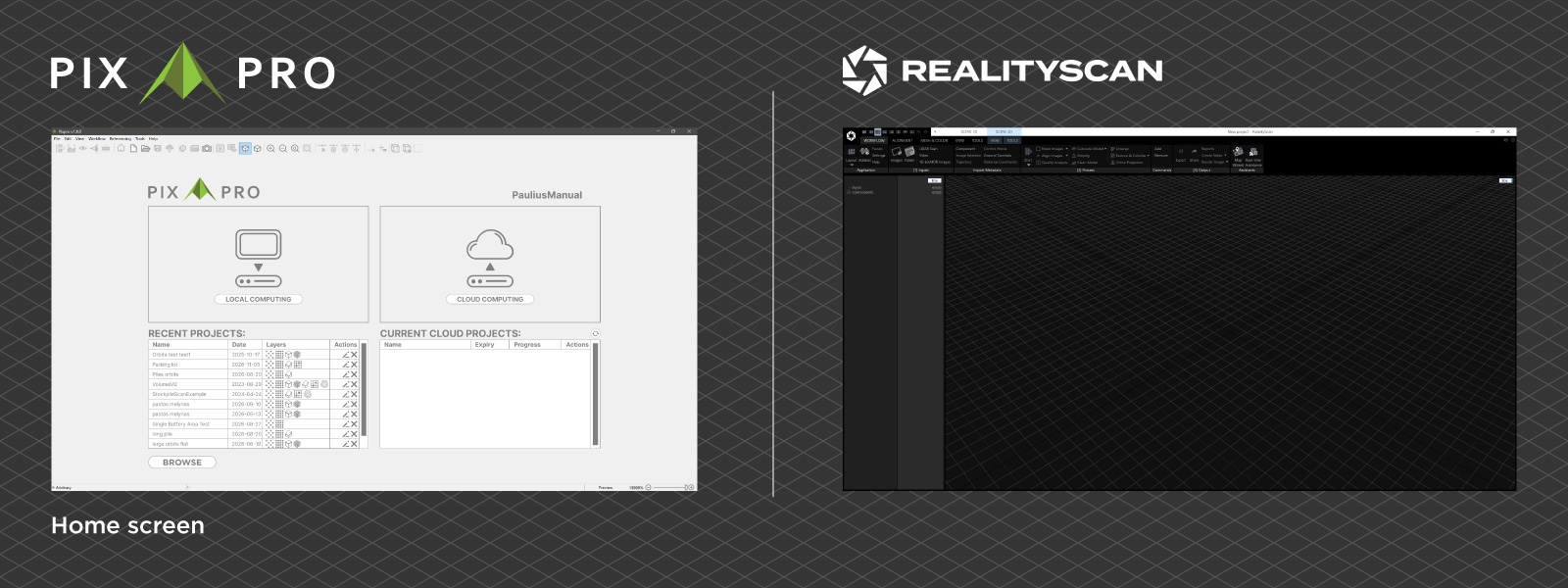
Pixpro vs RealityScan at a Glance
| Pixpro | RealityScan | |
|---|---|---|
| License and price | Subscription: EUR 5, 25 or 50/month billed annually (Solo, Solo Plus, Premium) | Free under USD 1M annual revenue, for students and education; otherwise USD 1,250 per seat per year |
| Cloud processing | Included in every plan | None; processing runs on your own hardware |
| Hardware | Windows PC, 16 GB RAM under about 500 photos, 32 GB above; dedicated GPU recommended, not required. Solo processes in the cloud | Windows; 8 GB RAM minimum, 16 GB recommended; NVIDIA or, since version 2.2, AMD RDNA 3 or newer GPU required to create models |
| Photos per project | 150 / 300 / 2,000 by plan; unlimited on Enterprise | No fixed limit |
| Mapping outputs | Orthophoto, DEM, contour lines, georeferencing with GCPs | Orthophoto, DSM and DTM from ortho projections, georeferencing |
| Measurements | Lengths, areas, heights, slopes and volumes, volume change over time, DEM editing | Cut and fill volume and area on ortho projections |
| Flight planning | Pixpro Waypoints for consumer DJI drones, included | Not included |
| Aerial and ground LiDAR | No | Yes |
| Operating system | Windows | Windows; experimental command-line build for Linux |
| Free trial | 14 days | Free license for eligible users; 30-day trial for paid seats |
Sources: RealityScan license, RealityScan hardware requirements, RealityScan 2.2 release notes, RealityScan Help, Pixpro plans and pricing. Pixpro quotes prices in euros and Epic in US dollars. I have not converted them, and prices exclude taxes.
From RealityCapture to RealityScan
Epic Games bought Capturing Reality, the company behind RealityCapture, and on 17 June 2025 renamed the desktop application RealityScan 2.0. The old phone app of the same name became RealityScan Mobile, a free app for quick scans with a phone. In this article, RealityScan means the desktop application. The current version is 2.2, released in June 2026.
License and Price
RealityScan is free for individuals, students, educational institutions and businesses that made under USD 1 million in revenue in the past 12 months, with all features included. Epic's FAQ on the same page adds some conditions around game development and its other products, so it is worth reading if that applies to you. Companies above the threshold pay USD 1,250 per seat per year, which includes a year of updates, with a 30-day trial.
For a lot of small operators, the software costs nothing. That is the starting point of this comparison, and any reason to pay for something else has to be worth more than free.
Pixpro is a subscription: EUR 5, 25 or 50 per month on annual billing, or EUR 10, 50 and 100 billed monthly. Every plan has the full output toolkit, and the plan sets the photo limit per project, 150, 300 or 2,000, with Enterprise for larger jobs.
Hardware and Cloud Processing
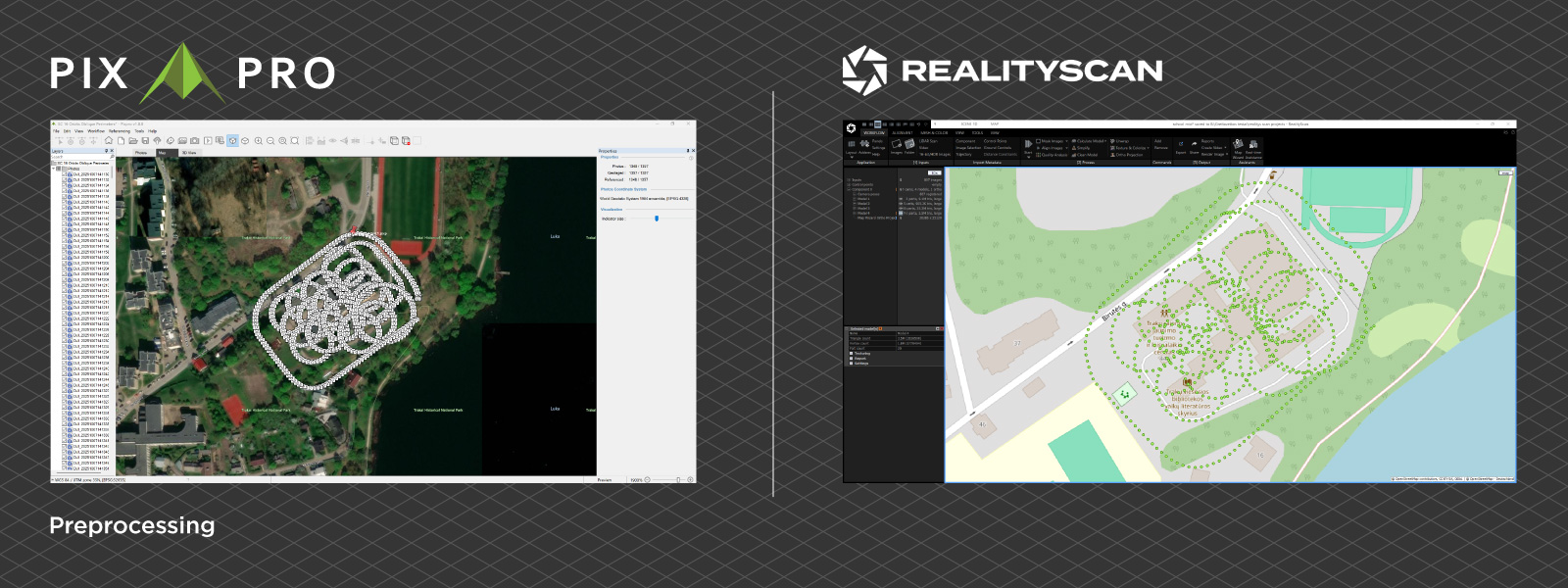
This is where free software stops being free. RealityScan processes everything on your own computer, and according to Epic's hardware requirements it needs a compatible graphics card to create models and textures. Without one it can still align images, but it cannot build a model. The minimum is 8 GB of RAM, with 16 GB recommended. For years that meant an NVIDIA card. Version 2.2 added AMD support, but only for recent cards, the RX 7000 and 9000 series and newer.
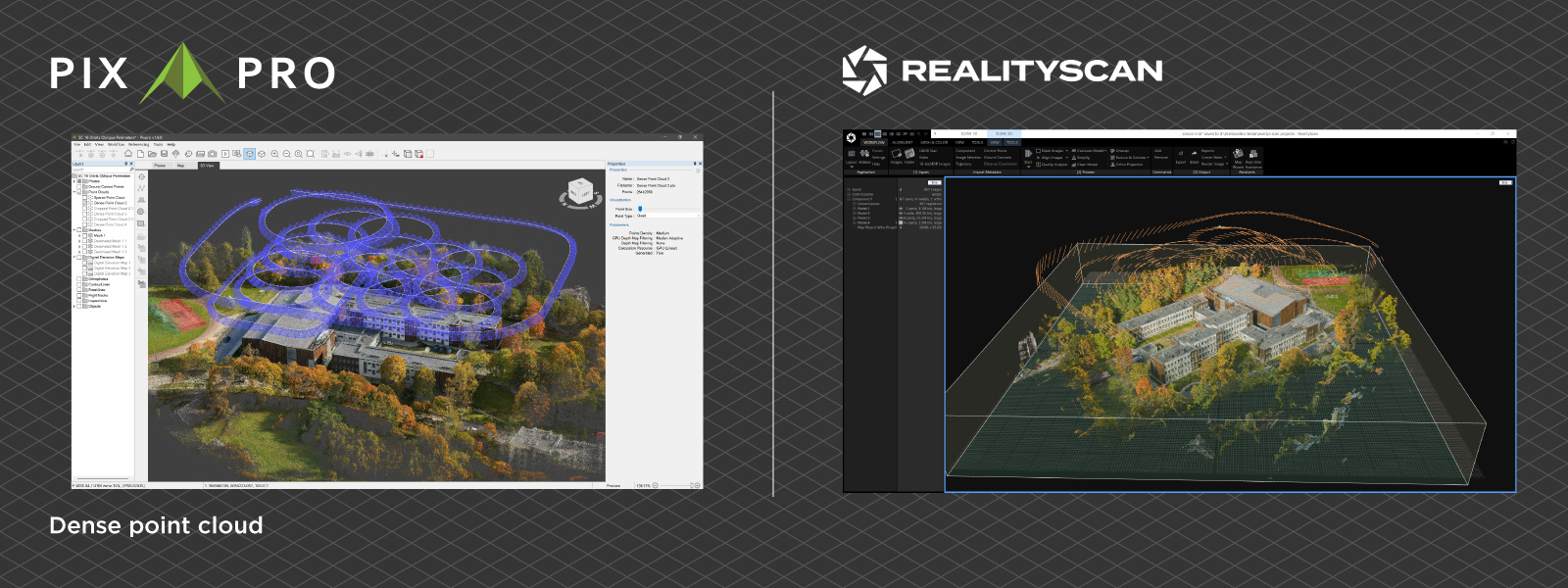 Pixpro runs on Windows and needs at least 16 GB of RAM for projects under about 500 photos and 32 GB above that. An SSD and a dedicated GPU are recommended but not required, and every plan includes cloud processing, so a powerful computer is optional. The Solo plan processes in the cloud only.
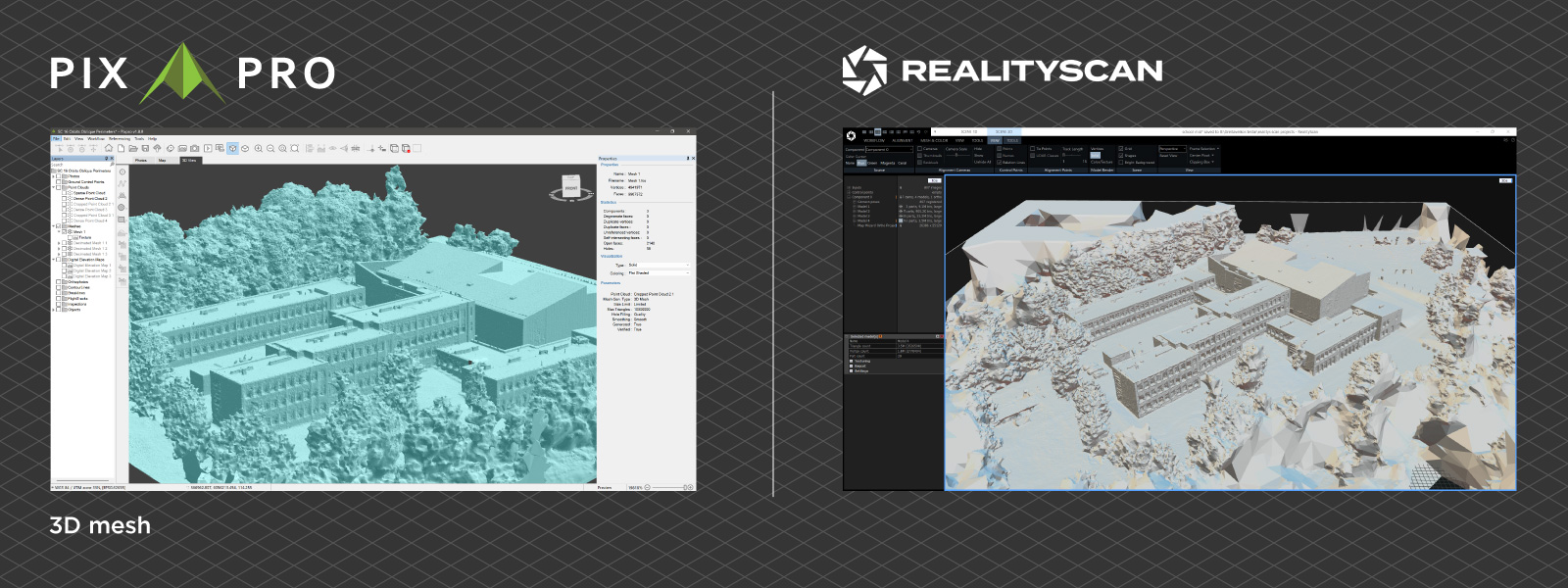
That difference matters more this year than usual. Memory prices have risen four to five times in a year and SSDs about three times, and a workstation capable of serious local processing costs considerably more than it did. I went through the numbers in the 2026 workstation build. If you already own a strong GPU, RealityScan's free license is hard to beat. If you do not, the cost of the hardware is the real price of the free software.
Mapping, Measurement and Analysis
Both make georeferenced orthophotos and elevation models. In RealityScan these come from ortho projections, exported as orthophoto, DSM or DTM, and volume and area measurements, including cut and fill, are made on those projections.
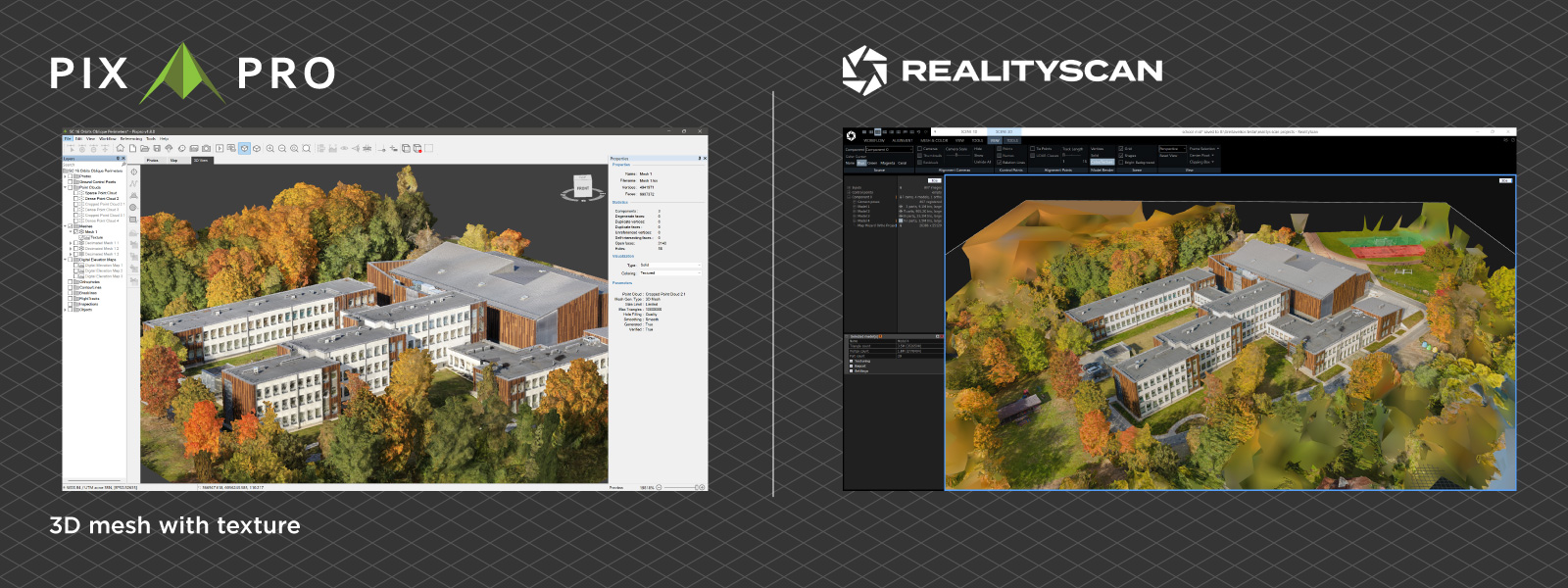 Pixpro is built around measurement. You draw points, lines and polygons directly on the model and read lengths, areas, heights, slopes and volumes, compare volumes over time, edit the DEM and generate contour lines. Drawn objects export to SHP, DXF and KML for CAD and GIS software. For the kind of work covered on this blog, roofs, stockpiles and site inspections, that toolset is the main reason to choose Pixpro over a free alternative. There is a practical example in the stockpile volume guide.
Flight Planning
Pixpro includes Pixpro Waypoints with every license and the free trial. It plans grid, multi-grid and orbital missions for consumer DJI drones with the built-in waypoint feature: Mavic 3 series, Air 3, Air 3S, Mavic 4 Pro, Mini 4 Pro, Mini 5 Pro and Lito X1.
RealityScan does not include drone flight planning, so flights are planned in a separate app.
3D Detail and Specialized Workflows
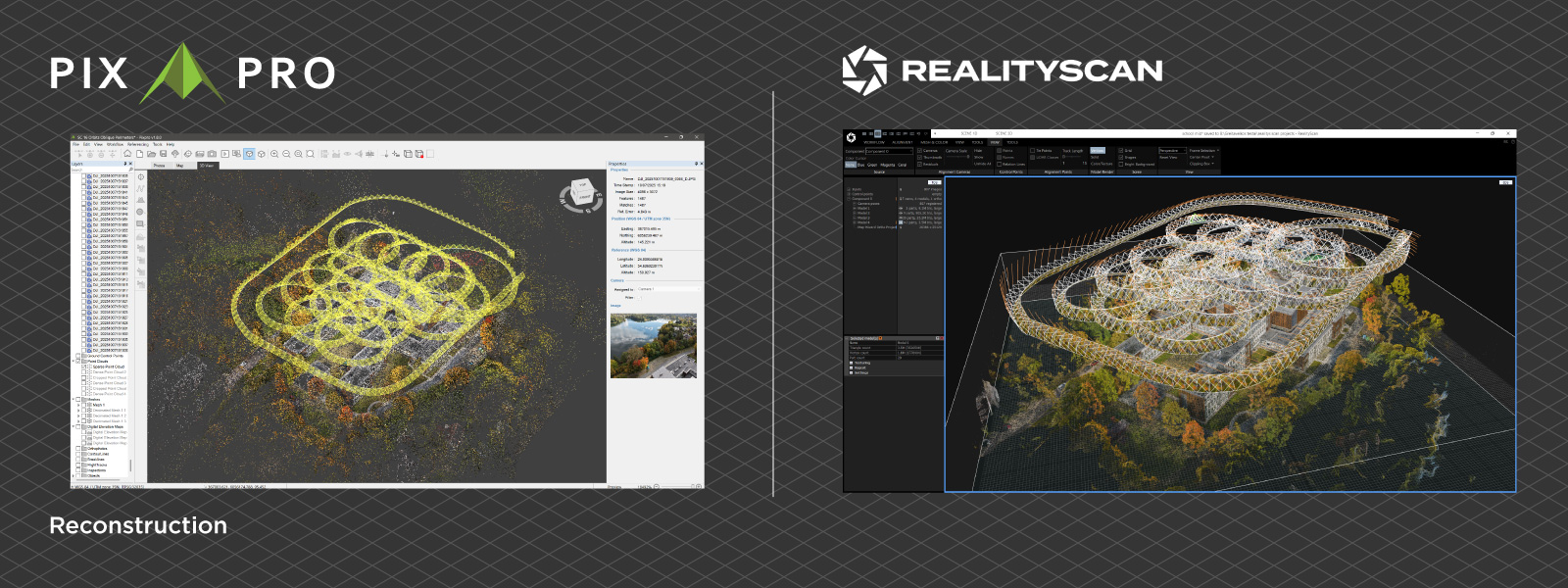
RealityScan comes from 3D content creation, and it shows. Epic describes it as a pipeline that delivers "high-fidelity photorealistic 3D models and precise point clouds at any scale", and it sits alongside Epic's tools for games, film and visualization. It combines photos with aerial and ground LiDAR scans, uses AI masking to isolate subjects, shows quality heatmaps for areas that need more data, and can be automated from the command line. It also sits in the same corner of the market as Gaussian splatting: reconstruction and visualization first.
Pixpro focuses on photos from drones and cameras and does not process laser scans. If your output is a beautiful, detailed model for visualization, RealityScan is the better tool, and I would not argue otherwise.
Learning Curve
Pixpro is built for users without a photogrammetry background: a setup wizard, a one-click full workflow and a layer-based project view. RealityScan offers deep control over each processing step and a large community and learning library, which suits experienced users and takes longer to learn.
Which One Should You Choose?
Choose RealityScan if you:
- qualify for the free license, under USD 1 million in annual revenue or in education
- need highly detailed 3D models for games, film, visualization or heritage
- combine photos with aerial or ground LiDAR scans
- already have a Windows computer with a strong, compatible graphics card
- want to automate processing from the command line
Choose Pixpro if you:
- run mapping, inspection, roof, facade or stockpile jobs and need measurements, volumes, DEM editing and CAD or GIS exports
- fly a consumer DJI drone and want automated grid and orbital missions without a third-party app
- do not have a powerful GPU and want cloud processing included
- want results without a steep learning curve, as a solo operator or small team
RealityScan Alternatives
| Software | Price | Best for |
|---|---|---|
| Pixpro | EUR 5 to 50/month, billed annually | Mapping, inspection and measurement with consumer DJI drones |
| Agisoft Metashape | USD 179 (Standard) or USD 3,499 (Professional), one-time | Perpetual license, Windows, macOS and Linux, fine control over processing |
| Pix4D (PIX4Dmatic) | Standard plan USD 332.50/month, billed yearly | Large-scale and specialized mapping, photogrammetry combined with LiDAR |
| DroneDeploy | From USD 1,908/year (Ag Lite); USD 4,188/year (Individual) | Cloud-based mapping with team collaboration |
| WebODM / OpenDroneMap | Free, open source | Technical users who can host and maintain it themselves |
| 3DF Zephyr | Free (50 photos) to EUR 4,200 one-time | Perpetual license with a free entry tier |
Metashape and Pix4D prices were checked in November 2026 for the Pixpro vs Metashape and Pixpro vs Pix4D comparisons. The others were checked in September 2026 for the photogrammetry software price guide.
Conclusion
RealityScan being free for most small operators is a real argument, and for detailed 3D models and visualization it is one of the best engines available at any price. The catch is that the cost moves rather than disappears: you need a strong, compatible GPU and enough memory to process locally, and that hardware is expensive this year.
Pixpro earns its subscription in a different place. It is built for measurement rather than visualization, it processes in the cloud so the computer is optional, and it plans your DJI flights for you. If your deliverable is a number, a volume or a drawing for a client, that toolset matters more than the price of the license. You can try Pixpro free for 14 days with the same photos you would use in RealityScan.
Frequently Asked Questions
Is RealityScan the same as RealityCapture?
Yes. Epic Games renamed the RealityCapture desktop application RealityScan with version 2.0 in June 2025. RealityScan Mobile is a separate phone app.
Is RealityScan free?
For individuals, students, educational institutions and businesses with under USD 1 million in annual revenue, yes, with all features. Larger businesses pay USD 1,250 per seat per year.
Why use Pixpro if RealityScan is free?
Pixpro is built for mapping and measurement. It includes cloud processing, so you do not need a powerful GPU, Pixpro Waypoints flight planning for consumer DJI drones, measurement and DEM editing tools, and exports to SHP, DXF and KML for CAD and GIS. RealityScan is the stronger choice for highly detailed 3D models and visualization.
Does RealityScan need an NVIDIA graphics card?
It needs a compatible GPU to create models and textures. Since version 2.2, recent AMD cards (RDNA 3 and newer) are supported on Windows as well as NVIDIA cards. Without a supported GPU, RealityScan can only align images.
Does RealityScan run on Mac?
Epic lists no macOS version. RealityScan runs on Windows, with an experimental command-line build for Linux. Pixpro also runs on Windows.
Is Pixpro as accurate as RealityScan?
Both use the same family of methods, structure from motion and multi-view stereo. In practice accuracy depends far more on capture: overlap, ground sampling distance and ground control. There is more on that in what actually affects photogrammetry accuracy.
Can I move a project from RealityScan to Pixpro?
You can import the same original photos and ground control points into Pixpro and reprocess them. Processed RealityScan project files cannot be opened directly.
Photographer - Drone Pilot - Photogrammetrist. Years of experience in gathering data for photogrammetry projects, client support and consultations, software testing, and working with development and marketing teams. Feel free to contact me via Pixpro Discord or email (l.zmejevskis@pix-pro.com) if you have any questions about our blog.
Related Blog Posts
Our Related Posts
All of our tools and technologies are designed, modified and updated keeping your needs in mind

Pixpro vs Agisoft Metashape (2026): Which Photogrammetry Software Fits Your Work?
Agisoft Metashape is one of the most established names in photogrammetry, and one of the last major packages still sold the old way: pay once, keep it. That alone makes the comparison with Pixpro, which is a subscription, more interesting than a feature checklist.
 Pixpro Team

Pixpro vs Pix4D (2026): Which Photogrammetry Software Fits Your Work?
Choose Pix4D for large-scale, specialized or LiDAR-combined workflows, or if you work on a Mac. Choose Pixpro for small to mid-size mapping, inspection and measurement jobs where cost and ease of use matter most.
Pixpro Team
Pixpro 1.8.0 - New Reconstruction Core, Adaptive Mapping and Slope Maps
It has been a while since the last version post on this blog. Pixpro 1.8.0 is the first new major version since 1.7.0, and the biggest change sits right at the start of every project: how the cameras get placed and the sparse point cloud gets built.
Pixpro Team
Ready to get started with your project?
You can choose from our three different plans or ask for a custom solution where you can process as many photos as you like!
Free 14-day trial. Cancel any time.