.svg@webp)
Vertical Coordinate Systems in Photogrammetry – Ellipsoid vs Geoid Explained
 Lukas
Zmejevskis
Lukas
Zmejevskis
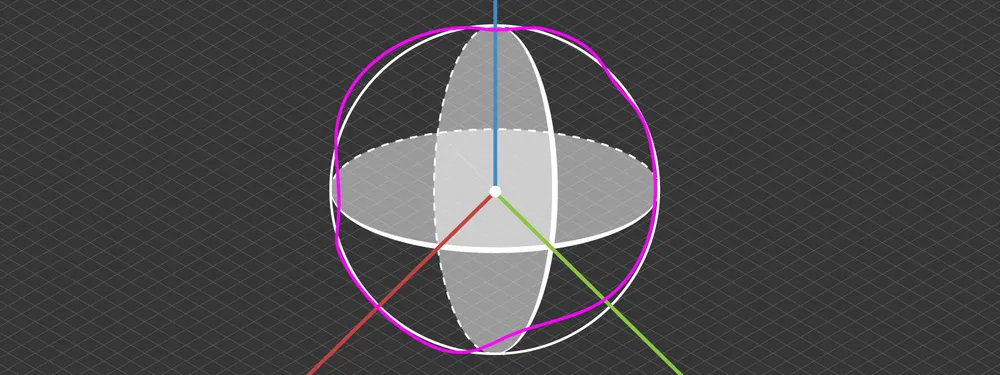
Vertical coordinate systems usually go unnoticed until something stops matching. A model aligns perfectly in 2D view, but elevations are off. Volumes look reasonable, yet they do not match survey results. Everything seems correct during processing, but the final output does not hold up.
In photogrammetry, horizontal positioning (XY axis) feels intuitive. You work with coordinates, projections, and alignment. But vertical positioning (Z axis) depends entirely on the reference system behind it. Without understanding that reference, even accurate data can produce incorrect results.
This article explains the core concepts behind vertical coordinate systems in photogrammetry, focusing only on what matters in practice.
 What Is a Vertical Coordinate System
A vertical coordinate system defines how height is measured and what reference surface is used. When you see a Z value in your dataset (photos, most commonly in photogrammetry), it is not absolute. It only makes sense when you know what it is measured against.
There are two common ways to define height:
-
Relative to a mathematical model of the Earth
-
Relative to a surface that approximates sea level
Both approaches are valid, but they serve different purposes. If two datasets use different vertical references, their elevations will not match, even if everything else is correct. This is why vertical coordinate systems are critical in photogrammetry workflows. They define how your data connects to real-world measurements.
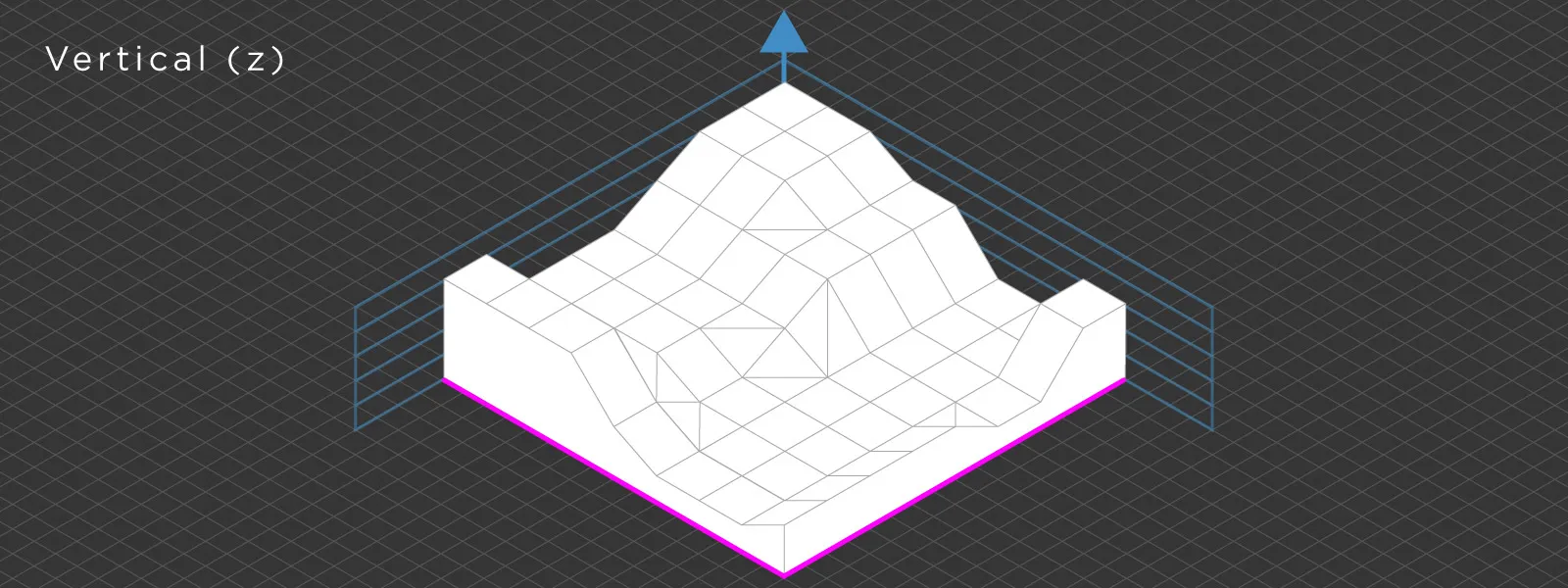 Vertical vs Horizontal Coordinate Systems in Photogrammetry
Horizontal and vertical coordinate systems always work together. In practice, they cannot be treated separately. A horizontal system defines position on the Earth using latitude and longitude or projected coordinates. This gives you X and Y. A vertical coordinate system defines elevation. This gives you Z. Together, they form a complete spatial reference system. If one part is inconsistent, the entire dataset becomes unreliable.
A common mistake is to focus only on horizontal accuracy while assuming height will follow automatically. In reality, vertical alignment requires as much attention, and sometimes more, if we are talking about professional workflows.
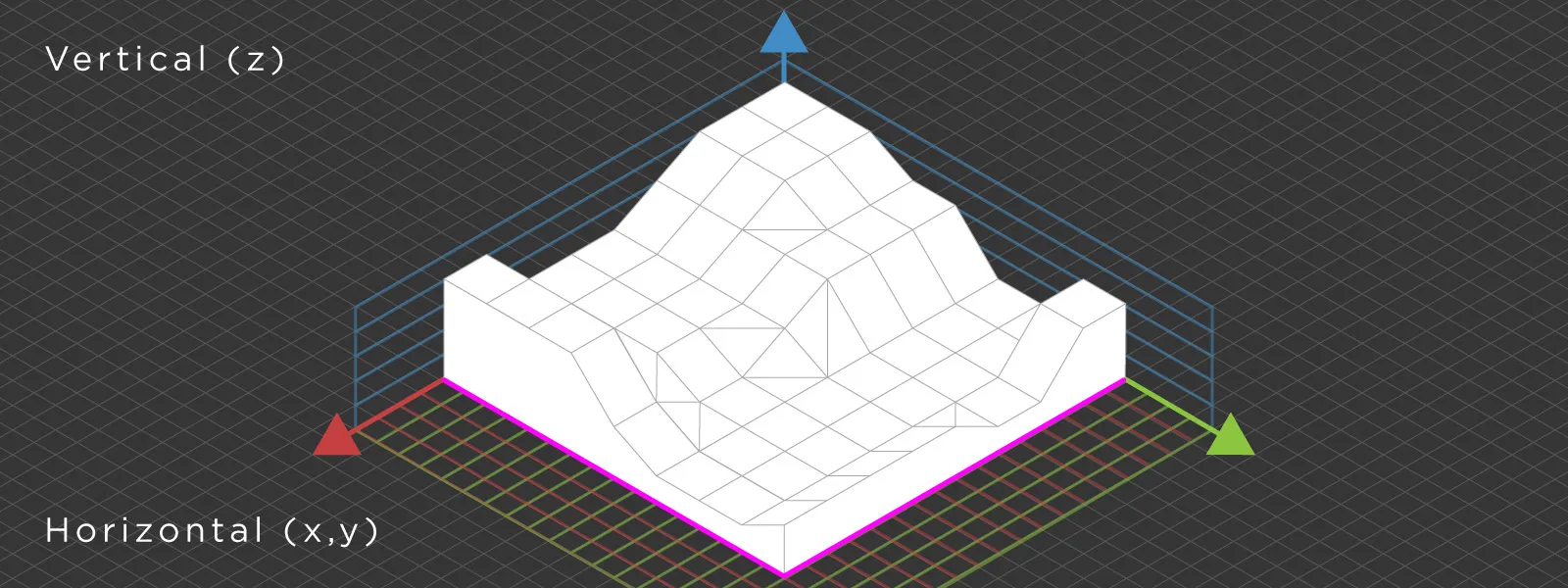 Ellipsoid vs Geoid Explained
Understanding the difference between the ellipsoid and the geoid is paramount to understanding vertical coordinate systems as a whole.
The ellipsoid is a smooth mathematical model of the Earth. It is simple and consistent, which makes it good for certain types of calculations. This is the reference surface used by GNSS. When your drone or GNSS receiver records a position, the height is measured relative to this ellipsoid. This is called ellipsoidal height.
The limitation is that the ellipsoid does not represent height in the real world. It does not follow gravity or match sea level. It is purely a mathematical approximation.
The geoid, on the other hand, is based on the Earth's gravity field. It represents a surface that closely aligns with mean sea level and extends across land. Unlike the ellipsoid, it is irregular and varies depending on location.
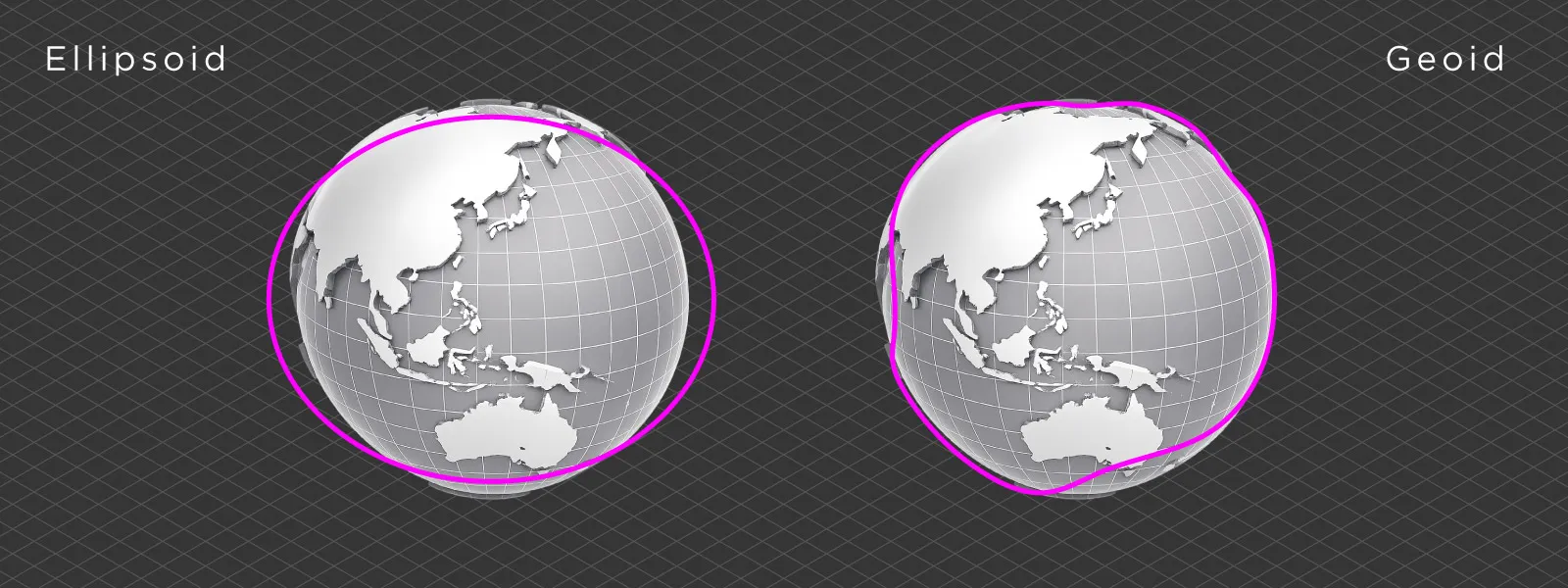 Most professional engineering and surveying workflows use orthometric height, which is measured relative to the geoid. The difference between ellipsoidal height and the geoid is not constant and depends on geographic location.
How Vertical Coordinate Systems Work in Practice
To use high accuracy GNSS data in real-world applications, you need to convert ellipsoidal height into orthometric height. This is where geoid models come into play. A geoid model provides the offset between the ellipsoid and the geoid at any coordinate.
Without this offset, your data may be internally consistent but will not align with any other survey-grade data or external references.
This is why geoid files are used in professional photogrammetry workflows. They allow you to connect GNSS-based measurements to real-world elevation systems.
Vertical Coordinate Systems in Pixpro
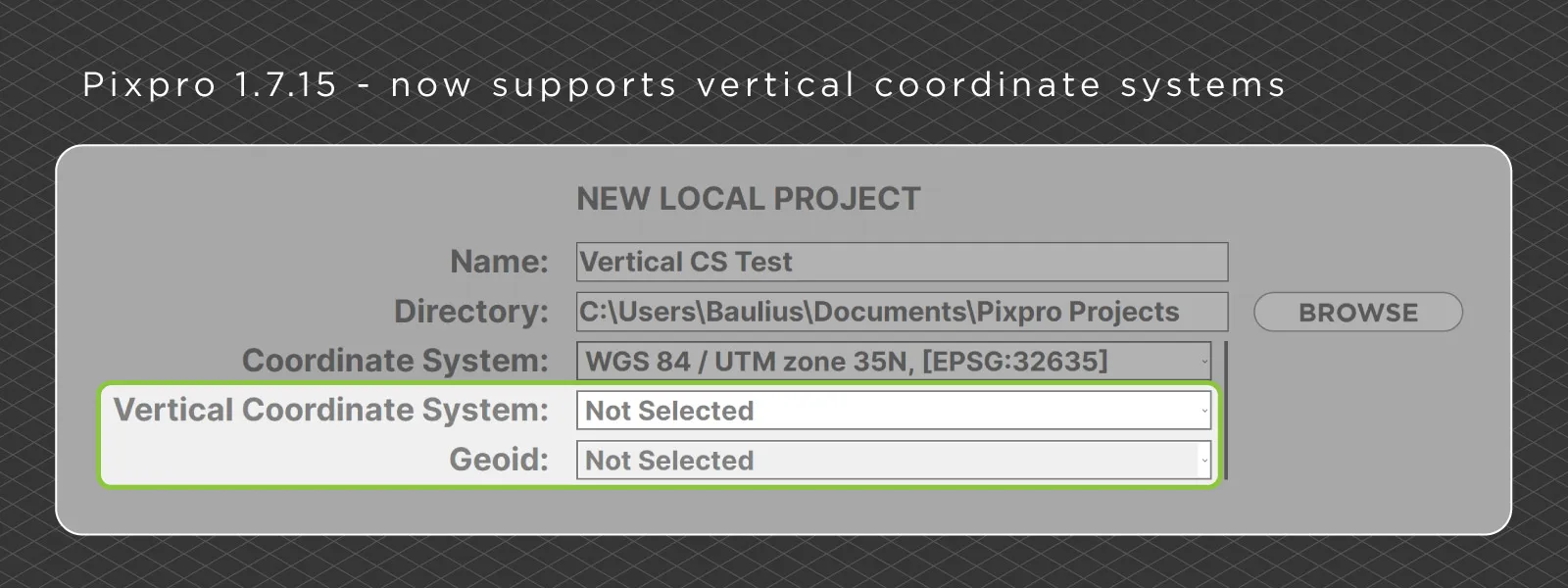
Pixpro photogrammetry software recently received a minor update to version 1.7.15, which finalizes support for vertical coordinate systems. As always, we tried to make this as user friendly as possible without complicating what already works well.
The coordinate system is selected during project creation, so we added vertical coordinate system selection at this stage as well. It is not mandatory if you are not concerned with vertical accuracy. The same applies to the geoid field below, where you can optionally select a geoid model.
Our coordinate system lists contain the standard GDAL-provided and widely used reference systems. Unless you are working on something very specific, you should find what you need there.
As for geoids, you need to add those yourself. The software includes only a few by default. You can add additional geoid models by going to the Tools tab and uploading your own file, usually in GeoTIFF or GTX format. Once added, the geoids will appear in the selection list and can be used in your projects.
 Conclusion
Vertical coordinate systems are easy to ignore until they cause problems. And when they do, the issue is rarely obvious. Most of the time, the data itself is fine. The mismatch comes from using different height references without realizing it.
Once you understand the difference between ellipsoidal and orthometric height, and how geoids bridge that gap, these problems become much easier to deal with. It is not something you need to think about constantly, but when accuracy matters, it becomes essential.
In practice, this is often the difference between a model that looks correct and one that actually holds up when compared to real-world measurements.
Photographer - Drone Pilot - Photogrammetrist. Years of experience in gathering data for photogrammetry projects, client support and consultations, software testing, and working with development and marketing teams. Feel free to contact me via Pixpro Discord or email (l.zmejevskis@pix-pro.com) if you have any questions about our blog.
Related Blog Posts
Our Related Posts
All of our tools and technologies are designed, modified and updated keeping your needs in mind
Shutter Speed, ISO and Motion Blur in Drone Photogrammetry
This is a two part article. This first part is the lesson: what shutter speed, ISO and motion blur actually do to a photogrammetry dataset, how they trade against each other, and where the line sits between flying through a scan and stopping for every photo.
 Pixpro Team
Satellite, Airplane, Drone: The Three Scales of Photogrammetry
Most of what we write about here happens below 120 meters. But photogrammetry did not start with drones and it does not stop with them.
Pixpro Team

Photogrammetry Gear Guide 2026: What a Complete Setup Actually Costs
Nobody buys a camera and then does photogrammetry with it. You need something to capture with, something to process with, and something to process on, and this year the third one is the most interesting decision of the three.
Pixpro Team
Ready to get started with your project?
You can choose from our three different plans or ask for a custom solution where you can process as many photos as you like!
Free 14-day trial. Cancel any time.