.svg@webp)
DJI Mavic 3 Pro vs. DJI Air 3S - Ultimate Flying Camera
 Lukas
Zmejevskis
Lukas
Zmejevskis

Key Takeaways
- Both drones sit at the top of DJI's consumer line, so the choice comes down to reach and weight class more than outright image quality.
- The Mavic 3 Pro is about 200 grams heavier, which moves it out of C1 into the C2 class and its stricter operating rules.
- The Mavic adds a 7x telephoto module and 5K 50p video, and those are the clearest reasons to pay the premium for it.
- In 12 megapixel mode the Air 3S measured a sub 16 millisecond readout, matching the Mavic 3 Pro for rolling shutter distortion.
- Either drone produces usable survey imagery when flown on Pixpro Waypoints grids, so mapping work need not decide the purchase.
In this article, I compare two of the best drones on the market. The Air 3S is the newer mid-range drone that comes with the latest DJI tech and some new stuff, while the Mavic 3 Pro is a tried-and-tested flagship model at the tail end of its manufacturing run. These drones are worth the comparison because they provide the best image quality on a similar platform. I will briefly review the differences between these drones and give some examples.
Hardware Differences
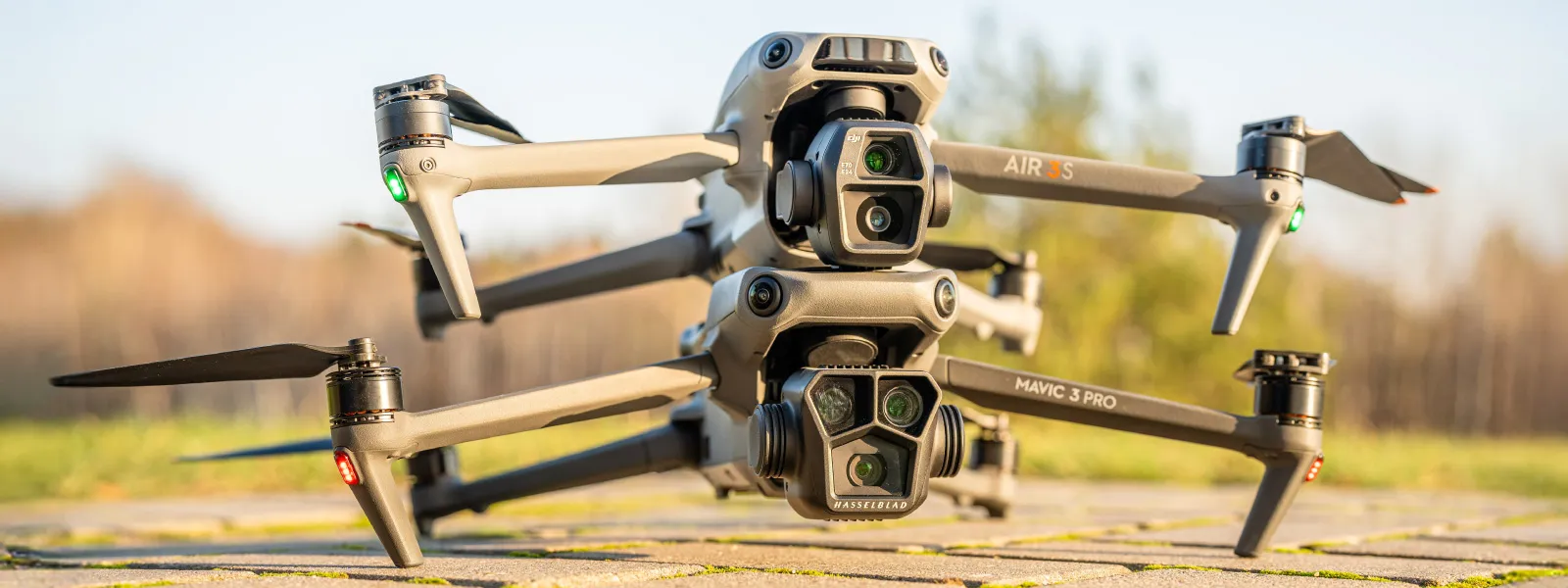
The Air 3S has a lidar sensor in front, aiding obstacle avoidance. The Mavic 3 Pro has a 7x camera module for an additional perspective. DJI Air 3S is newer and technically more affordable, supporting a newer image transmission system, DJI RC2 remote, and insertable DJI 4G dongle. It also has more internal storage. DJI Mavic 3 Pro is about 200 grams heavier, putting it in a higher drone class (C2 rather than C1) under the EASA Open Category rules. DJI Mavic 3 Pro's primary camera has an adjustable aperture. These are the main hardware differences between these drones.
 Similarities
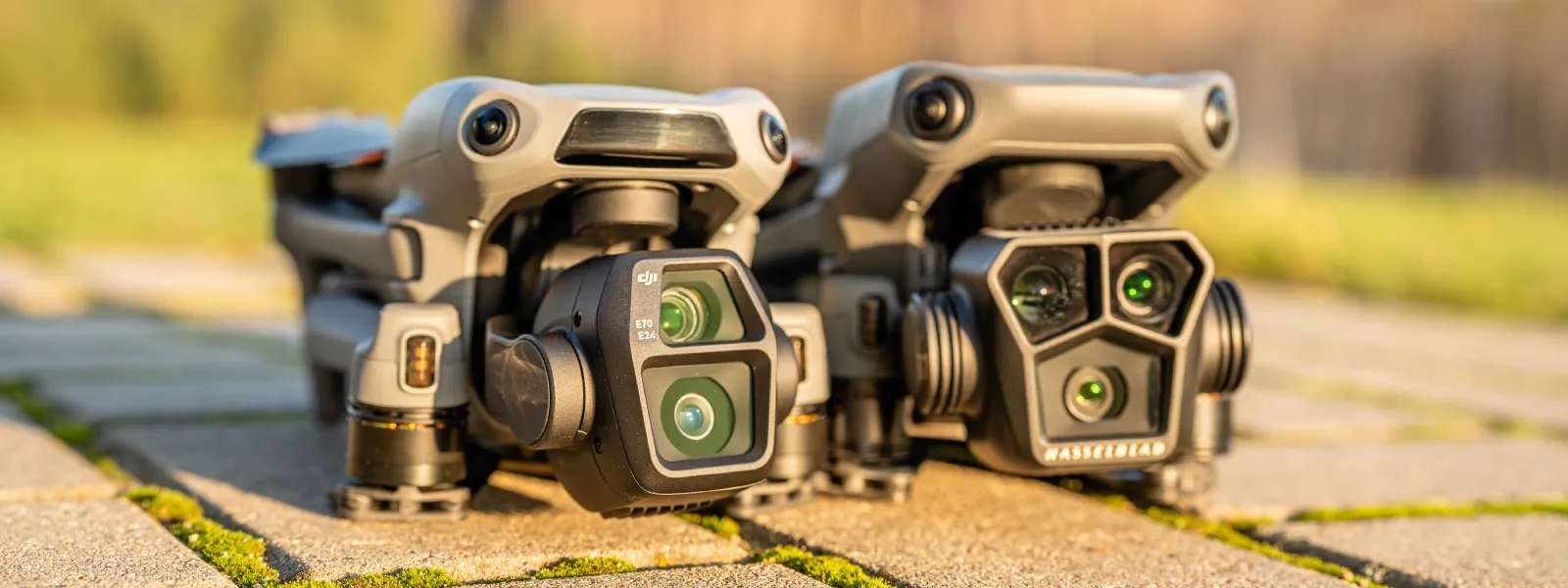
Both drones are foldable and operated using the DJI Fly app. They take up effectively the same amount of space. Both drones have a 24-millimeter equivalent wide-angle camera and a 70-millimeter equivalent 3X telephoto module. Both have 360-degree obstacle avoidance.
 Software Differences
While both drones utilize the DJI Fly app, the newer DJI Air 3S has more options for tracking behavior in conjunction with obstacle avoidance. The avoidance (and, in turn, the tracking) system is more advanced and more effective on the Air 3S. Both drones have the same capture modes. The DJI Mavic 3 Pro has more video resolution options for the primary shooter, such as 5k 50p and DLOG color mode. However, you can choose style options in the Air 3S, which allows us to slightly alter the sharpening and noise reduction amount. Every other prominent feature and implementation is identical in these drones.
Flight Experience
Flight experience is almost identical as well. One sure fact is that DJI Air 3S has a slightly longer flight time. I am tempted to say that Mavic is more powerful and combats wind better, but that is hard to test reliably. Otherwise, the flight experience is more heavily influenced by the new features when they come into play. The latest obstacle avoidance system is noticeably better. It reacts to smaller objects like wires and branches and works more confidently, going faster and fitting the drone into smaller gaps. When the new avoidance system is not a factor - these drones fly and feel the same. Mavic is a bit louder, though.
1x Image Quality
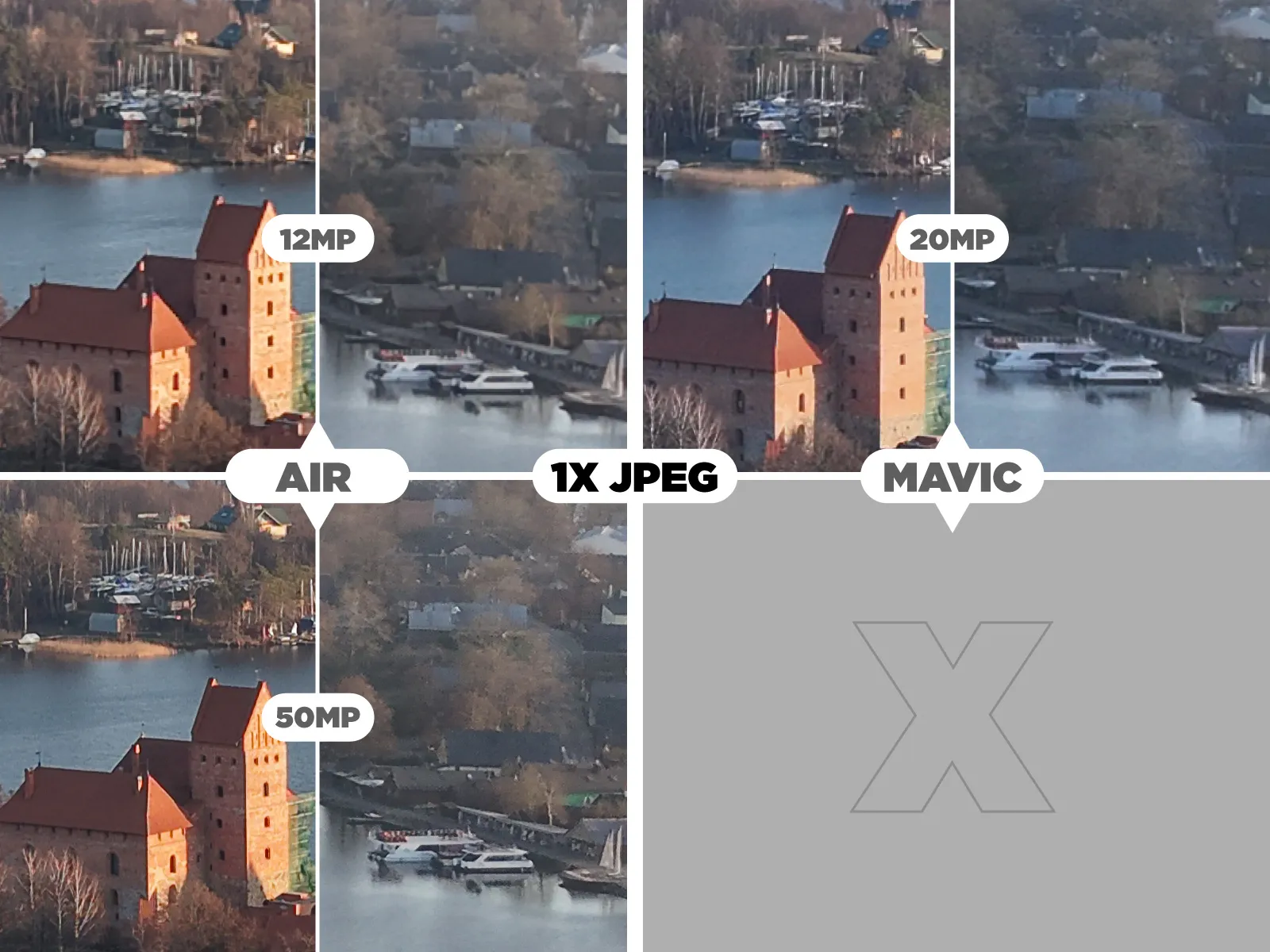
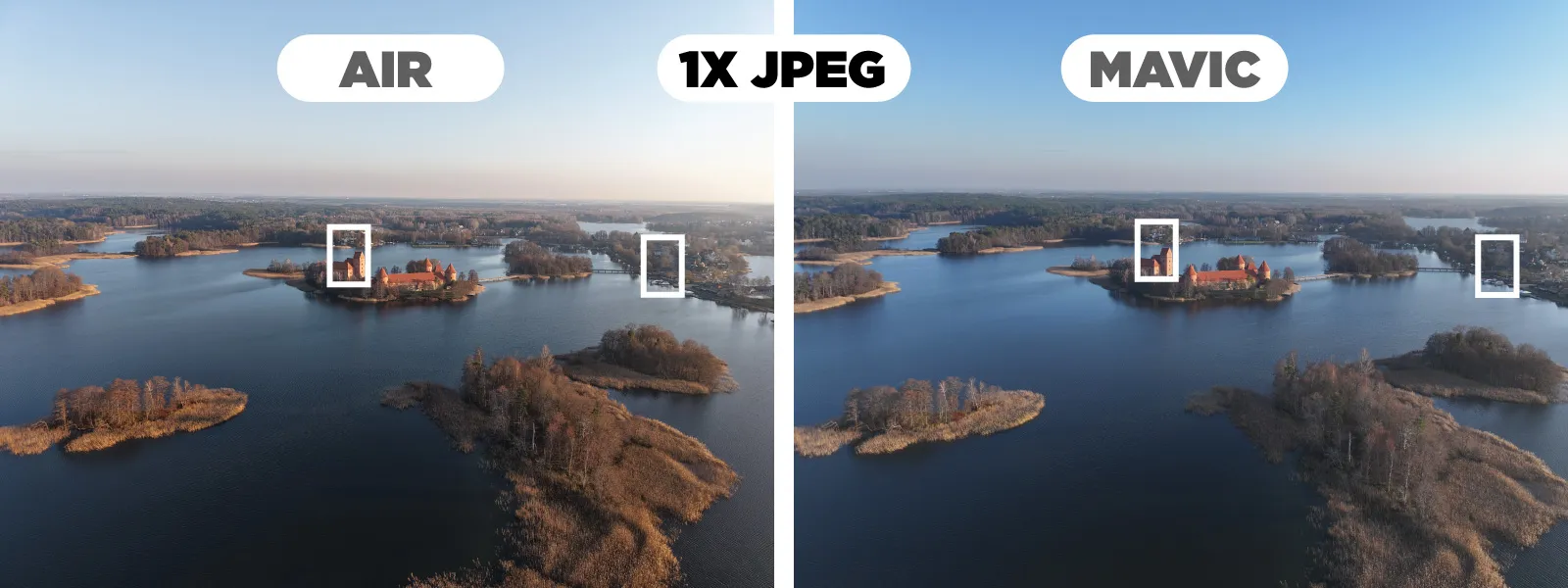 Camera time. In the review, I mentioned that the brighter lens on the Air 3S makes up for the smaller sensor size or even surpasses the Mavic's main shooter in terms of light-gathering capability. That, combined with the ability to take 50-megapixel photos, might mean that photo quality is better on the Air 3S. Let's look at some out-of-camera jpegs below.
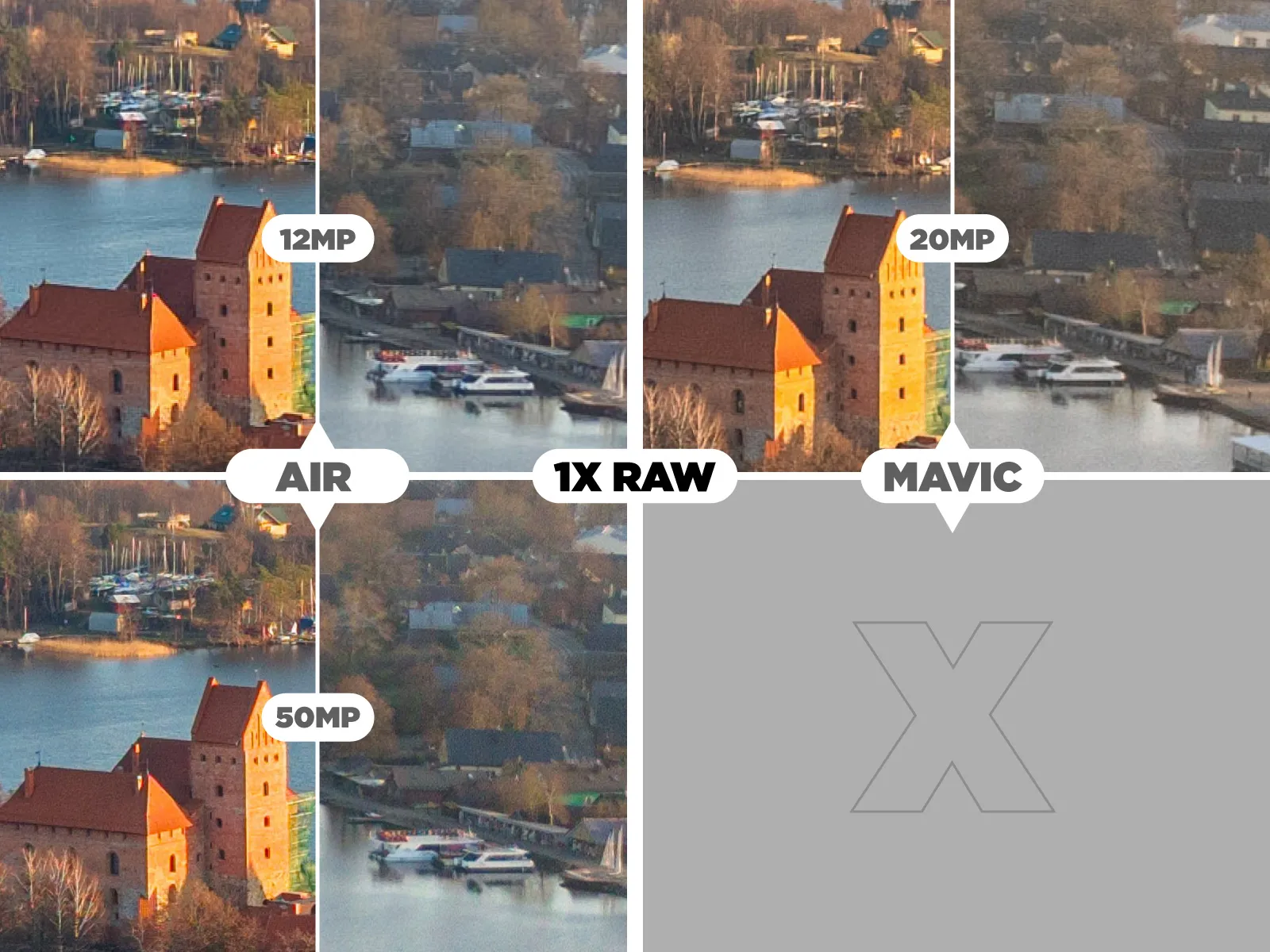
 To maximize quality, you will want to shoot raw. The images below are the same, but these are made from RAW photos with the same simple conversion in Lightroom Classic.
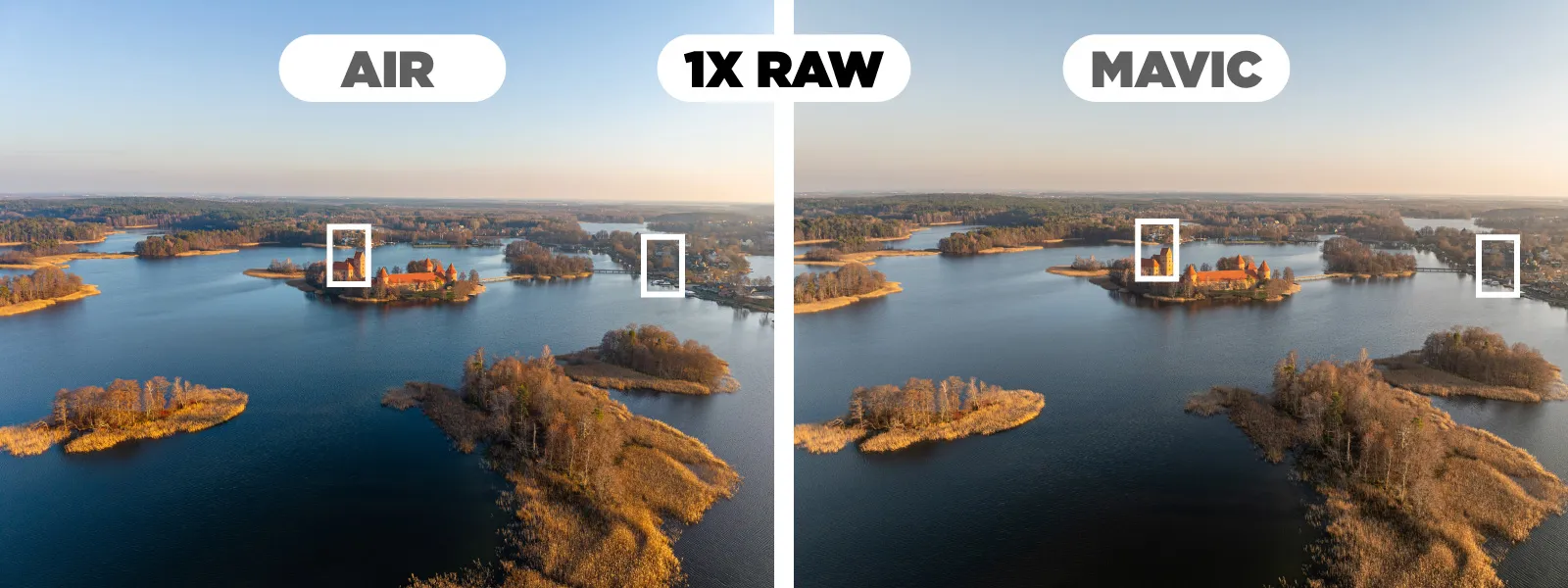 The photos are too similar to draw definite conclusions. Out-of-camera jpegs have a different look due to different processing, colors are slightly different despite identical white balance, and noise patterns are different due to differing sensor technologies.
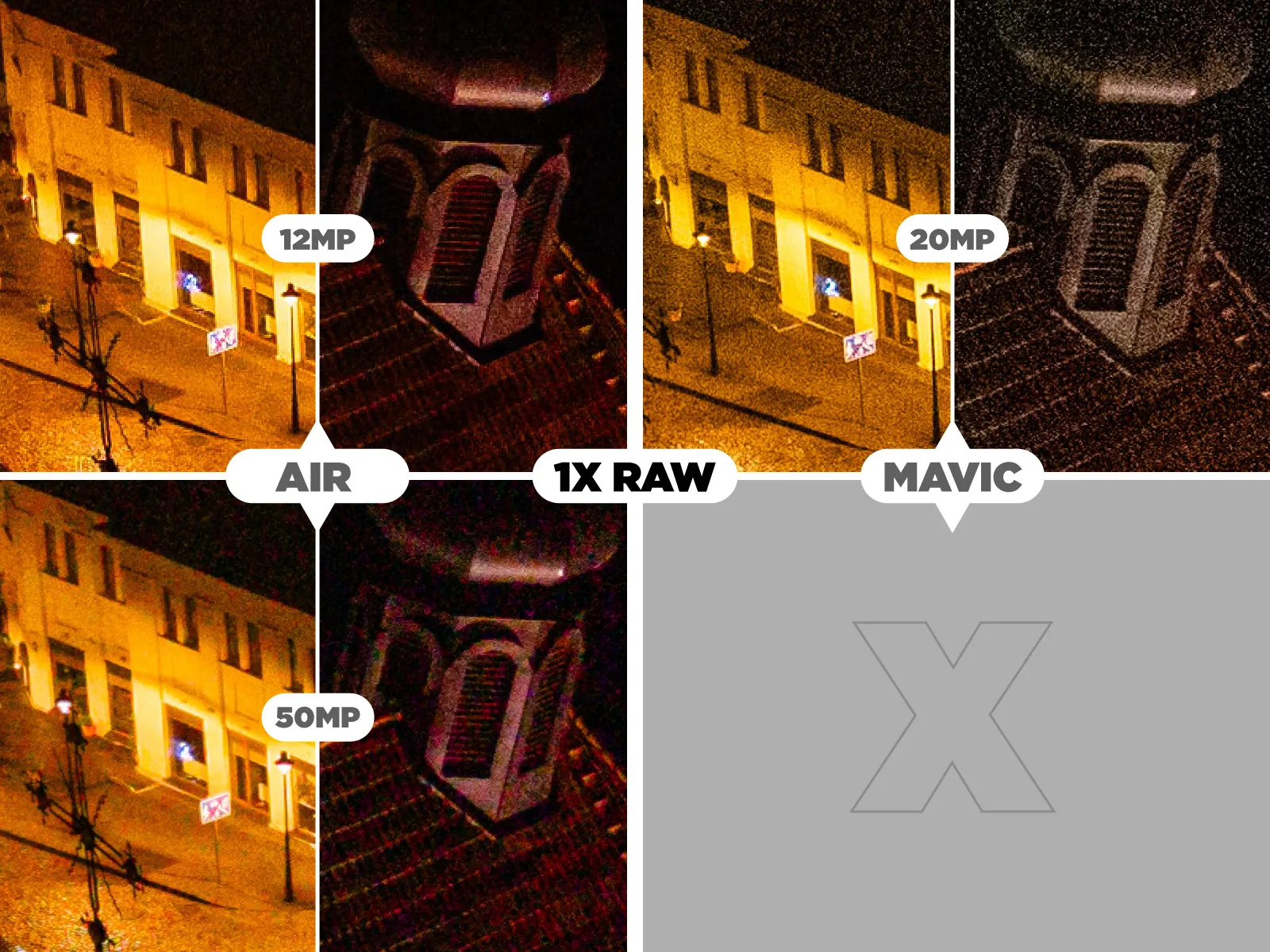
 High ISO low-light photos are a bit more interesting. These examples are made from RAW files, with default noise reduction settings but with some basic color processing.
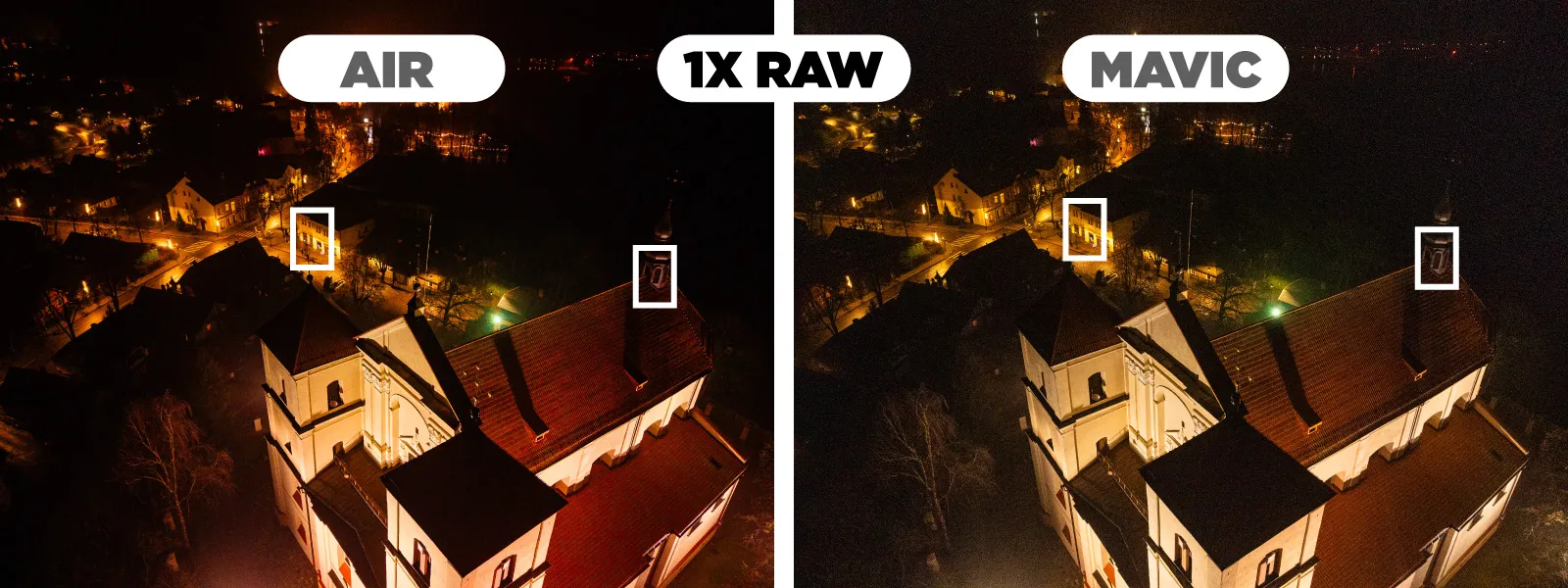 We can see that the 50-megapixel file from the Air 3S has much more color noise (which can be quite easily removed), but the 12-megapixel file is quite clean, cleaner than the 20-megapixel photo from the Mavic. Air 3S has a slight advantage here.
 3x Image Quality
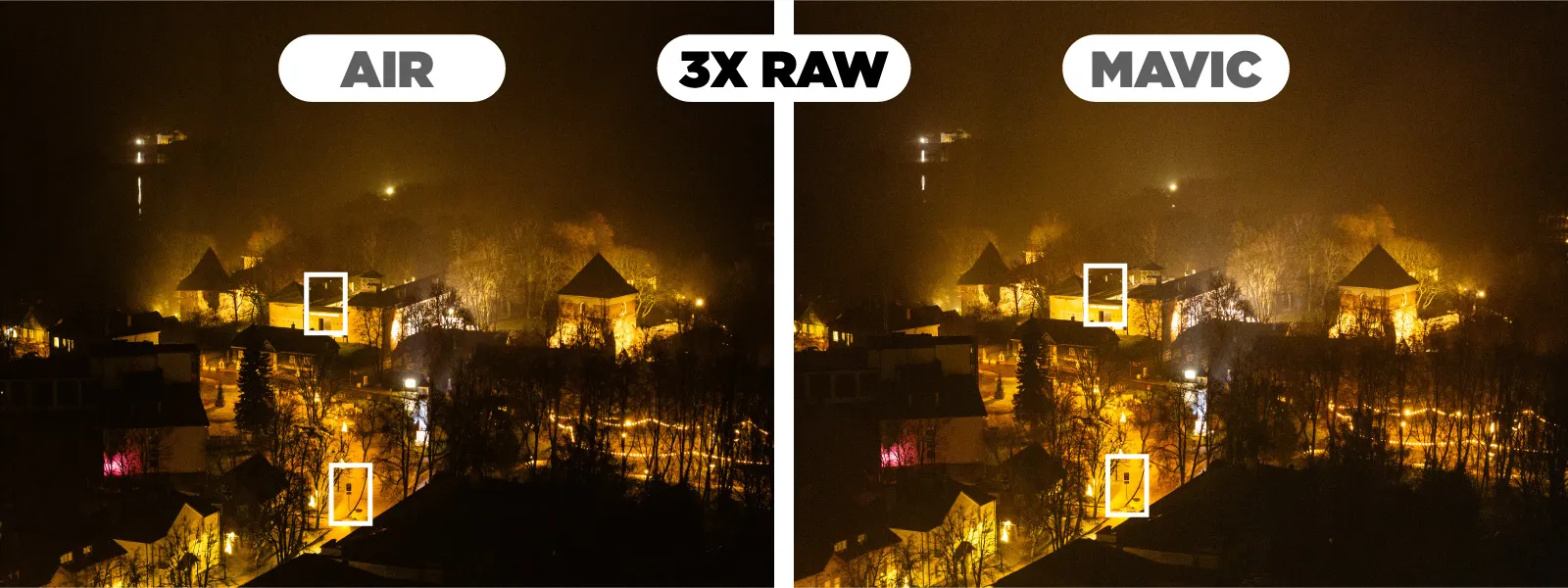
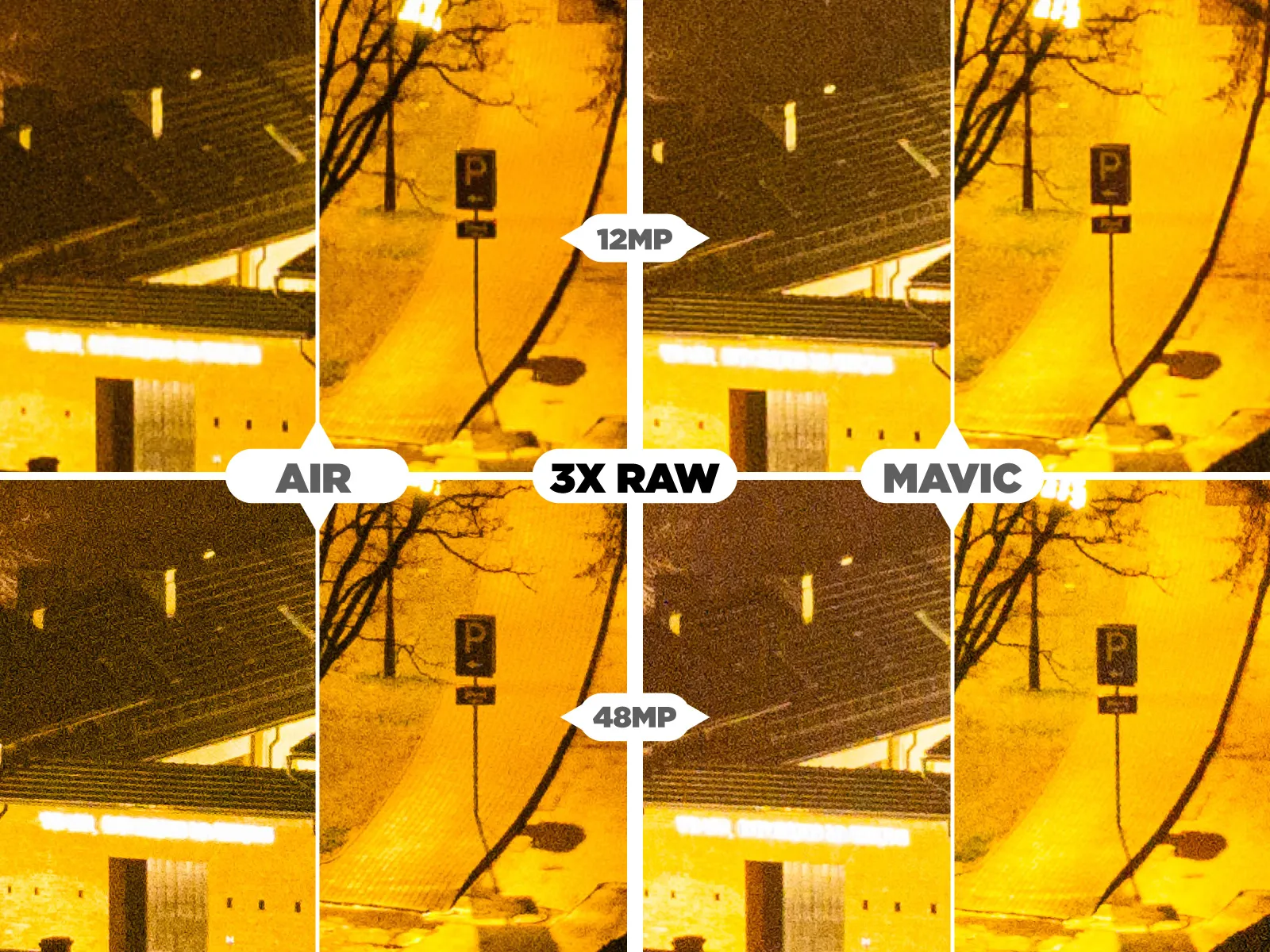
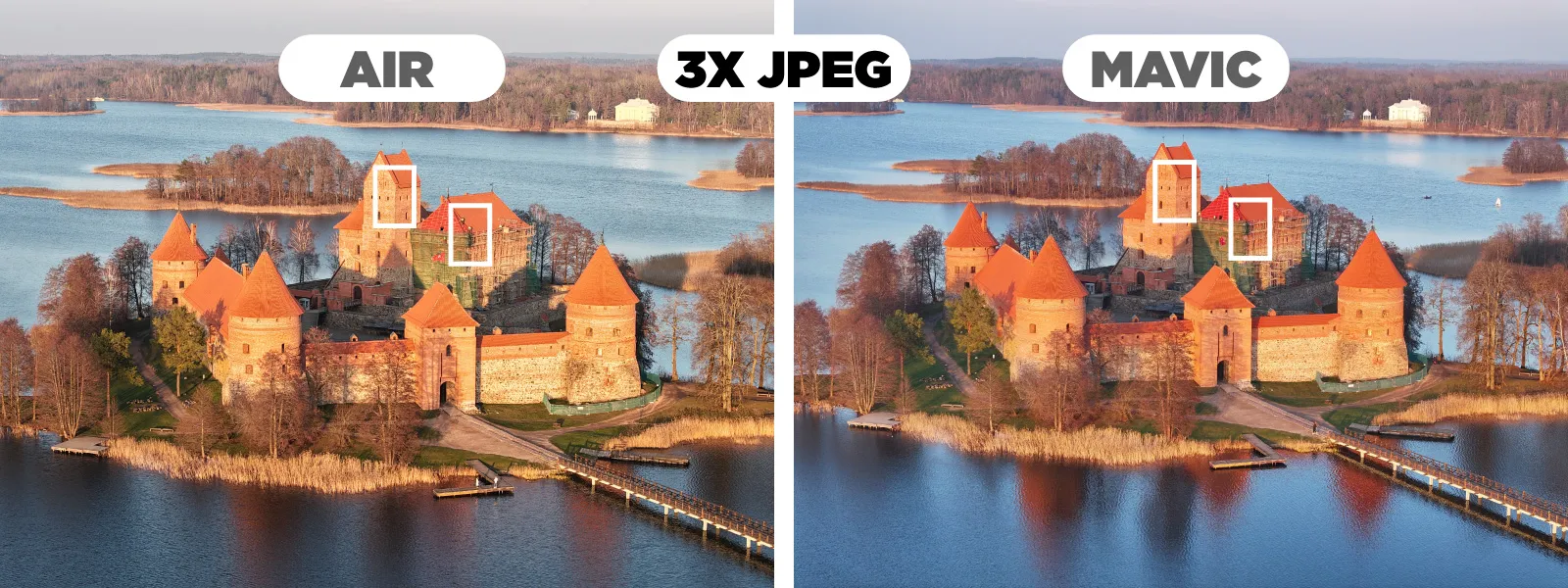 Both drones have the 3X module, which, on paper, is the same, but this does not mean that these modules are strictly identical.
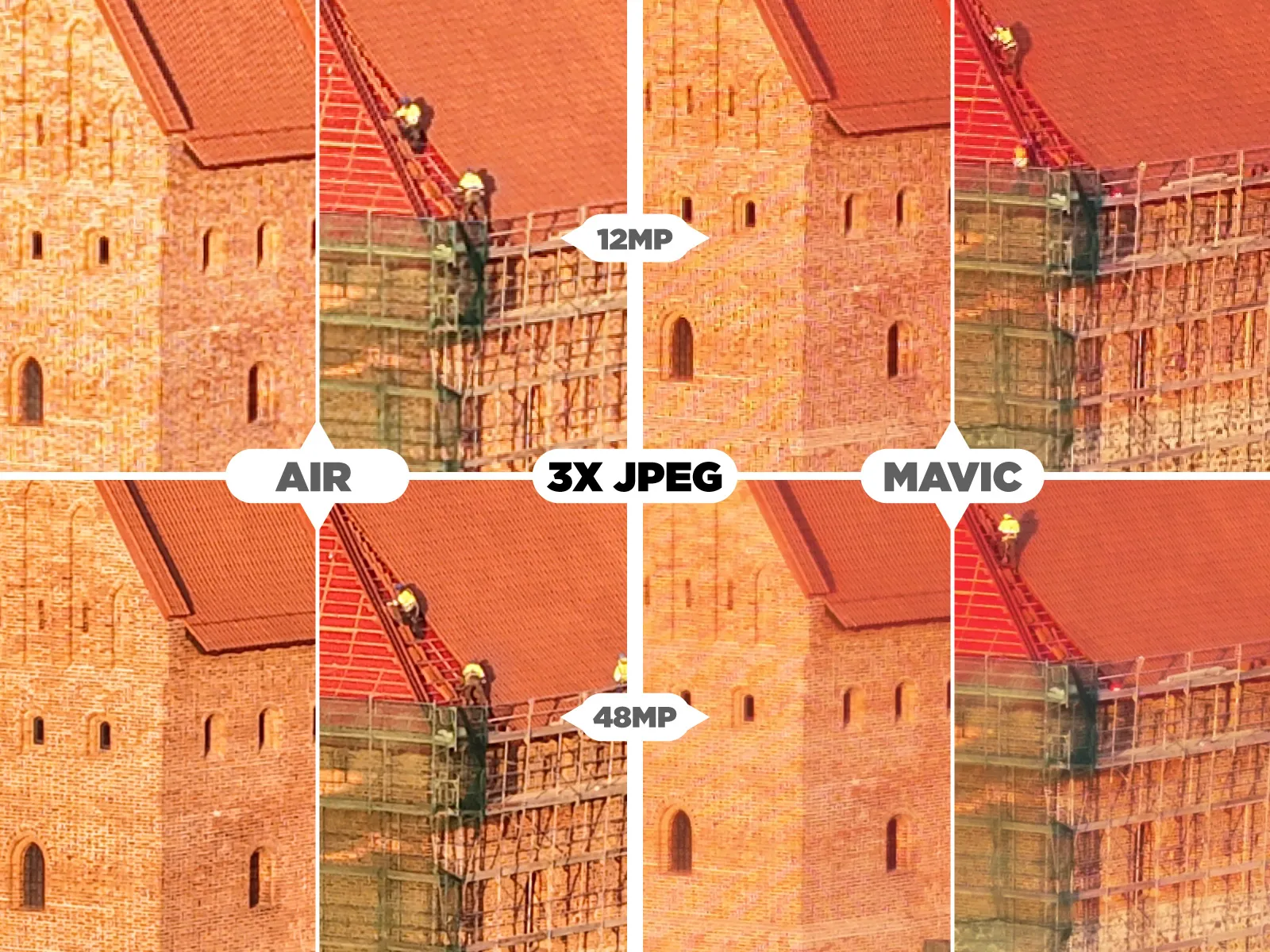 Again, for maximum quality, we need to shoot raw. Examples below are made from raw images.
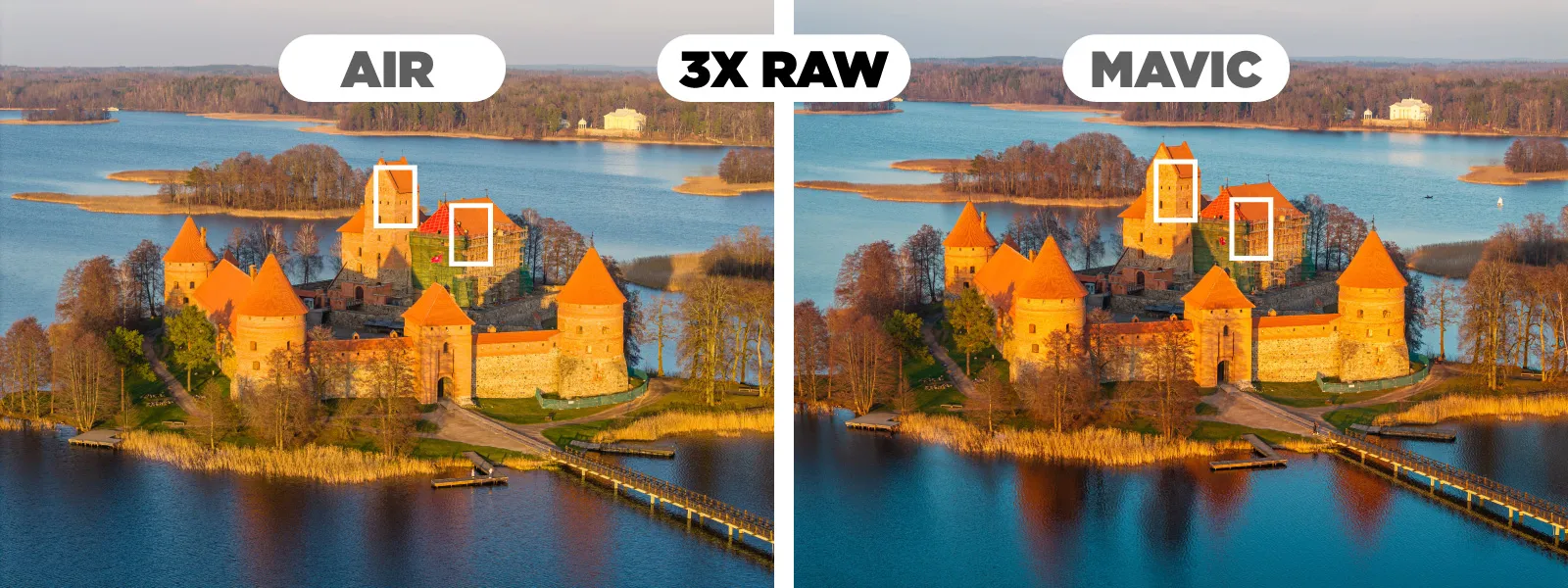
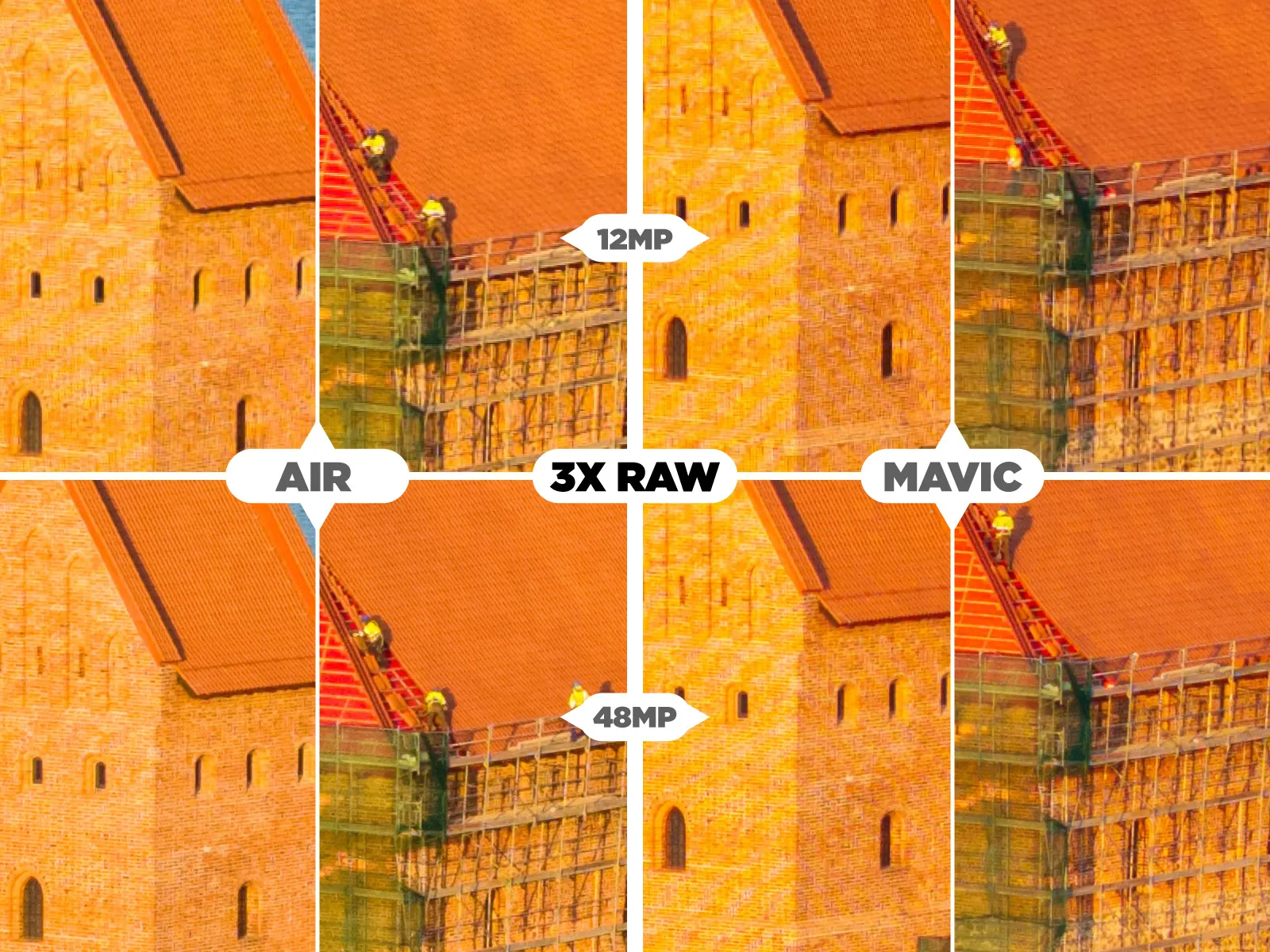 The results are the same again. The 48-megapixel jpegs do look better from the Air 3S, so there were some processing improvements, but the underlying data is the same. Raws and 12-megapixel examples look almost identical.
 If you want to download all full-size images and videos used in this article, here is a drive link:
Mavic 3 Pro vs Air 3s Sample Images
Video
Both drones can do 4k60p with both modules. So you will find example footage below in these parameters. However, the Mavic 3 Pro has small advantages as it offers 5k (with various frame rates up to 50p) mode with its 1X module and DLOG color gamma, which is super flat and supposedly offers a better dynamic range. It also allows for selecting h264 and h265 codecs and C4K resolution (17:9 4k). Below, you can see example footage where no additional processing other than conversion to Rec. 709 color has been made.
Any supposed benefits of shooting 5k and DLOG must be thoroughly tested and proved with technical facts, lab chart examples, and calculations. I have not found anything of the sort, so I will not use any made-up dynamic range numbers here. In my personal opinion, DLOG offers little to no real-world use. The DLOG-M profile is flat enough to give you some creative flexibility while being more straightforward to use. The 5k is a slight resolution bump, which comes with many limitations. I would rarely use these modes, if ever.
Photogrammetry
Both drones are great for photogrammetry if you combine them with Pixpro Waypoints and Pixpro Waypoints, hyperlapse capture techniques, and manual capture. We made a few articles exploring these topics and using these drones.
DJI Air 3S for photogrammetry? Automatic Flights with Pixpro Waypoints
Quick Roof Solar Power Plant Inspection - Pixpro Photogrammetry and Waypoints (DJI Mavic 3 Pro)
One concern we used to have for photogrammetry or other speed-sensitive captures is sensor readout speed. DJI Air 3S has no physical shutter mechanism; it relies on the electronic shutter, which depends on the sensor readout speed and the resulting rolling shutter effect. We measured a sub 16-millisecond readout speed in 12-megapixel mode (the same as Mavic 3 Pro) and only a slightly slower 20 - 30 millisecond readout in 50-megapixel mode. Rolling shutter should never be an issue.
Additional Comments
50-megapixel shooting slows everything down, and the files are enormous. A serious tradeoff.
Mavic's DLOG-M video color mode goes up to 1600 ISO, while Air's up to 3200.
While the RC2, which comes with the Air 3S, is excellent, the RC1 for the Mavic is not, and I do not recommend getting that.
Conclusion
Both drones are the best. If you want every video spec and that unique 7x perspective, the Mavic 3 Pro might be a better choice. If you feel like you will need excellent obstacle avoidance, Air 3S is the way to go. Generally, the DJI Air 3S is even more refined being the newer product, so for more casual users, it is a better choice overall. Whichever you go for for whatever flying camera purpose, you will not be disappointed.
Frequently Asked Questions
Which is better, the DJI Air 3S or the Mavic 3 Pro?
The Air 3S is the better all-round choice for most pilots. It flies in the lighter C1 class, avoids the Mavic's stricter rules, and its obstacle avoidance is more capable. The Mavic 3 Pro earns its price only if the 7x telephoto module or its higher video specifications matter to the work you do.
What is the difference between the DJI Air 3S and Mavic 3 Pro cameras?
The Air 3S pairs a 50 megapixel main sensor with a 3x module, while the Mavic 3 Pro adds a third 7x telephoto lens and an adjustable aperture. In 12 megapixel mode the Air 3S actually produces cleaner high-ISO files than the Mavic's 20 megapixel output, so extra money does not simply buy better images.
Is the DJI Mavic 3 Pro worth the extra weight?
Only if the telephoto reach justifies the paperwork. Those 200 extra grams push it from C1 into C2, which brings tighter distance requirements and more restrictions on flying near uninvolved people. For inspection and mapping over small sites the lighter airframe is usually the more practical tool.
Can the DJI Air 3S be used for photogrammetry?
Yes, and its measured readout speed is a large part of why. A sub 16 millisecond readout in 12 megapixel mode keeps rolling shutter distortion low, which matters more for reconstruction quality than raw resolution. Flown on Pixpro Waypoints grids it produces consistent overlap, though ground control points are still needed for absolute accuracy.
Which remote controller comes with each drone?
The Air 3S ships with the RC2, which has a built-in screen and works well. The Mavic 3 Pro is commonly sold with the older RC1, which we would not recommend buying. If you are choosing a Mavic bundle, paying for the newer controller is worth it over saving on the older one.
Photographer - Drone Pilot - Photogrammetrist. Years of experience in gathering data for photogrammetry projects, client support and consultations, software testing, and working with development and marketing teams. Feel free to contact me via Pixpro Discord or email (l.zmejevskis@pix-pro.com) if you have any questions about our blog.
Related Blog Posts
Our Related Posts
All of our tools and technologies are designed, modified and updated keeping your needs in mind
Pixpro to Gaussian Splatting: How to Export Your Project to Postshot
Gaussian splatting is no longer a curiosity. People are using it for walkthroughs, marketing visuals, virtual environments, and increasingly as a pretty companion to a scan they already flew.
 Pixpro Team
The Top 10 Pixpro Blog Articles So Far
We have been publishing on this blog every week for years now, on everything from stockpile volumes and coordinate systems to scanning a cake. So it seemed like a good time to look at the numbers and see which posts people actually read, rather than which ones we enjoyed writing.
Pixpro Team
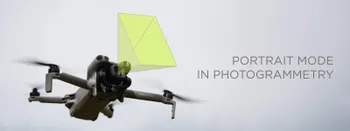
Portrait Orientation in Photogrammetry: When It Actually Helps
Is there anything to gain by scanning in portrait instead of the usual landscape? Sometimes, a little. But orientation is one of the least important decisions you make on a scan, and it is worth understanding why before you give it any more thought than that.
Pixpro Team
Ready to get started with your project?
You can choose from our three different plans or ask for a custom solution where you can process as many photos as you like!
Free 14-day trial. Cancel any time.