.svg@webp)
DJI Lito X1 for Photogrammetry
 Lukas
Zmejevskis
Lukas
Zmejevskis
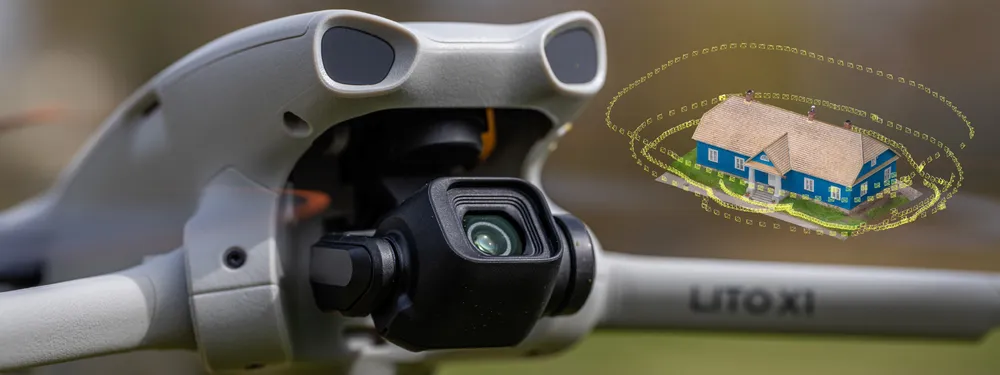
Can the Lito X1 be used for photogrammetry? Yes it can. Can it produce good results? Yes it can. How to do it? Yes it… well, that is what the rest of this article is for. I will share my basic workflows across three different approaches: manual, semi-automated, and fully automated photogrammetry using Pixpro Waypoints. These of course apply to all current DJI drones, and the smallest and cheapest Lito X1 is just as capable, making it my default beginner aerial photogrammetry recommendation for everyone.
Photogrammetry Fundamentals
Photogrammetry stands on a few fundamental principles, all relating to the input data:
-
High quality photos. No motion blur, no over/under-exposure, proper focus, low noise, and accurate colors. In short: good photos.
-
Photo overlap. Want it in 3D? It must be visible in five photos or more. That is a rough conceptual explanation of the 80 percent overlap we expect in photogrammetry.
-
Coverage. Still want it in 3D? The entire subject must be covered with that same 80 percent overlap.
All of these fundamentals depend on technique, not on the gear. The Lito X1 is just a 250 gram flying camera with a remote controller. A tool entirely dependent on its wielder. Processing with most photogrammetry software (especially Pixpro) is easy. It is just a matter of clicking a few buttons. When you provide good input data, that is all you will need.
Manual Photogrammetry with the Lito X1
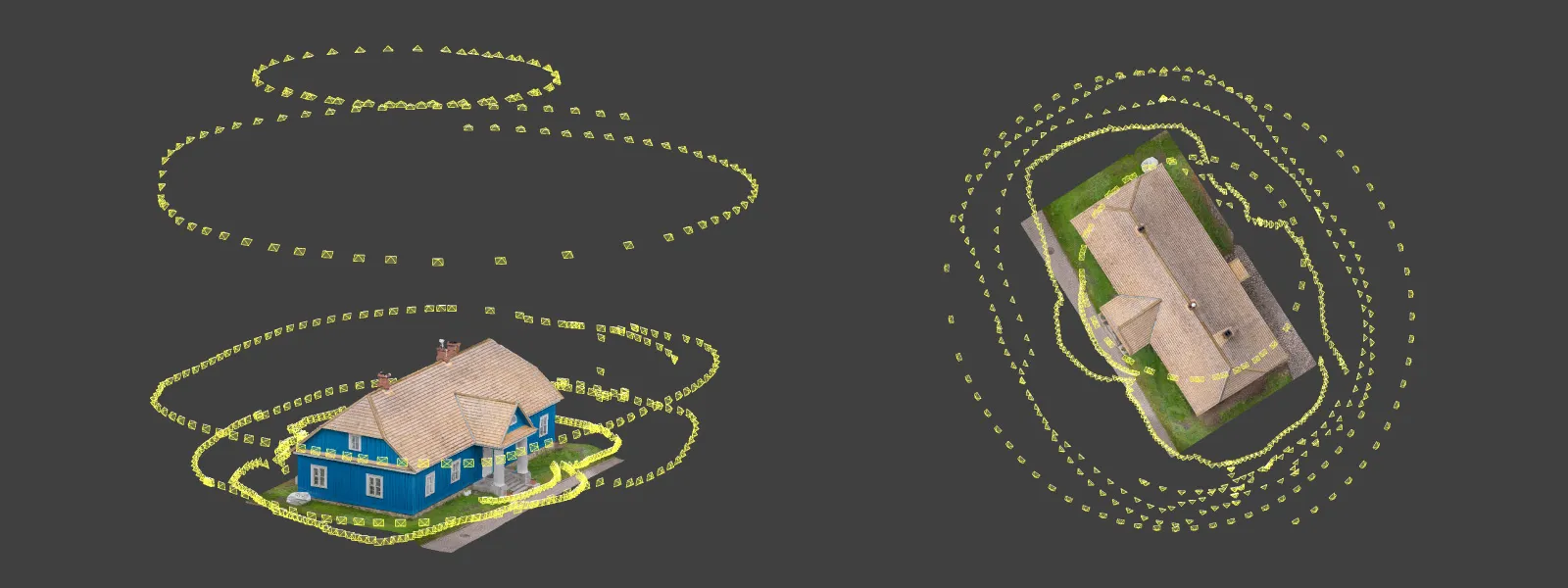
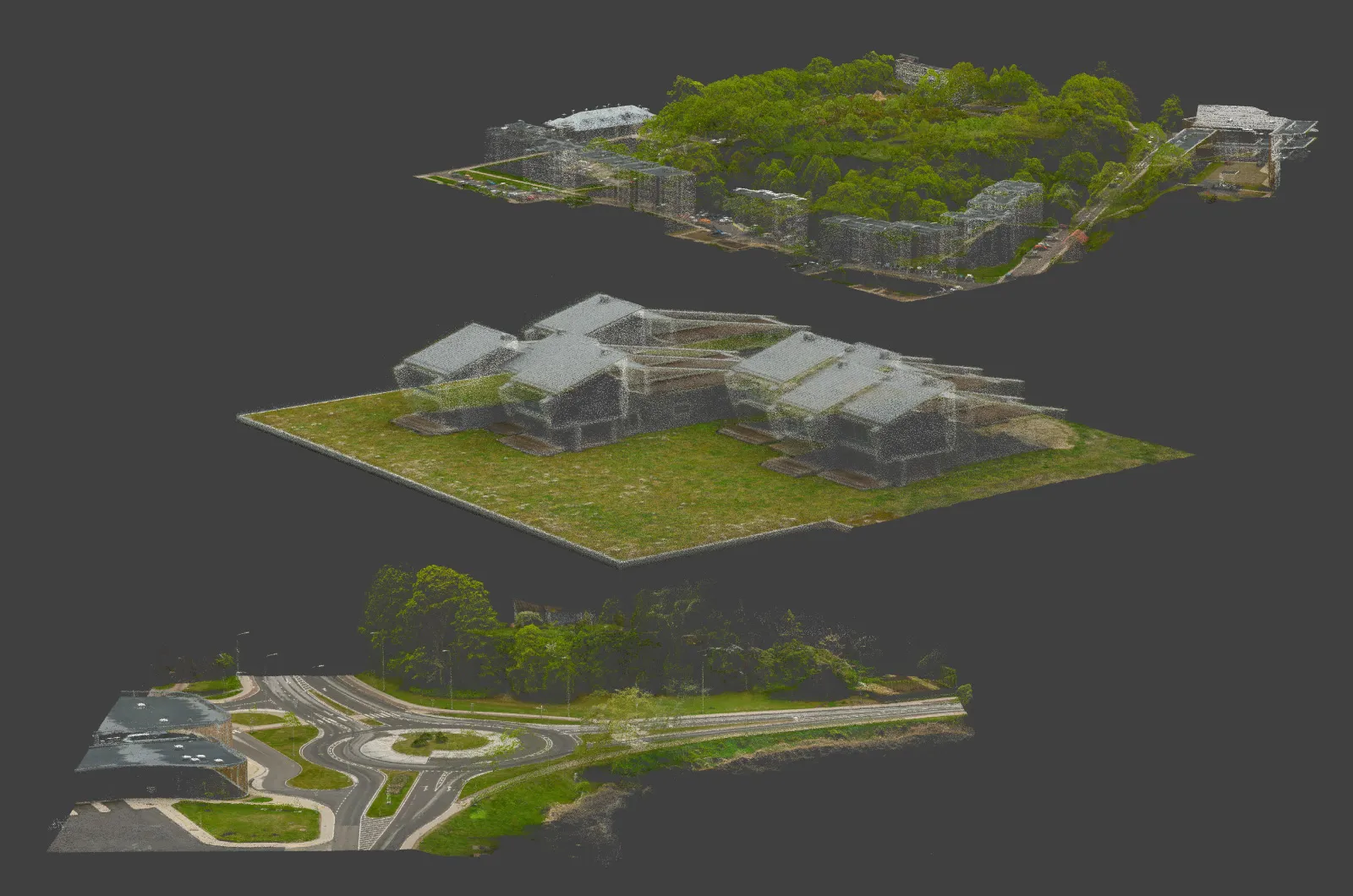
You can use any camera for photogrammetry, and if it does not have tools specifically tailored to help with 3D scanning, you go full manual. For this article I did a hybrid scan: I flew the Lito X1 manually while taking photos in interval mode, and I also took the drone in hand around the subject building for additional low-down data.
My technique was simple. For the flight part, I set the drone to Cine mode, which is a slower and smoother flight mode, set the camera to a 2-second interval photo capture, and slowly flew around the middle part of the building twice, with the camera facing straight forward at it.
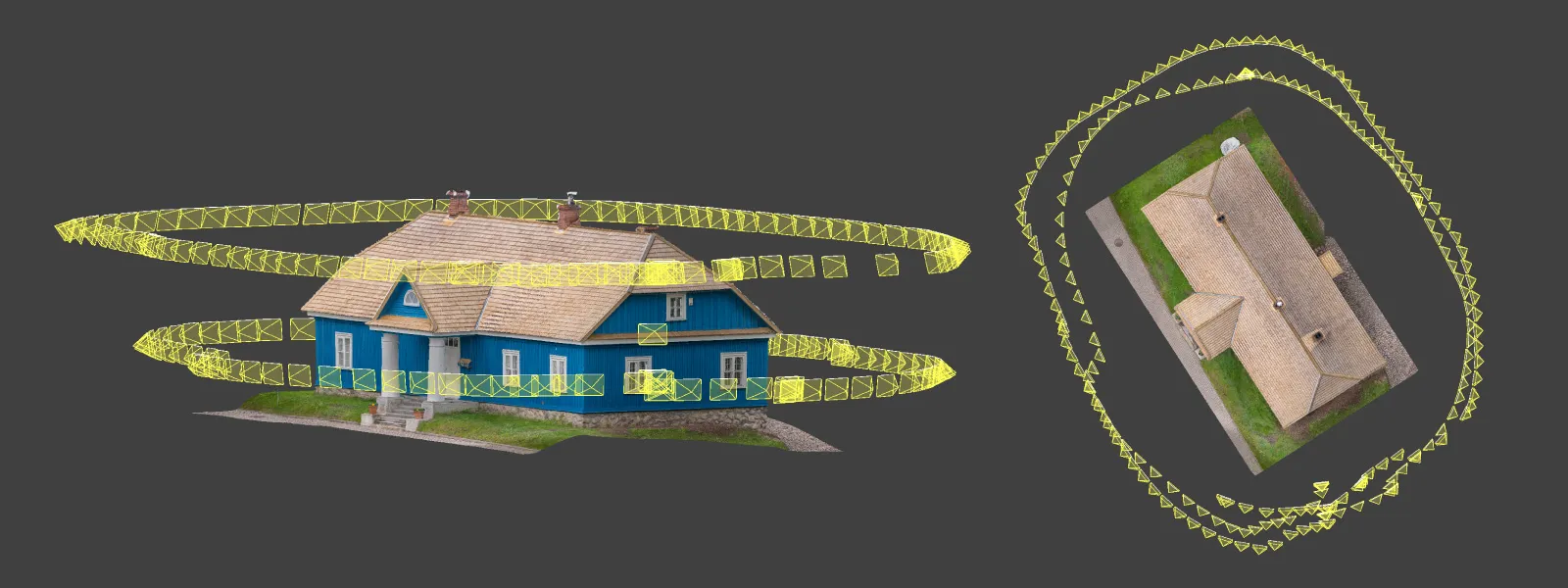 For the walking part, I folded the drone arms, kept the same interval capture, and pointed the camera upwards 35 degrees, the maximum the Lito X1 gimbal allows. I just took a large step each time the drone took a photo and walked around the building, pointing the drone body slightly upwards as well so I did not hit the gimbal tilt limit accidentally. Yes, the camera stabilization works perfectly even when the drone is just handheld. I did a short additional walk around the entrance as well.
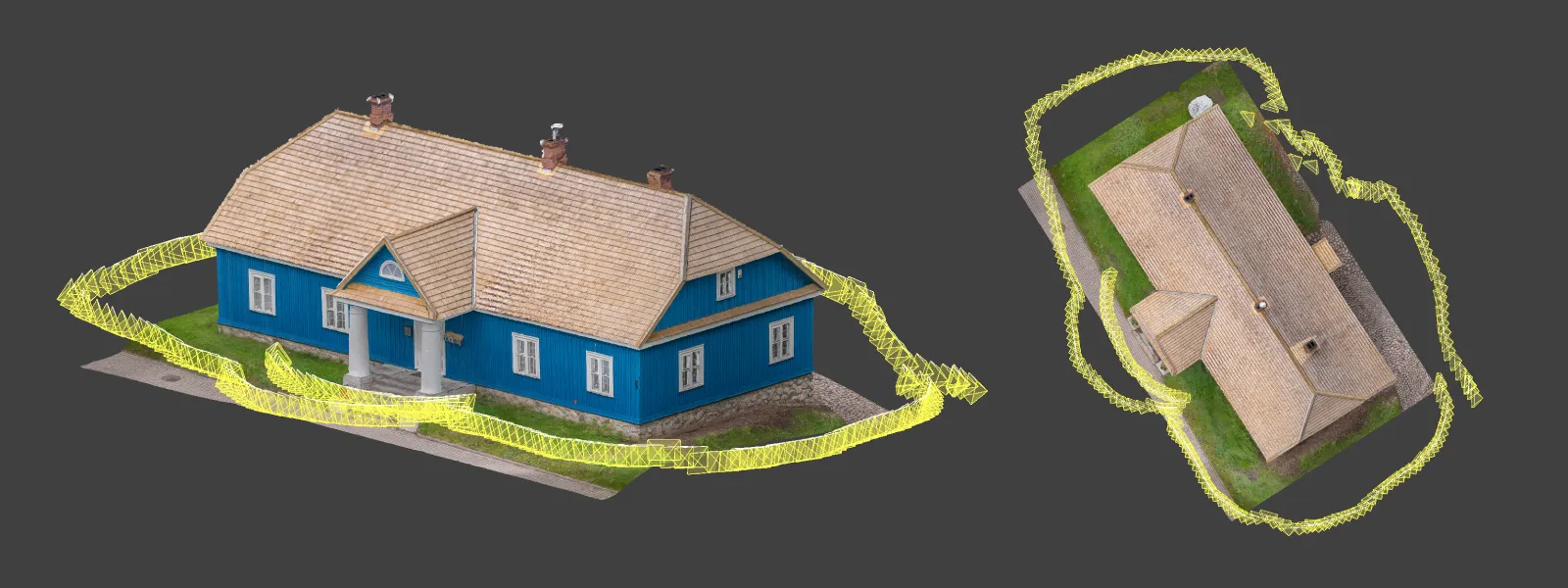 Yes, we would like everything to be automated, but there is no going around manual photogrammetry completely. The good news is that it is not difficult. Keeping the overlap precisely at 80 percent is not a requirement, especially when it is complementary data like in my example.
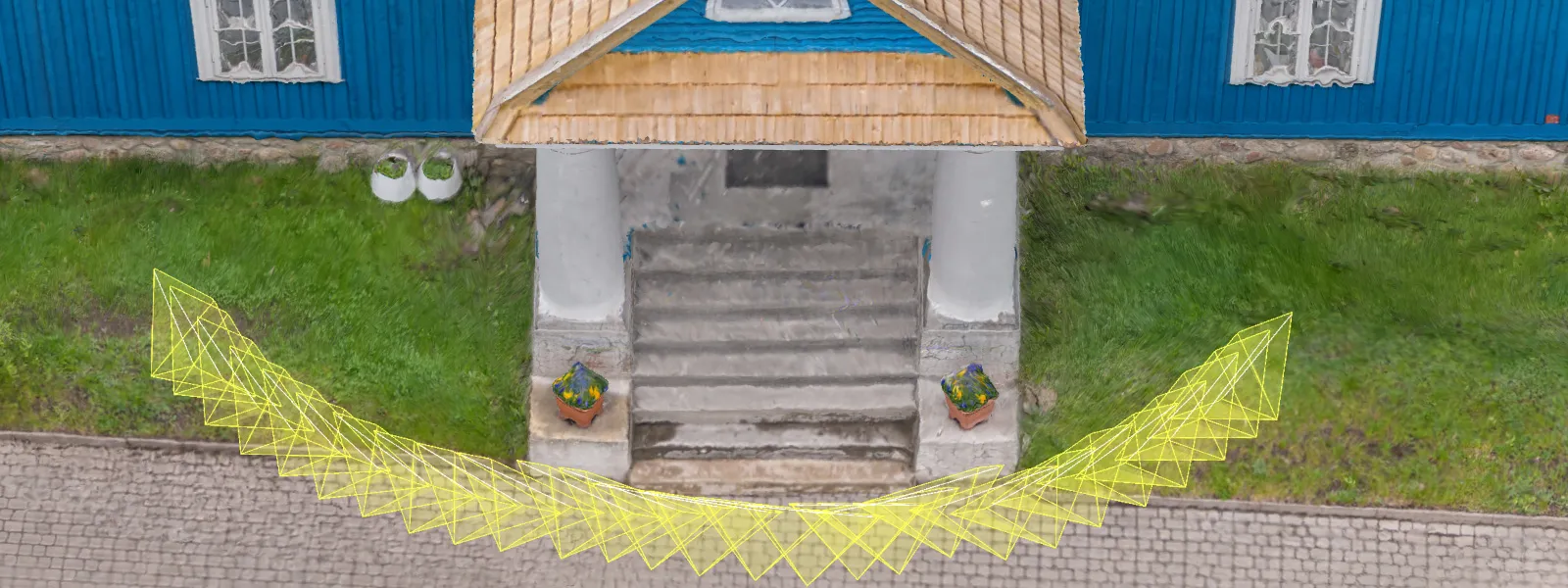 Taking good photos is also not an issue with modern cameras. For this example I used a reasonable, fixed camera setting of ISO 100 and a shutter speed of 1/400 of a second, which was good for overcast mid-day conditions. I shot RAW so I could slightly tweak the photos in post-production using Adobe Lightroom Classic. This applies to all photos I took for the purposes of this article.
Semi-Automated Capture
I call hyperlapse capture semi-automation. With DJI's circle hyperlapse mode you can select a subject on screen to track, then fly around in circles for the purpose of creating a hyperlapse video. However, you can choose to save the original RAW photos and use those for photogrammetry. With this subject in particular, I did two hyperlapse orbits above the building to capture the surrounding area and the overall structure.
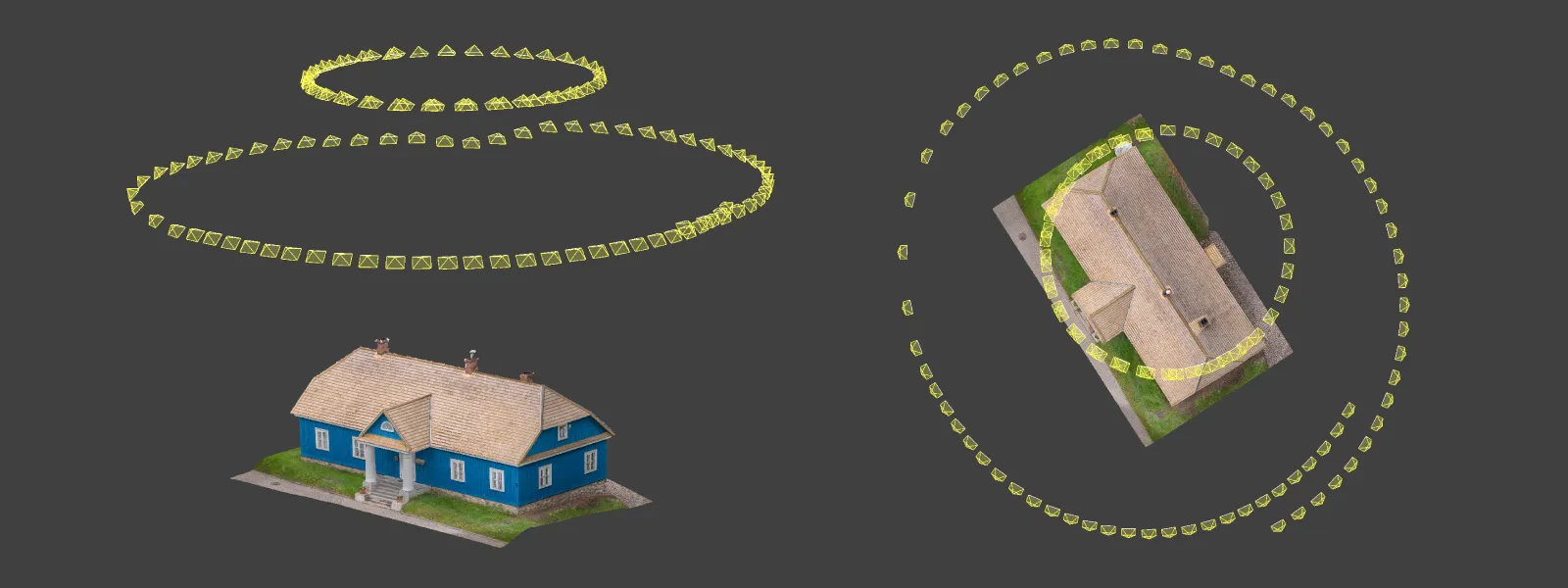 DJI drones have additional automation tools like interval capture combined with cruise control, other hyperlapse modes, and waypoints. The most powerful of these is waypoints used with the Pixpro Waypoint workaround, which gets you as close to full automation as we can manage.
 Pixpro Waypoints
If you do aerial photogrammetry you should know about Pixpro Waypoints. With our workaround you can keep the overlap perfectly consistent and the coverage exactly as needed. Without SDK and third-party app support from DJI, Pixpro Waypoints is the best solution for 3D scanning.
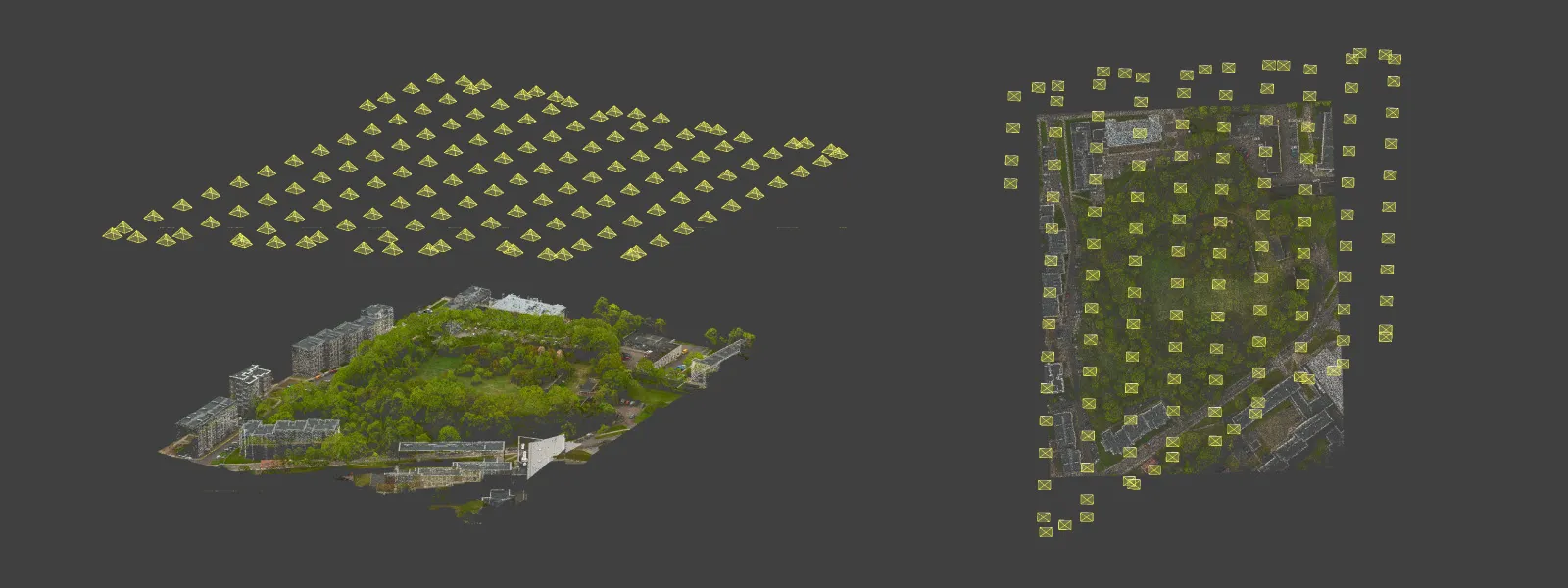
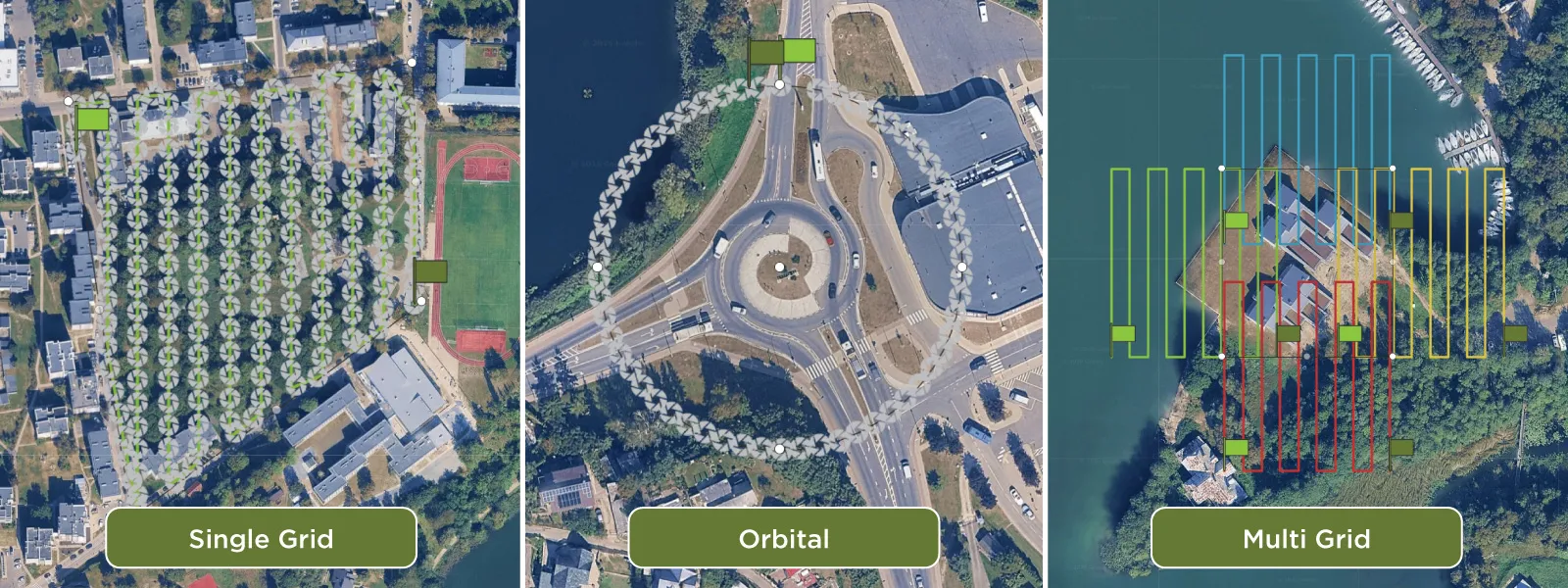 There are three flight plans to choose from. First, the classic grid, where you can change the drone orientation and camera angle, but nadir (camera straight down at 90 degrees) is the main purpose. This is what you use for making maps and true orthophotos.
 Second is the orbital flight plan, good for isolated objects like buildings or monuments. It can also be used to complement a nadir grid, helping the overall 3D structure and avoiding the bowing effect.
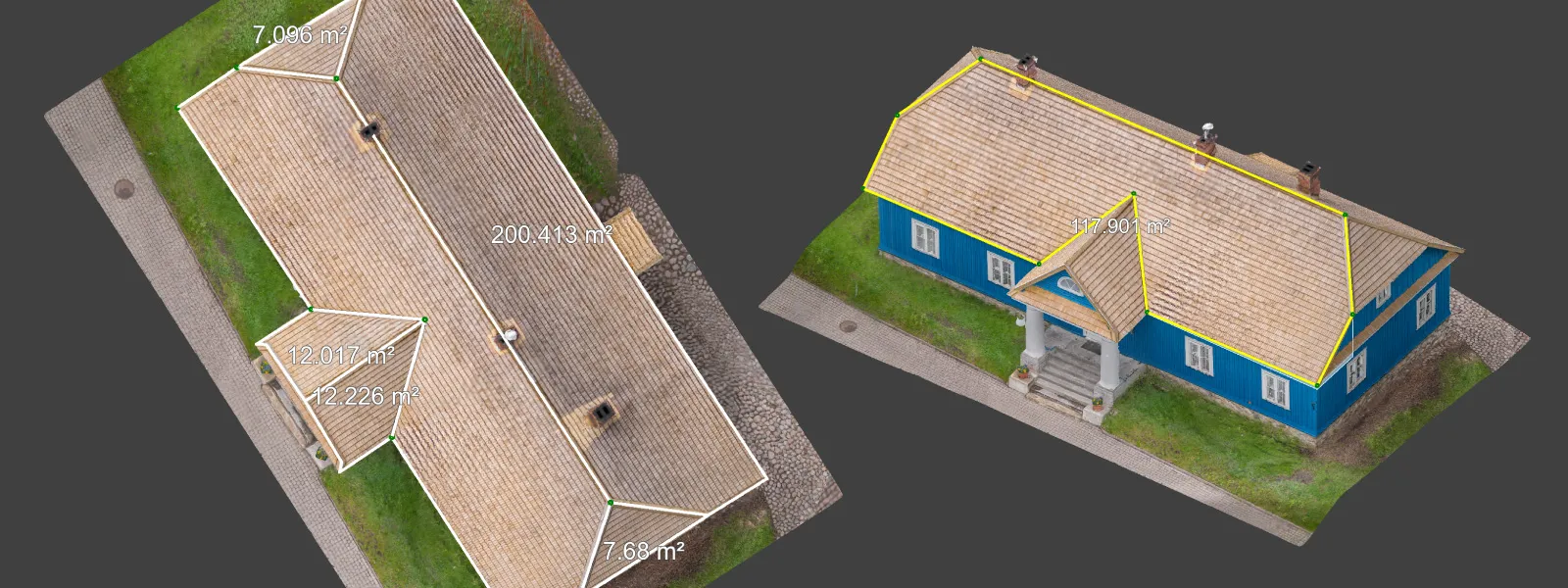
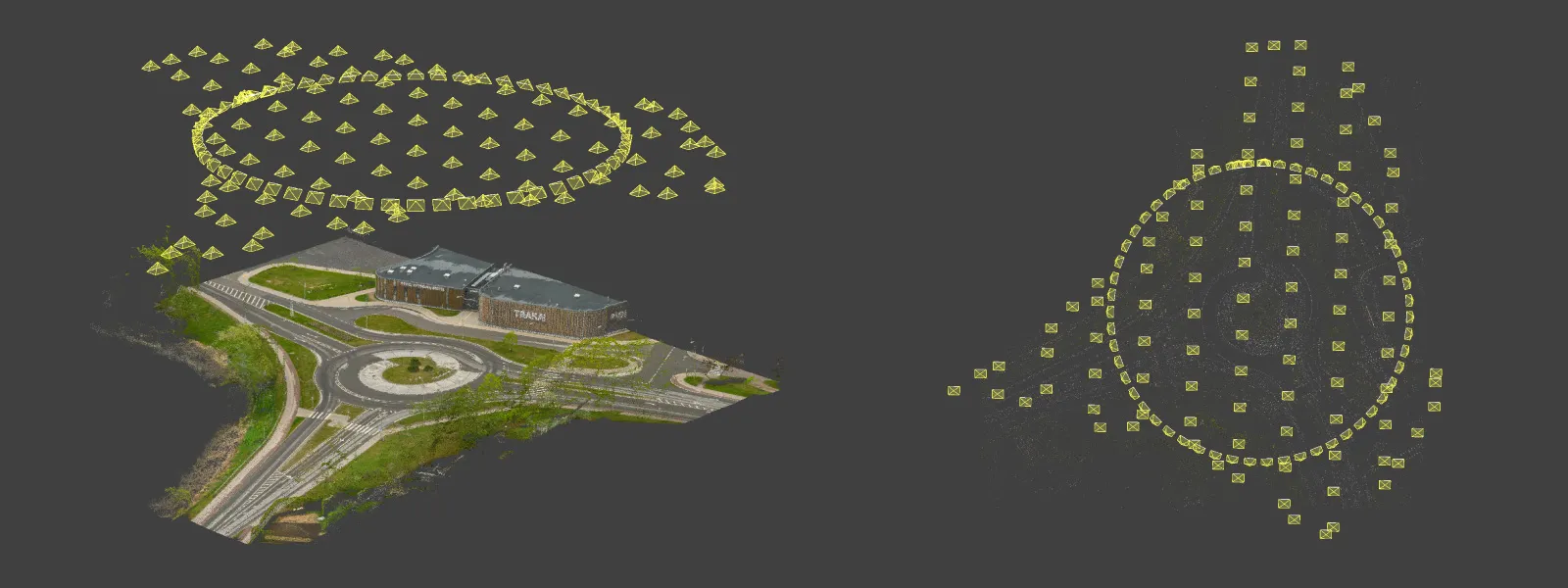 Finally there is the multi-grid option for full 3D goodness. When combined with a nadir grid, a complete 5-perspective scan can be achieved, giving the most amount of data. In the example below I did a multi-grid scan without an additional grid using the DJI Lito X1.
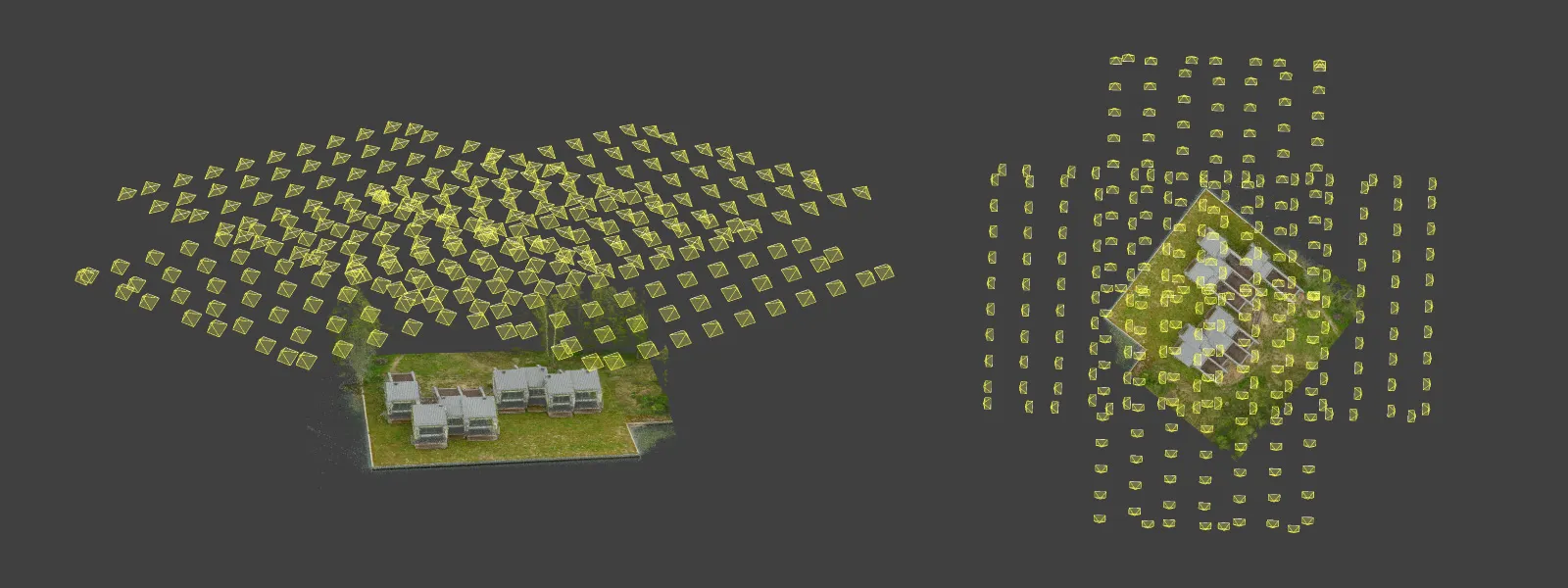 All of these samples were made in 12 megapixel mode, shooting RAW with 2 or 3 second intervals. The drone does not allow using 48 megapixels in timed shot mode, but that is a non-issue in my opinion. Flying lower but faster is a better option if you want to achieve the best resolution.
 Data Analysis and Accuracy
Pixpro photogrammetry software has all the essential analysis tools (position, length, and volume measurements) along with the export features you might need to continue working in other software. Typical deliverables include orthophotos, dense point clouds, 3D meshes, and digital surface models, all of which can be pushed into CAD, GIS, or inspection workflows.
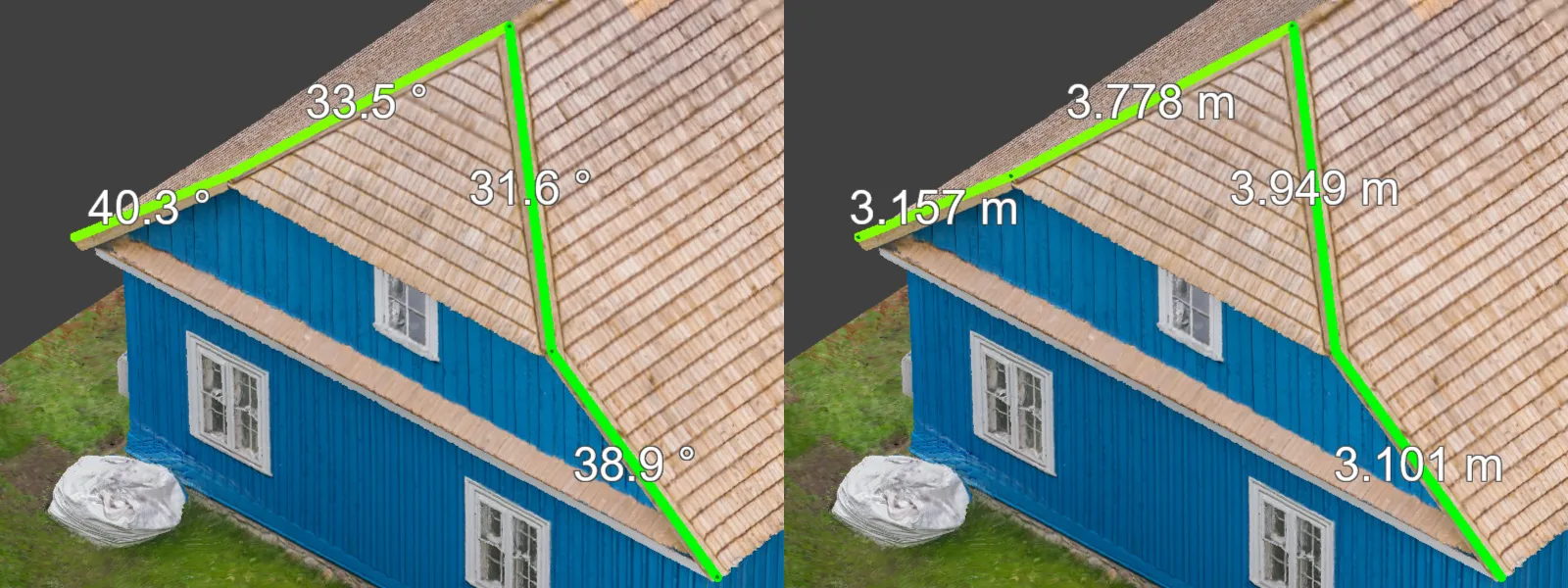 Your data will be good no matter what drone you use, as long as you use the correct methods. For measurements you can expect high relative accuracy, and ±1 centimeter linear accuracy is achievable with the Lito X1 when paired with proper scanning technique. That is more than enough for site inspections, heritage documentation, small construction monitoring, and most asset documentation work, well within tolerance for the kind of jobs a 250-gram drone is realistically taking on.
 Conclusion
Can the DJI Lito X1 be used for photogrammetry? Yes it can. Can it produce results that hold up against bigger, more expensive drones? Yes it can. Is it the only drone you will ever need? Yes it… probably is, if you are just getting started. The Lito X1 is small, cheap, and unintimidating. Across all three workflows (manual, semi-automated, and fully automated with Pixpro Waypoints), none of the limiting factors in aerial photogrammetry actually live inside the drone. They live in the technique. Get the fundamentals right and the Lito X1 will not be the thing holding your scan back.
Frequently Asked Questions
Can the DJI Lito X1 do photogrammetry?
Yes. The Lito X1 has a stabilized camera, RAW capture, and interval shooting. That is everything you need for photogrammetry. Combined with Pixpro Waypoints for automated flight planning, it is a fully capable entry-level mapping and 3D-scanning drone.
What overlap do I need for drone photogrammetry?
Roughly 80 percent overlap is the standard target. Conceptually, every point on your subject should appear in at least five photos. Pixpro Waypoints will calculate and maintain this overlap for you automatically.
How accurate is the DJI Lito X1 for mapping?
You can achieve high relative accuracy and around ±1 centimeter linear accuracy with the Lito X1 when you follow proper scanning technique: sufficient overlap, full coverage, and good photo quality.
Can I use 48 megapixel mode for photogrammetry on the Lito X1?
No, the drone does not allow 48 MP capture in timed shot mode. Use 12 MP RAW with 2 or 3 second intervals. If you need more resolution, fly lower rather than reaching for the higher megapixel setting.
Do I need ground control points with the Lito X1?
Not for relative accuracy. If you need absolute georeferencing or survey-grade results, GCPs or RTK are recommended, but for inspection, documentation, and 3D scanning work the Lito X1 is workable without them.
Photographer - Drone Pilot - Photogrammetrist. Years of experience in gathering data for photogrammetry projects, client support and consultations, software testing, and working with development and marketing teams. Feel free to contact me via Pixpro Discord or email (l.zmejevskis@pix-pro.com) if you have any questions about our blog.
Related Blog Posts
Our Related Posts
All of our tools and technologies are designed, modified and updated keeping your needs in mind
How Much Area Can You Scan on a Single Drone Battery?
"How much ground can I cover on one battery?" is one of the more practical questions we get, usually from someone quoting a job or deciding how many batteries to pack. The honest answer is that it depends, which is true but useless on its own, so I went and flew it.
 Pixpro Team

Stockpile Volume Measurement With Drone Photogrammetry: A Practical Guide
Measuring a stockpile sounds trivial until you actually have to do it on a real site. You need a number you can defend at the end of the month, and you would rather get it without sending somebody to climb up a 10 meter mountain of gravel with a GPS pole.
Pixpro Team
DJI Mini 5 Pro For Photogrammetry – Aerial Scanning With Pixpro Waypoints
DJI Mini 5 Pro is a 250-gram flying camera equipped with a 1-inch type sensor. Nine years ago, the Phantom 4 Pro was released as the first consumer drone to feature the same sensor format.
Pixpro Team
Ready to get started with your project?
You can choose from our three different plans or ask for a custom solution where you can process as many photos as you like!
Free 14-day trial. Cancel any time.