.svg@webp)
Pixpro photogrammetry blog
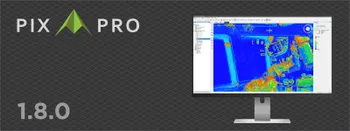
Pixpro 1.8.0 - New Reconstruction Core, Adaptive Mapping and Slope Maps
It has been a while since the last version post on this blog. Pixpro 1.8.0 is the first new major version since 1.7.0, and the biggest change sits right at the start of every project: how the cameras get placed and the sparse point cloud gets built.
 Pixpro Team

AI Noise Reduction for Photogrammetry in 2026: Lightroom Denoise Tested
AI denoising has come a long way since, and it now sits inside Lightroom as a single button. So it seemed like a good time to check whether that conclusion still holds, this time with real check measurements instead of a visual judgment.
Pixpro Team
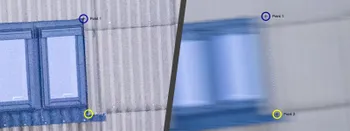
How to Check a Point Cloud You Do Not Trust: Validating Measurements With Known Dimensions
Measure something real in the scene, measure the same thing in the model, and compare. That is the whole technique.
Pixpro Team
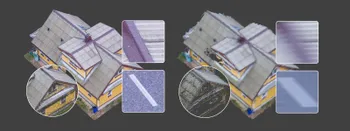
Shutter Speed, ISO and Motion Blur in Drone Photogrammetry, Part 2: The Roof Test
This is the practical part. Same roof, same orbit, seven times, from high ISO and a fast shutter down to low ISO and a shutter so slow it has no business producing a 3D model.
Pixpro Team
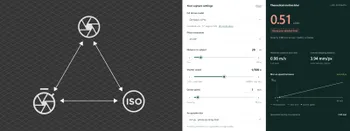
Shutter Speed, ISO and Motion Blur in Drone Photogrammetry
This is a two part article. This first part is the lesson: what shutter speed, ISO and motion blur actually do to a photogrammetry dataset, how they trade against each other, and where the line sits between flying through a scan and stopping for every photo.
Pixpro Team
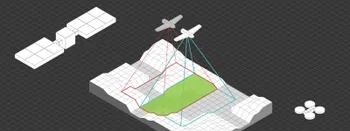
Satellite, Airplane, Drone: The Three Scales of Photogrammetry
Most of what we write about here happens below 120 meters. But photogrammetry did not start with drones and it does not stop with them.
Pixpro Team

Photogrammetry Gear Guide 2026: What a Complete Setup Actually Costs
Nobody buys a camera and then does photogrammetry with it. You need something to capture with, something to process with, and something to process on, and this year the third one is the most interesting decision of the three.
Pixpro Team

What Photogrammetry Software Actually Costs in 2026
Pricing pages in this industry are a mess. Some publish a number, some hide behind "contact sales", some quote a monthly figure that only applies if you pay a year up front, and several sell the processing separately from the software that does the processing.
Pixpro Team
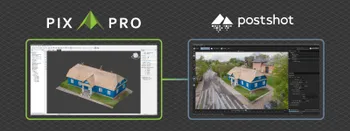
Pixpro to Gaussian Splatting: How to Export Your Project to Postshot
Gaussian splatting is no longer a curiosity. People are using it for walkthroughs, marketing visuals, virtual environments, and increasingly as a pretty companion to a scan they already flew.
Pixpro Team
Ready to get started with your project?
You can choose from our three different plans or ask for a custom solution where you can process as many photos as you like!
Free 14-day trial. Cancel any time.
Welcome to Pixpro
Sign in
And access your account.